
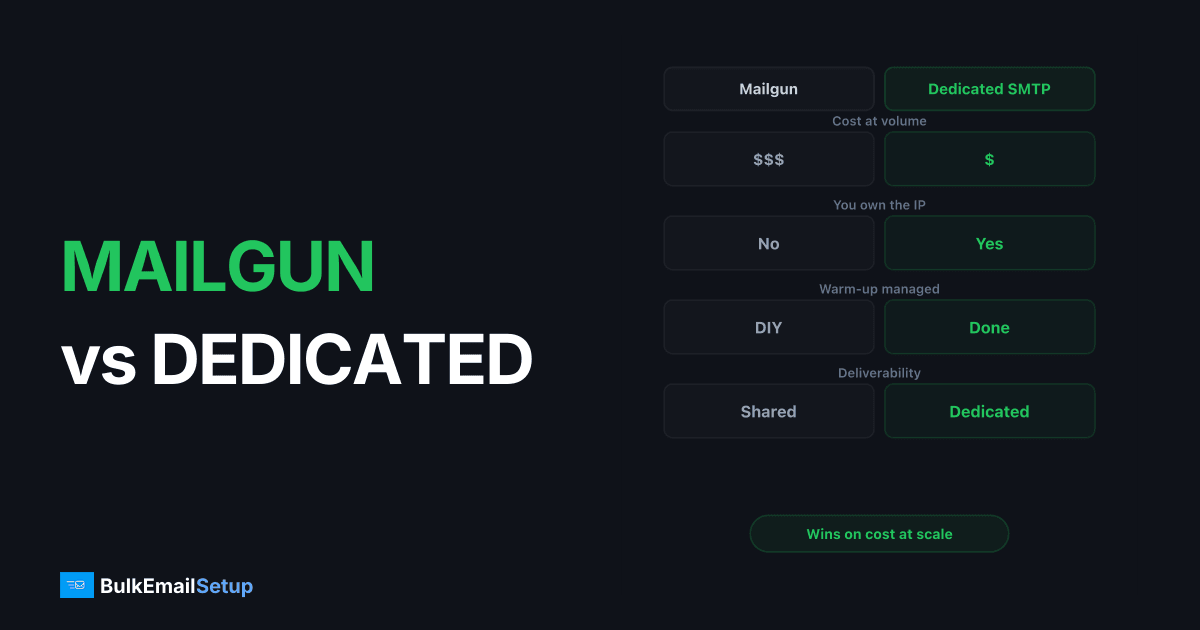
At 500K+ emails a month, a dedicated SMTP server wins on price: Mailgun runs roughly $300-600/month at that volume while a managed dedicated SMTP server stays flat at $50-200/month no matter how much you send. Mailgun is the easier pick under 100K/month and for teams that want APIs and webhooks without owning IP reputation. The mailgun vs dedicated smtp server decision comes down to one trade: pay per email and let Mailgun share an IP pool with you, or pay a flat fee for your own warmed IP and full control. Above about 250K-300K/month, flat pricing wins.
I've run production sending on both. Below is what actually separates them once you're past 250K sends a month and the per-email line item starts to hurt.
Mailgun vs dedicated SMTP server: the core difference
Mailgun is a relay-as-a-service. You hit their API or SMTP endpoint, they queue and deliver, and you pay per email sent. The infrastructure, IPs, and most of the deliverability tuning live on their side.
A dedicated SMTP server is your own sending machine with your own IP. Whether self-hosted (Postal, Postfix) or managed (a provider runs it for you), the reputation attached to that IP is yours alone. Nobody else's campaign can drag it down.
That single difference, shared pool versus your own IP, drives everything else: cost curve, deliverability ceiling, and how much ops work lands on your desk.
Cost comparison at real volumes
Here's the part buyers actually care about. 2026 ballparks, check current pricing before committing.
| Monthly volume | Mailgun | Self-hosted dedicated | Managed dedicated SMTP |
|---|---|---|---|
| 10K | ~$15 | ~$20-40 (server) | ~$50-100 (overkill) |
| 100K | ~$75-90 | ~$20-40 + your time | ~$50-150 flat |
| 500K | ~$300-450 | ~$30-60 + your time | ~$50-200 flat |
| 1M | ~$600+ | ~$40-80 + your time | ~$100-200 flat |
| 2M | ~$900+ | ~$60-120 + your time | ~$150-300 flat |
The pattern is the same one you see across every per-email provider: pricing scales with send count, so volume is punished. Flat pricing rewards it. The crossover where a dedicated server beats Mailgun lands around 250K-300K/month for most senders. By 500K it's not close.
A fuller version of this curve is in cost to send 1 million emails per month and SMTP relay pricing comparison.
Where Mailgun's pricing actually bites
Mailgun's headline tiers look reasonable, but the bill at volume grows from a few places people miss:
- Tier jumps are steep. Crossing from one plan to the next isn't linear. You often pay for headroom you don't use.
- Dedicated IPs cost extra. If you want your own IP on Mailgun (and at 500K+ you should), that's an add-on on top of the per-email rate.
- Validation and extra features bolt on. Email validation, longer log retention, and premium support stack on the base price.
- Overage pricing. Go over your committed volume and the per-email rate isn't kind.
I broke the tiers down in detail in Mailgun pricing breakdown. The short version: at 500K/month you're realistically looking at $300-450, and at 1M you cross $600 once a dedicated IP is included.
Deliverability: shared pool vs your own IP
This is the part that doesn't show up on a pricing page but costs the most when it goes wrong.
| Factor | Mailgun (standard) | Dedicated SMTP server |
|---|---|---|
| IP reputation | Shared pool | Yours alone |
| Neighbor risk | A bad sender in your pool hurts you | None, isolated |
| Warm-up | Handled, but you're on shared trust | You warm the IP (or your managed provider does) |
| Blacklist remediation | Mailgun's problem, slow for you | Yours, or your managed provider's |
| Reputation ceiling | Capped by pool quality | As high as your sending hygiene allows |
On Mailgun's standard plans you're sharing IP reputation. That's fine until the day a spammer in your pool gets the IP range listed at Spamhaus and your transactional mail starts landing in spam through no fault of your own. I've watched it happen.
A dedicated IP removes that variable. The downside is honest: a fresh IP has zero reputation and must be warmed over 2-4 weeks before it carries full volume. Get warm-up wrong and you'll sit in the spam folder for weeks. See how long does IP warm-up take and the trade-offs in dedicated IP vs shared IP email.
The hidden cost: who does the ops work
A dedicated server is cheaper on the invoice, but somebody has to run it. The work, if you self-host:
- IP warm-up scheduling
- rDNS / PTR records, SPF, DKIM, DMARC alignment
- Feedback loop signups (Microsoft SNDS, Google Postmaster)
- Blacklist monitoring and delisting requests
- Bounce and complaint processing
- OS patching and queue management
Budget 10-20 hours for initial setup and a few hours a month after. If you have a sysadmin who enjoys this, self-hosting Postal or Postfix is the cheapest option going. If you don't, that "cheap" server gets expensive the first weekend you spend diagnosing a Microsoft block with nobody to call.
That's the gap a managed dedicated SMTP server fills: you get your own IP and flat pricing, but the provider does warm-up, monitoring, and delisting. I weighed this fully in is managed SMTP worth it and self-hosted vs managed vs ESP TCO.
Mailgun's genuine strengths
I'm not here to bury Mailgun. It's good at real things:
- API and webhooks. Mailgun's developer experience is better than most. Event webhooks, parsing, and logs are genuinely useful for debugging.
- Zero infrastructure. No server to patch, no queue to babysit. For a small team shipping fast, that's worth money.
- Fast onboarding. You can send within an hour. A dedicated IP needs weeks of warm-up before full volume.
- Burst tolerance. Sudden spikes are absorbed by their pool. A single dedicated IP has practical throughput limits you have to respect.
If your volume is under 100K/month, or you value the API and don't want to think about IP reputation at all, Mailgun is a reasonable choice. The case for switching is about cost and reputation control at scale, not Mailgun being bad. If you do want to shop around at that volume, see Mailgun alternatives and Amazon SES alternatives.
At 500K+/month, here's the honest verdict
Three numbers decide this:
- Send volume. Below 100K, Mailgun usually wins on total cost. Above 300K, a dedicated server wins. At 500K+ it's a blowout: $300-600 vs $50-200 flat.
- Deliverability sensitivity. If a shared-pool listing taking down your password resets is unacceptable, you want your own IP regardless of cost.
- Ops appetite. Self-host if you have the time and skills. Use a managed dedicated server if you want the dedicated IP and flat price without the 2 a.m. delisting work.
For most senders crossing 500K/month, the answer is a dedicated IP on flat pricing. Whether you self-host or buy managed depends entirely on whether you have the ops bandwidth.
Who should pick what
- Under 100K/month, want APIs and zero ops: stay on Mailgun.
- Engineering team, cost-obsessed, willing to own deliverability end to end: self-host Postal or Postfix, read Postal vs Postfix and how to set up an SMTP server for bulk email.
- 500K+/month, want your own reputation without the ops load: managed dedicated SMTP server.
- Marketing-heavy sender on Mailchimp or Klaviyo bleeding money: see Mailchimp alternatives for high volume senders and Klaviyo alternatives.
- Comparing the broader field: SendGrid alternatives and best dedicated SMTP server providers.
Migration notes if you move off Mailgun
Don't cut over in one day. The sequence that works:
- Export suppressions first. Pull unsubscribes, bounces, and complaints from Mailgun and import them into the new system before you send a single email.
- Set up authentication. New SPF include or IP, new DKIM selector, confirm DMARC alignment. Test through a mail-tester before real traffic. Consider sending from a subdomain rather than the root domain.
- Warm the dedicated IP over 2-4 weeks. Start with your most engaged recipients at 1-2K/day, roughly doubling every 2-3 days while Mailgun carries the rest.
- Watch bounce codes daily. 4xx deferrals mean slow down; 5xx blocks mean stop and diagnose. Keep your list clean, see how to reduce email bounce rate.
- Keep Mailgun alive 30 days as a fallback if the new IP hits an unexpected listing.
The whole thing is 4-6 weeks of calendar time but only a few hours of real work. Most of it is waiting for reputation to build.
How BulkEmailSetup helps
BulkEmailSetup runs dedicated SMTP servers with managed IP warm-up, blacklist monitoring, and full DNS setup. Your own IP and reputation, flat monthly pricing, none of the delisting work. At 500K+ emails a month that flat fee typically beats Mailgun by 60-80%. See pricing for current plans, and if you're cost-capped, bulk email setup under 100 dollars and cheapest way to send 100k emails per month.
Frequently asked questions
Is a dedicated SMTP server cheaper than Mailgun at 500K emails/month?
Usually yes. At 500K/month Mailgun runs roughly $300-600 depending on tier and add-ons, while a managed dedicated SMTP server with a dedicated IP costs a flat $50-200/month regardless of volume. The flat fee wins clearly above about 250K-300K emails a month. Below 50K, Mailgun or Amazon SES is cheaper because the dedicated server has a higher fixed floor.
Does Mailgun give you a dedicated IP?
Only on higher tiers or as a paid add-on, and even then warm-up and reputation management are largely your responsibility. A dedicated SMTP server gives you a dedicated IP by definition, and a managed provider warms it for you over 2-4 weeks before full volume.
Who owns deliverability on Mailgun vs a dedicated server?
On Mailgun's standard plans you share IP reputation with other senders in the pool, so a neighbor's bad campaign can hurt your inbox placement. On a dedicated server the IP and its reputation are entirely yours, which is better long-term but means warm-up and blacklist monitoring must be handled by you or your managed provider.
Should I move off Mailgun if I send 1 million emails a month?
At 1M/month the math almost always favors a dedicated SMTP server. Mailgun at that volume runs $600+ per month, while a dedicated server stays at $100-200 flat. The crossover point where dedicated becomes cheaper is typically 250K-300K emails monthly, so by 1M the gap is large.


