
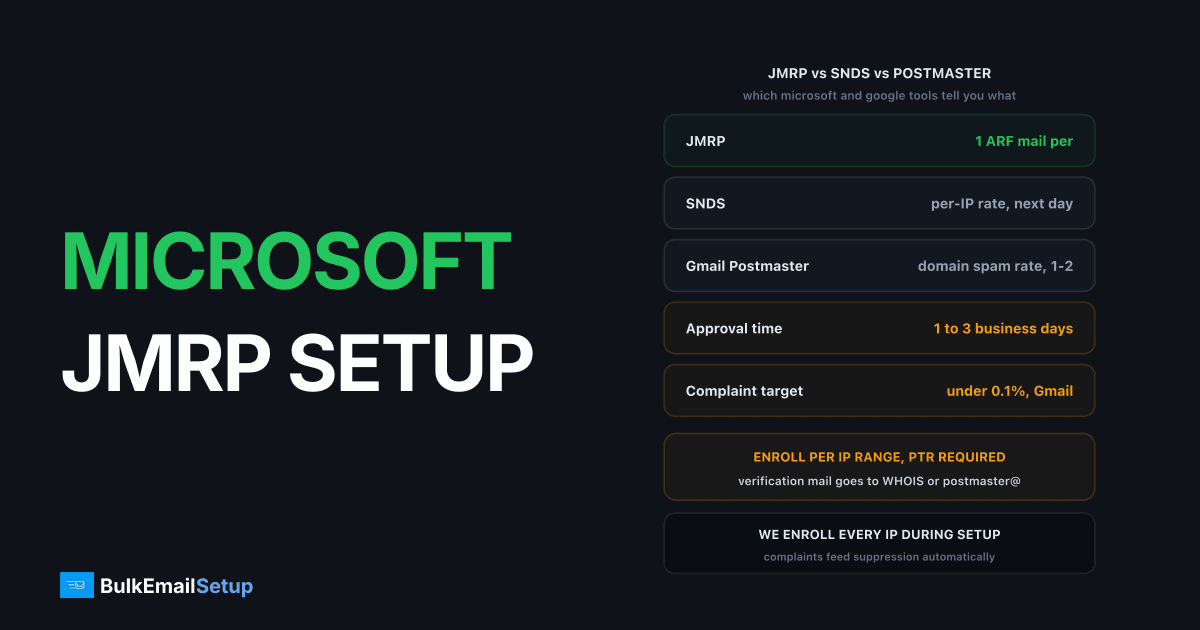
Microsoft JMRP (Junk Mail Reporting Program) is Microsoft's free feedback loop for Outlook.com, Hotmail, Live and MSN mailboxes. Every time one of those users clicks "Junk" on your email, Microsoft sends a copy of the message to an address you pick, in ARF format, usually within an hour. You use that copy to unsubscribe the complainer before they complain again. Anyone sending from their own IPs to Microsoft consumer mailboxes needs it. Enrollment is per IP range and runs through the same portal as SNDS at sendersupport.olc.protection.outlook.com.
I've enrolled well over a hundred IPs in JMRP for our own servers and for customers. The portal is fine. The part people get wrong is what happens after the reports arrive, so this guide spends as much time on processing as on enrollment.
Who needs the Outlook feedback loop?
If you run your own SMTP server and any of your list is on Outlook.com, Hotmail or Live, you need JMRP. Microsoft consumer domains are typically 10 to 20% of a B2C list in the UK and US. That's enough volume that a few hundred complaints over a week will move your SNDS complaint rate from green to a problem.
If you send through a provider like Amazon SES or SendGrid, skip this. The provider owns the IPs and has already enrolled them. You get complaints through their webhook, not through JMRP directly. The feedback loop overview covers how that version works.
JMRP is keyed to IPs, not domains. That matters: a shared IP enrolled by someone else sends your complaints to their mailbox, not yours. Your own IP, enrolled by you, is the only way to see your own complainers.
What do I need before enrolling?
| Prerequisite | Why Microsoft requires it | Check |
|---|---|---|
| IPs you own or control | JMRP is enrolled per IP or CIDR range, and Microsoft verifies control | Your hosting contract or RIPE/ARIN allocation |
| rDNS (PTR) on every IP | The PTR domain's postmaster@ is one of the verification targets | dig -x 203.0.113.10 returns your hostname |
| A mailbox for the reports | JMRP needs a destination that accepts mail 24/7 | abuse@ or a dedicated fbl@ on a domain you receive for |
| SPF and DKIM passing | Not checked at enrollment, but unauthenticated mail is junked before anyone can complain | Authentication-Results header on a test send |
The PTR record is the one that trips people up. Microsoft offers you a short list of addresses it will send the verification link to, built from the IP's WHOIS abuse contact and the reverse DNS domain. If your PTR still points at ip-203-0-113-10.hoster.net, the only offered address is the hoster's abuse desk. Fix that first using the PTR record guide.
How do I enroll in Microsoft JMRP step by step?
The whole enrollment takes about 10 minutes of your time, then a wait for Microsoft.
- Sign in at sendersupport.olc.protection.outlook.com/pm/ with any Microsoft account. A free Outlook.com login works. Use a shared ops account, not a personal one, because the enrollment follows the login.
- Open Junk Email Reporting Program from the left menu and click Add network.
- Enter the IP range. A single IP as
/32or your full block as CIDR. Microsoft accepts ranges up to/24per entry in my experience; split bigger allocations. - Pick the verification address. Microsoft lists the WHOIS abuse contact for the netblock and
postmaster@/abuse@of the PTR domain. Choose one you can read. The link in that email expires, so check the mailbox the same day. - Set the FBL destination. This is where every ARF report will go. Use a dedicated mailbox like
[email protected]rather thanabuse@, so human abuse mail and machine-parsed reports don't mix. - Submit and wait. Approval typically takes 1 to 3 business days. The range shows as "pending" until then.
While you're in the portal, enroll the same range in SNDS if you haven't. The verification flow is identical and the SNDS guide covers reading that dashboard.
Reports begin on the first complaint after approval. There is no backfill. Complaints made during the pending window are lost.
What does a JMRP report look like?
JMRP sends standard ARF (Abuse Reporting Format, RFC 5965). Each report is a three-part multipart/report message: a short human-readable note, a message/feedback-report block, and the original message. Trimmed, the middle part looks like this:
Feedback-Type: abuse
User-Agent: Microsoft Junk Mail Reporting Program
Version: 1.0
Original-Mail-From: <[email protected]>
Original-Rcpt-To: <[email protected]>
Received-Date: Tue, 20 Oct 2026 14:02:17 +0000
Source-IP: 203.0.113.10
Reported-Domain: yourdomain.com
Three fields matter for processing. Source-IP tells you which of your IPs the complaint came through. Original-Mail-From is your envelope sender, which is why a VERP return path pays off. Original-Rcpt-To is the complaining recipient, but Microsoft redacts it in a large share of reports, so don't build your parser around it.
The third MIME part is the full original message with every header you sent. Anything you put in a custom header, like X-Campaign-ID or X-Recipient-ID, comes back intact.
How do I process JMRP reports on a self-hosted server?
The point of JMRP is suppression, and suppression only works if it's automatic. Reading fbl@ by hand once a week means you keep mailing complainers for 7 days. Here's the pipeline we run.
Dedicated mailbox. Point the JMRP destination at [email protected] on a domain your server receives for. On Postfix that's one alias line, delivered to a Maildir that nothing else writes to.
Identify the recipient without trusting Original-Rcpt-To. Two options, and we use both:
- A VERP return path per recipient:
bounce-<id>@mail.yourdomain.com, where<id>maps to the subscriber in your database. Comes back inOriginal-Mail-From. - A custom header:
X-Recipient-ID: 48213on every outbound message. Comes back in the attached original.
Parse and suppress. A 40-line Python script using email from the standard library handles this: walk the MIME parts, find message/feedback-report, pull Original-Mail-From, look up the id, flag the subscriber as complained. Run it from cron every 5 minutes or trigger it from a Postfix transport pipe so it fires on delivery.
Never mail a complainer again. Not for a re-engagement campaign, not after a list import that re-adds them. The suppression table outranks every other list.
Watch the rate, not the count. Microsoft does not publish a hard complaint threshold. SNDS shows your complaint rate per IP per day, and we target under 0.1%. For comparison, Gmail's published limit is 0.3% in Google's sender guidelines, with 0.1% as the stated goal. Microsoft's filters react faster than Gmail's in practice, so treat 0.1% as the ceiling. The complaint rate vs bounce rate article explains why those two numbers need separate handling.
JMRP vs SNDS vs Gmail Postmaster Tools
People conflate these three because they all show complaints. They show different things.
| Factor | JMRP | SNDS | Gmail Postmaster Tools |
|---|---|---|---|
| Provider | Microsoft | Microsoft | |
| Keyed to | IP range | IP range | Sending domain |
| What you get | One ARF email per complaint | Daily per-IP volume, complaint rate, trap hits, filter colour | Daily domain reputation and spam rate |
| Individual complainers | Yes (with your own identifier) | No | No |
| Delay | Minutes to an hour | Next day | 1 to 2 days |
| Minimum volume to see data | None, one complaint is enough | Roughly 100 messages per IP per day | Several hundred messages per day |
| What it does not tell you | Your overall rate or reputation | Who complained | Who complained, or anything per IP |
Enroll in JMRP and SNDS together. Add Postmaster Tools for the Gmail side. None of them replaces the others.
Common JMRP problems and fixes
The verification email never arrives. Nine times out of ten the WHOIS abuse contact for the netblock points at your hosting provider, not you, and the PTR domain has no postmaster@ mailbox. Fix the PTR, create postmaster@ and abuse@ as real mailboxes, then re-request. If the netblock is yours, update the abuse contact at RIPE or ARIN.
Reports stopped after an IP change. JMRP is per IP. A new server, a new range from your host, or a failover IP means a fresh enrollment. Add the new range before you send from it. Check the portal quarterly and remove ranges you no longer use, because reports for an IP you've given up go to you and not the new owner.
Reports arrive with no recipient. Normal. Microsoft redacts Original-Rcpt-To in many reports for privacy. If your parser depends on that field you'll suppress nothing. Use the VERP or custom header method above.
A spike in reports treated as a blocklist. A JMRP spike is a content or list problem, not a block. Your mail was delivered, read, and then reported. A block looks different: a 550 5.7.1 with an S3140 or S3150 code at SMTP time, covered in the S3140 and S3150 fix. If complaints jump, pause the stream, look at which segment or campaign produced them, and suppress before resuming. Microsoft's current rules for bulk senders are in the Outlook sender requirements article.
Reports land in your own spam folder. The FBL mailbox should have no spam filtering. Reports contain the original junk-flagged message, so a filter on fbl@ will file them away and your parser never sees them.
How BulkEmailSetup helps
Every IP we hand over is already enrolled in JMRP and SNDS before you send the first message, with the PTR, postmaster@ and abuse@ set up so verification actually works. JMRP reports go to a parser on your server that reads the VERP return path and adds the complainer to your suppression list within minutes, with no manual step. See what's included on our pricing page.
Frequently asked questions
What is Microsoft JMRP?
The Junk Mail Reporting Program is Microsoft's free feedback loop. When an Outlook.com, Hotmail or Live user clicks 'Junk' on your email, Microsoft sends a copy of that message in ARF format to an address you choose, so you can stop mailing that recipient.
Is JMRP the same as SNDS?
No. Both live in the same Microsoft sender portal and both are enrolled per IP, but SNDS is a daily reputation dashboard with aggregate complaint rates, while JMRP delivers one email per individual complaint. You want both.
Does JMRP tell me which recipient complained?
Often not directly. Microsoft redacts or replaces the recipient address in many reports. You get the full original message back, so put a per-recipient identifier in a custom header or a VERP return path and extract that instead.
How long does JMRP enrollment take?
Verification is immediate once you click the link Microsoft emails to the IP's WHOIS abuse contact or the PTR domain's postmaster. Approval of the IP range then typically takes 1 to 3 business days. Reports start flowing on the next complaint.
What complaint rate does Microsoft want?
Microsoft does not publish a hard number. SNDS shows your complaint rate per IP and we treat under 0.1% as the working target. Gmail's published threshold of 0.3% is the nearest industry benchmark, and Microsoft's filters are stricter in practice.


