
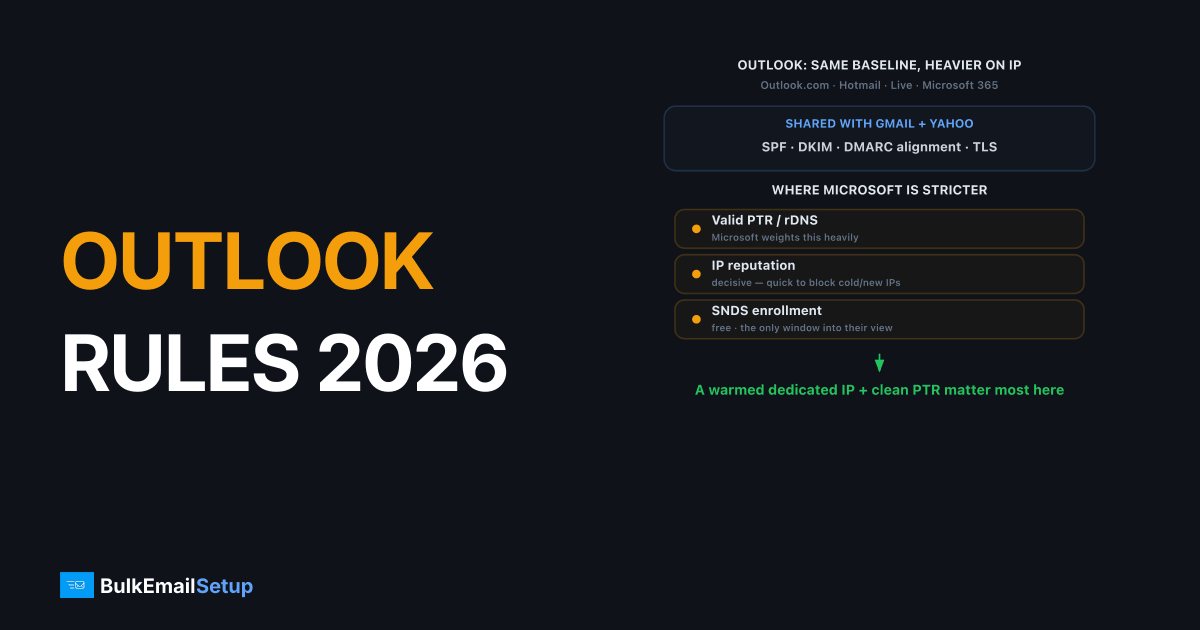
Outlook and Microsoft 365 sender requirements for 2026 share the same authentication foundation as Gmail and Yahoo, SPF, DKIM, DMARC alignment, valid PTR, and TLS, but Microsoft enforces deliverability with a heavier emphasis on IP reputation. Microsoft began rolling its own high-volume sender rules in 2025 for Outlook.com, Hotmail, and Microsoft 365 inboxes, mirroring the Gmail and Yahoo mandates. The practical difference: Microsoft is quicker to block or filter a new or low-reputation IP, so a warmed dedicated IP, a clean PTR record, and enrollment in SNDS matter more here than anywhere else.
The Microsoft sender requirements checklist
Microsoft's requirements cover Outlook.com, Hotmail.com, Live.com, and Microsoft 365 hosted inboxes. The authentication baseline matches Gmail and Yahoo, but Microsoft adds heavier IP-reputation weighting and its own diagnostic tools.
| Requirement | Detail | Why it matters at Microsoft |
|---|---|---|
| SPF | Valid, under 10 DNS lookups | Baseline authentication |
| DKIM | Signed, 1024-bit min (2048 recommended) | Baseline authentication |
| DMARC | Published, SPF or DKIM aligned | Enforced for high-volume senders |
| PTR / rDNS | Valid reverse DNS matching hostname | Microsoft weights this heavily |
| IP reputation | Warm, low-complaint, clean | Decisive for Outlook delivery |
| SNDS enrollment | Free reputation visibility | Only window into Microsoft's view |
| TLS | Connection encrypted | Expected on all connections |
Authentication gets you in the door. IP reputation decides whether you reach the inbox.
Why Outlook leans harder on IP reputation
Microsoft filters more aggressively on IP reputation than Gmail does, so a new or low-reputation IP gets blocked or sent to junk faster at Outlook and Hotmail. Where Gmail leans on domain reputation and engagement, Microsoft still puts significant weight on the sending IP itself. That makes warm-up and IP hygiene decisive.
What this means in practice:
- Cold IPs get throttled hard. Push volume through a fresh IP and Microsoft defers or junks it. A careful 4-6 week warm-up is non-negotiable.
- PTR is heavily weighted. A missing or mismatched reverse DNS record is a fast trust hit at Microsoft. See PTR record setup.
- Shared-pool damage hits harder. On a contaminated shared IP, Microsoft's IP weighting punishes you for poolmates' behavior. A dedicated IP you control removes that risk.
If your Gmail delivery is fine but Outlook isn't, IP reputation is almost always the reason. We see this split constantly: a sender's Google Postmaster reputation reads High, opens look healthy, and yet Outlook and Hotmail bury the same campaign in junk. On a fresh dedicated IP we typically watch Gmail go green within two weeks of a clean ramp while SNDS holds yellow into week three, so we deliberately under-send Outlook until that color flips. The fix is patience and a clean PTR, not a new subject line.
How do you use SNDS and JMRP for Outlook delivery?
SNDS (Smart Network Data Services) is Microsoft's free tool showing your sending IP's reputation, complaint rate, and spam-trap hits at Outlook and Hotmail, and it's the only real window into how Microsoft sees you. Pair it with JMRP, Microsoft's feedback loop, which forwards complaints so you can suppress complainers.
Set both up:
- Enroll your dedicated IPs in Microsoft SNDS to read complaint rates, message counts, and trap hits per IP. Details in our SNDS guide.
- Join JMRP (Junk Mail Reporting Program) to receive complaint feedback and remove unhappy recipients fast.
- Act on the data. A red SNDS reputation or rising trap hits means clean your list before Microsoft blocks the IP.
Because Microsoft doesn't expose engagement data the way Google Postmaster does, SNDS plus JMRP are how high-volume senders stay ahead of an Outlook block.
Decoding Outlook block errors (S3140, S3150, 550 5.7.x)
Microsoft's block messages tell you whether the problem is reputation or content. S3140 and S3150 indicate the message was flagged as spam or your IP reputation is poor, while 550 5.7.x access-denied responses mean your IP is blocked or banned by Microsoft policy.
Match the error to the fix:
| Error | Meaning | First fix |
|---|---|---|
S3140 / S3150 | Spam content or poor reputation | Check SNDS, fix auth and list |
550 5.7.1 / banned IP | IP blocked by policy | Use Microsoft sender mitigation form |
421 deferral | Temporary rate limit | Slow down, let queue retry |
For a banned IP, submit Microsoft's sender support / mitigation request after fixing the root cause. The detailed walkthroughs are in Microsoft S3140/S3150 fix and Outlook 550 5.7.606 banned IP fix.
How BulkEmailSetup helps
Outlook delivery rewards clean IP reputation above almost anything else. We provision dedicated SMTP servers with a dedicated IP you control, SPF, DKIM, DMARC, and PTR configured correctly, and a careful warm-up plan, so you can enrol the IPs in SNDS and JMRP and Microsoft sees a trustworthy IP from day one. Basic is $549 one-time plus about $11 a month hosting. Plans are on our pricing page.
Frequently asked questions
Does Microsoft require SPF, DKIM, and DMARC like Gmail?
Yes. Microsoft expects SPF and DKIM to pass and DMARC to align, and in 2025 Microsoft began enforcing these for high-volume senders to Outlook and Hotmail much like Gmail and Yahoo. Authentication is the baseline, but Microsoft weighs IP reputation more heavily than the others.
What is SNDS and do I need it for Outlook delivery?
SNDS (Smart Network Data Services) is Microsoft's free program showing your sending IP's reputation, complaint data, and spam-trap hits at Outlook and Hotmail. You don't strictly need it, but it's the only window into how Microsoft sees your IP, so high-volume senders should enroll their dedicated IPs.
Why do my emails get blocked by Outlook with S3140 or S3150?
Those Microsoft error codes indicate the message was identified as spam or your IP has a poor reputation. S3140 and S3150 point to content or reputation problems. Fix authentication, check SNDS for complaint and trap data, and if your IP is blocked, use Microsoft's sender support form to request mitigation.
Does Outlook care about IP reputation more than Gmail?
In practice, yes. Microsoft leans heavily on IP-level reputation and is quicker to block or filter a new or low-reputation IP. A dedicated IP with a careful warm-up and a clean PTR record matters even more for Outlook and Hotmail delivery than it does for Gmail.


