
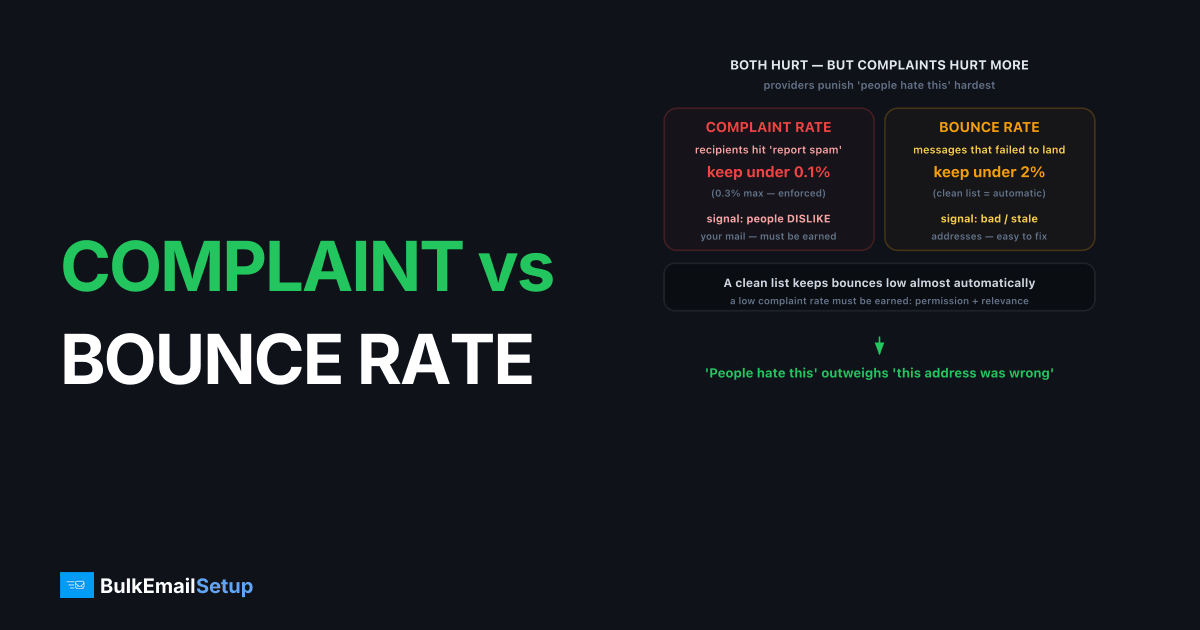
Complaint rate and bounce rate both damage sender reputation, but complaint rate matters more, because it measures whether recipients actively dislike your mail rather than just whether the address was valid. Keep your spam complaint rate under 0.3 percent, and ideally under 0.1 percent, the threshold Gmail and Yahoo enforce for bulk senders. Keep your bounce rate under roughly 2 percent. The difference in weight is the key insight: a clean list keeps bounces low almost automatically, but a low complaint rate has to be earned through permission, relevance and easy unsubscribes. Mailbox providers punish "people hate this" harder than "this address was wrong."
What is the difference between complaint rate and bounce rate?
Complaint rate is the percentage of delivered emails that recipients mark as spam, while bounce rate is the percentage of attempted emails that fail to deliver at all. They measure different failures at different stages. A bounce happens before the inbox; a complaint happens after, when a real person hits "report spam."
| Metric | Complaint rate | Bounce rate |
|---|---|---|
| Measures | Recipients marking mail as spam | Messages that failed to deliver |
| Stage | After delivery | At or before delivery |
| Healthy target | Under 0.1 percent (max 0.3 percent) | Under 2 percent |
| Root cause | Unwanted or irrelevant mail | Bad or stale addresses |
| Signal to providers | People dislike your mail | You do not maintain your list |
| Fix | Permission, relevance, easy unsubscribe | List hygiene, suppress hard bounces |
Both feed sender reputation, but they tell mailbox providers different stories. A high bounce rate says your data is dirty. A high complaint rate says your mail is unwanted. Providers tolerate the first more than the second, because unwanted mail is the exact thing their spam filters exist to stop.
Why does complaint rate hurt more?
Complaint rate carries more weight because a spam complaint is a direct human verdict that your mail does not belong in the inbox. When someone clicks "report spam," they are training the receiver's filter against you specifically. A handful of those, relative to volume, moves your reputation fast, and the damage is sticky because it reflects recipient intent, not a data error.
The thresholds are brutal in context. At 0.3 percent, just 3 complaints per 1,000 delivered emails, Gmail's bulk sender guidelines consider you a problem. The target you actually want is under 0.1 percent, 1 per 1,000. To put that in scale: sending 100,000 emails, more than 100 complaints already breaches the ideal ceiling, and 300 breaches the hard one. That is a tiny number of annoyed people.
Put both metrics on the same 100,000-email send and the asymmetry is stark:
| Metric | "Ideal" count | "Trouble" count |
|---|---|---|
| Complaints | under 100 (0.1%) | 300+ (0.3%, Gmail's ceiling) |
| Hard bounces | under 2,000 (2%) | 5,000+ (5%, dirty-list territory) |
You get roughly 25 times more headroom on bounces than on complaints in absolute numbers, which is why a few hundred spam reports can sink you while a few thousand bad addresses, though still worth fixing, are survivable. On dedicated IPs we manage, the pattern is consistent: a sender can sit at a 3 percent bounce rate for weeks with Gmail inbox placement barely moving, but the day their Postmaster Tools complaint rate ticks from 0.08 percent into the red "high" band (above 0.3 percent), inbox placement drops within a day or two and takes far longer to recover than it took to fall. The reason complaints cut so deep is that they correlate with everything providers care about: list quality, content relevance and consent. The thresholds and monitoring are detailed in Gmail spam complaint rate 0.3 percent, and you can watch yours in Google Postmaster Tools.
Why bounce rate still matters
Bounce rate matters because a high one tells providers you do not clean your list, and that suspicion bleeds into how they treat everything you send. A bounce rate climbing toward 5 percent or more is the classic fingerprint of a purchased or long-neglected list, and mailbox providers read it exactly that way. Even if your content is great, dirty data drags your reputation down.
The mechanism is straightforward. Every hard bounce (550 5.1.1 The email account that you tried to reach does not exist) to a dead address is evidence you mail people without verifying they exist. Repeated, that pattern signals carelessness, and some providers respond by throttling or filtering you. The good news is that bounce rate is the easier metric to control: suppress hard bounces immediately, retire repeat soft bounces, and verify new addresses at signup. Do that and bounce rate stays low without heroics, which is why it ranks below complaint rate in difficulty. Decoding which bounces to suppress is covered in what is a bounce message, and the full reduction playbook is in how to reduce email bounce rate.
How do you keep both metrics healthy?
You protect both numbers with the same underlying discipline: only send wanted mail to valid addresses. The tactics divide cleanly between the two, but they reinforce each other, because engaged recipients neither complain nor sit on dead addresses.
To keep complaint rate under 0.1 percent:
- Mail only confirmed opt-ins, never purchased or scraped lists.
- Put a one-click unsubscribe in every message (RFC 8058 for bulk senders).
- Set accurate expectations at signup about frequency and content.
- Remove disengaged recipients before they reach for the spam button.
To keep bounce rate under 2 percent:
- Suppress every hard bounce on first occurrence.
- Validate email addresses at the point of capture.
- Re-permission or drop addresses that have not engaged in months.
- Never re-import a list you previously cleaned.
The overlap is the point. A permission-based, engaged, well-maintained list keeps complaints and bounces low at the same time, while sender reputation rides on top of both. If either climbs, treat it as an early warning before mailbox providers act, which they will. Tracking both over time is the core of how to monitor email deliverability, and keeping your own metrics out of a shared pool is a big part of the dedicated versus shared IP decision.
How BulkEmailSetup helps
A BulkEmailSetup dedicated SMTP server puts your complaint and bounce data on an IP whose reputation is yours alone, so clean metrics earn you the inbox instead of being diluted in a shared pool. We help wire up feedback loops and bounce processing so complaints and hard bounces get suppressed automatically, keeping both rates under the thresholds that matter. See plans on our pricing page.
Frequently asked questions
What is a good complaint rate for email?
Keep your spam complaint rate under 0.3 percent, and ideally under 0.1 percent. Gmail's bulk sender rules treat 0.3 percent as a hard ceiling that triggers filtering, while sustained rates above 0.1 percent already signal a content or list-quality problem worth fixing.
What is a good bounce rate for email?
Keep your total bounce rate under roughly 2 percent, with hard bounces especially low. Bounce rates climbing toward 5 percent or higher usually mean a stale or purchased list and start damaging sender reputation with mailbox providers.
Which matters more, complaint rate or bounce rate?
Complaint rate matters more for reputation because it measures whether recipients actively dislike your mail, which mailbox providers weight heavily. Bounce rate matters too, but a clean list keeps it low almost automatically. A few complaints can hurt more than many bounces.
How do I lower my spam complaint rate?
Send only to people who opted in, make unsubscribe obvious and one-click, set accurate expectations on signup, and remove disengaged recipients. Most complaints come from people who never wanted the mail or cannot find the unsubscribe link easily.


