
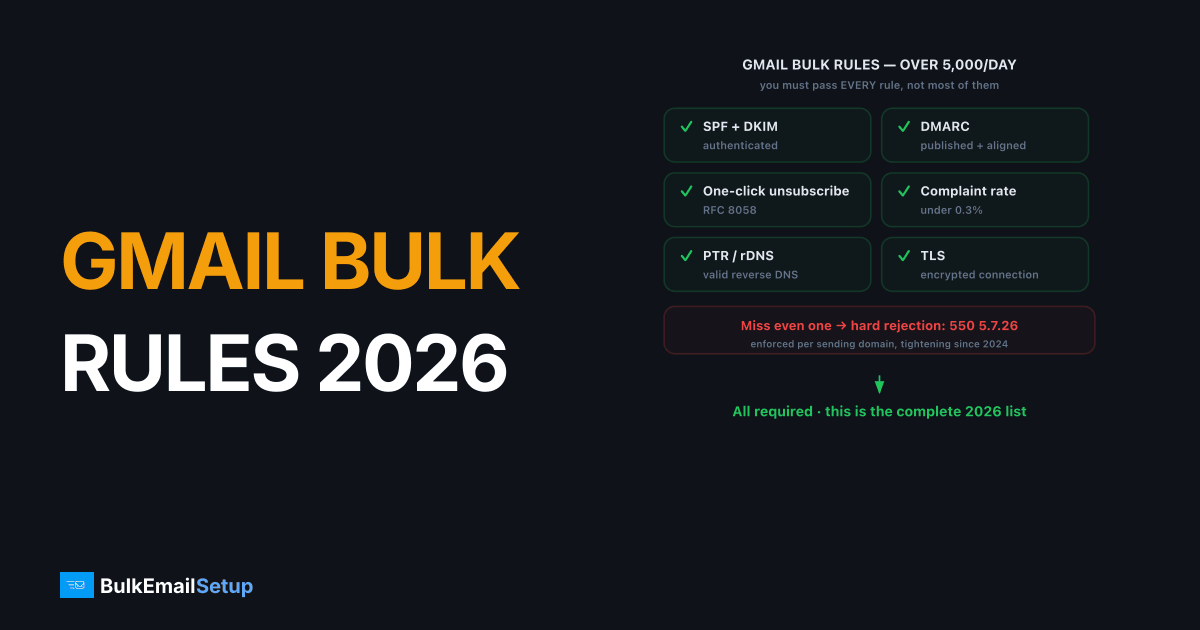
Gmail's bulk sender requirements for 2026 apply to anyone sending more than 5,000 messages a day to Gmail accounts, and you must pass every rule, not most of them. The full list: authenticate with SPF and DKIM, publish a DMARC policy with alignment, support RFC 8058 one-click unsubscribe, keep your spam complaint rate under 0.3 percent, run a valid PTR record on your sending IP, and transmit over TLS. These rules took effect in 2024 and enforcement has only tightened since, so by 2026 a failing sender sees hard rejections like 550 5.7.26, not warnings.
The full Gmail bulk sender checklist
Every requirement below is mandatory for senders over 5,000 messages a day. Gmail enforces them per sending domain, and missing even one causes throttling, spam placement, or rejection. This is the complete 2026 list.
| Requirement | Threshold / detail | Failure symptom |
|---|---|---|
| SPF | Valid record, under 10 DNS lookups | 550 5.7.23 SPF fail |
| DKIM | Signed, key 1024-bit min (2048 recommended) | Unauthenticated, spam |
| DMARC | Published policy, SPF or DKIM aligned | 550 5.7.26 |
| One-click unsubscribe | RFC 8058 headers, opt-out within 2 days | Spam placement |
| Spam complaint rate | Under 0.3%, ideally under 0.1% | Throttling, spam |
| PTR / rDNS | Valid reverse DNS matching hostname | Trust hit, deferrals |
| TLS | Connection encrypted | Rejected by policy |
Pass all seven and you meet the bar. Miss one and the rest don't save you.
How do you authenticate mail for Gmail (SPF, DKIM, DMARC)?
You must pass SPF, DKIM, and DMARC with alignment, or Gmail rejects bulk mail with 550 5.7.26. Authentication proves you actually sent the message, and it's the foundation every other rule sits on. All three are required together, not as alternatives.
Set each correctly:
- SPF. Publish a TXT record authorizing your sending IPs, and stay under the 10-DNS-lookup limit or you hit
PermError. See SPF record explained and flattening. - DKIM. Sign every message with a key of at least 1024 bits, 2048 recommended. Our DKIM guide covers selectors and rotation.
- DMARC. Publish a policy (start at
p=noneto monitor, then move to quarantine or reject) and ensure SPF or DKIM aligns to your visible From domain. See DMARC alignment.
Send a test to Gmail, open "Show original," and confirm all three read PASS before you send at volume.
The failure we see most often on new setups is DKIM that passes but signs d= on the provider's domain instead of yours, so DMARC reads dmarc=fail (p=NONE) even though SPF and DKIM both show pass. The fix is always the same: point the DKIM signing domain at your own root, re-send, and confirm the dmarc=pass line in Show original before scaling.
One-click unsubscribe and the 0.3% complaint ceiling
Gmail requires RFC 8058 one-click unsubscribe and a spam complaint rate under 0.3 percent, and these two rules are linked: a hard, instant unsubscribe is what keeps complaints down. Make opting out easier than hitting the spam button.
What you must implement:
- List-Unsubscribe and List-Unsubscribe-Post headers. Defined in RFC 8058, these power the one-click "Unsubscribe" link Gmail shows next to your From name. Process the opt-out within two days, ideally instantly.
- A visible unsubscribe link in the body. Still required alongside the headers.
- Complaint rate under 0.3 percent. Monitor it directly in Google Postmaster Tools. Above 0.3 percent, Gmail throttles and spam-files your whole domain.
Drive complaints down by suppressing dormant subscribers and using confirmed opt-in. The detail is in Gmail's 0.3% complaint rate explained. In setups we've watched, a complaint rate sitting around 0.4 to 0.5 percent in Postmaster reliably correlates with Gmail spam-foldering the bulk stream within a day or two, and it recovers slowly even after the rate drops back under 0.1 percent. The header-only one-click unsubscribe is what pulls it back fastest, because most people who would have clicked "report spam" use the native Gmail unsubscribe instead.
PTR, TLS, and the infrastructure requirements
Your sending IP needs a valid PTR record and every connection must use TLS, or Gmail flags the sender as untrustworthy. These are infrastructure requirements you can't fix with content or list quality, they live at the server and DNS level.
The two infrastructure rules:
- PTR / reverse DNS. Your sending IP must resolve back to a hostname that matches your forward DNS. Missing or mismatched PTR causes deferrals and trust hits. Most shared ESPs handle this; on your own server you set it. See PTR record setup.
- TLS. Gmail expects opportunistic TLS on every connection. Modern submission on port 587 with STARTTLS, or 465 with implicit TLS, satisfies this. See TLS for email.
These are exactly the controls a managed dedicated SMTP server sets up for you, since you can't configure PTR on most shared relays.
How BulkEmailSetup helps
Meeting every Gmail rule at once is easier when you control the infrastructure. We provision dedicated SMTP servers with a dedicated IP you control, SPF, DKIM, DMARC, and PTR configured correctly, TLS enforced, and one-click unsubscribe support, so the technical requirements are handled and you focus on complaint rate and list quality. We also run the warm-up and monitor reputation. Plans are on our pricing page.
Frequently asked questions
Who has to follow Gmail's bulk sender requirements?
Any sender mailing more than 5,000 messages a day to Gmail accounts. Google measures this per sending domain. Cross 5,000 in a day and the full ruleset applies: SPF, DKIM, DMARC, one-click unsubscribe, complaint rate under 0.3 percent, valid PTR, and TLS. Smaller senders should still meet most rules.
What complaint rate does Gmail require?
Keep your spam complaint rate below 0.3 percent, measured in Google Postmaster Tools, and ideally below 0.1 percent. Gmail treats 0.3 percent as the hard ceiling. Sustained complaints above it cause throttling and spam placement across your whole sending domain, not just one campaign.
Does Gmail require one-click unsubscribe?
Yes, for bulk senders. You must support one-click unsubscribe using the RFC 8058 List-Unsubscribe and List-Unsubscribe-Post headers, and process opt-outs within two days. A visible unsubscribe link in the body is also required. This applies to commercial and promotional mail.
What happens if I don't meet Gmail's requirements?
Non-compliant bulk mail gets rejected or sent to spam. You'll see rejections like 550 5.7.26 for unauthenticated mail or temporary 421 4.7.28 rate-limit errors. Gmail rolled enforcement in gradually from 2024, so by 2026 failing senders see hard rejections, not warnings.


