
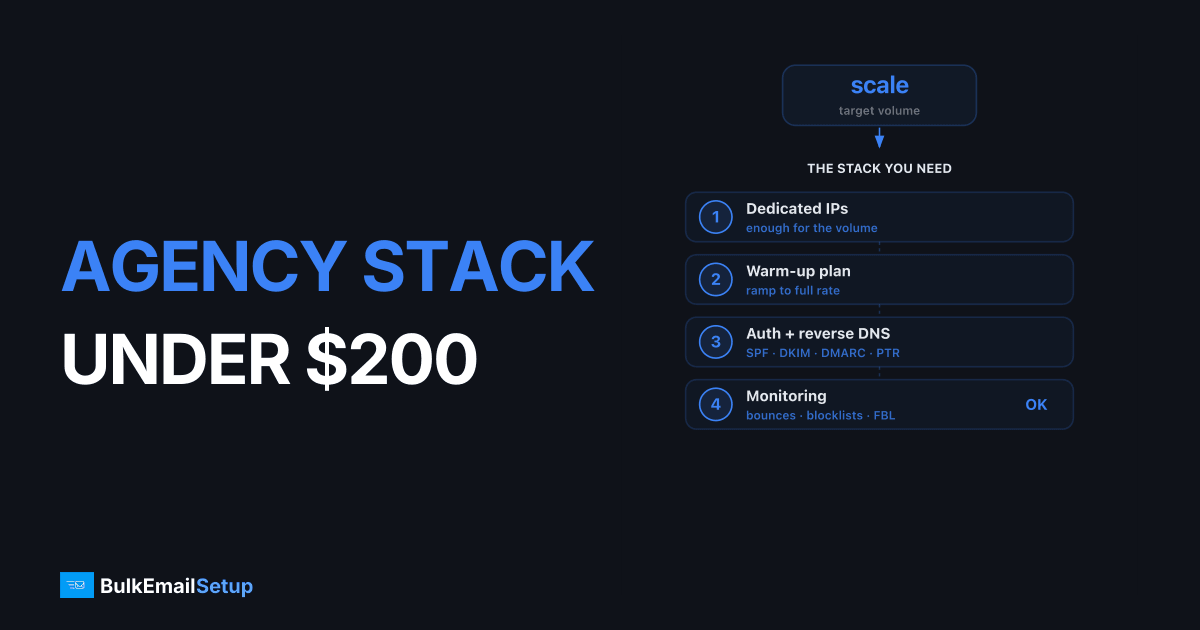
You can run an email stack for 10+ agency clients for under $200/month in 2026 if you split it: put your heavy senders (100K+ emails/month each) on a managed dedicated SMTP server at a flat $50-150/month, and run the light clients through Amazon SES at roughly $0.10 per 1,000 emails. That hybrid keeps a typical agency total around $120-190/month while giving the high-volume clients their own warmed IPs. The mistake that blows the budget is putting everyone on per-email ESP pricing, where 10 clients at SendGrid or Mailgun rates easily clears $600/month.
I've built and inherited a lot of agency sending setups. The cost math is simpler than vendors make it sound, but the reputation isolation is where most agencies get burned. Here's the stack I'd build, the dollar figures, and the honest trade-offs.
What an agency email tools budget actually has to cover
A single sender thinks about price per email. An agency has four extra problems that drive the budget, and ignoring any of them costs more later.
| Requirement | Why it matters | What it costs you if ignored |
|---|---|---|
| Reputation isolation | Client A's bad list shouldn't tank Client B's inbox rate | One blocked IP takes down multiple clients at once |
| Per-client suppression | Each client's unsubscribes/bounces must stay separate | Compliance violation, complaint spikes |
| Separate sending domains | DKIM/SPF must align per client | DMARC failures, spoofing exposure |
| Predictable cost | You bill clients monthly, your costs can't spike | Margin evaporates when a client scales |
So the cheapest sticker price isn't the goal. The goal is the lowest total that still keeps reputations apart and costs predictable. That's why pure per-email pricing breaks down at agency scale: every client you add is more variable cost, and one client's volume spike eats your margin.
The stack I'd build under $200
Three layers. Each handles a different client profile.
| Layer | Tool | Handles | 2026 cost (check current pricing) |
|---|---|---|---|
| Heavy senders | Managed dedicated SMTP (BulkEmailSetup) | 2-4 clients at 100K-1M/month each, own warmed IPs | $50-150/month flat |
| Light/transactional | Amazon SES | 6-8 clients under 50K/month each | ~$10-40/month total |
| Glue + tooling | Open-source app + cheap VPS | Per-client suppression, logs, sending UI | $0-20/month |
That lands a 10-client agency in the $120-190/month range. The dedicated server is the single biggest line item and also the layer that does the most work: it's where your high-revenue clients live, and it's where reputation isolation actually matters.
Why not put everyone on SES to save more? Because SES is shared-pool by default, gives you almost no warm-up tooling, and pauses your account aggressively if any one client's bounce rate climbs. Fine for the long tail of light senders. Risky as the home for a client sending 500K marketing emails a month. I broke down that exact trade-off in Amazon SES vs Dedicated SMTP Server.
Layer 1: Managed dedicated SMTP for the heavy clients
This is the core of the agency stack. You get one or more servers, each with its own dedicated IP, and the provider handles warm-up, blacklist monitoring, and DNS. The cost is flat, so a client sending 100K and a client sending 800K cost you the same.
The agency advantage is reputation isolation done right. Each heavy client gets:
- Their own dedicated IP, so their complaint rate only affects them. See dedicated IP vs shared IP email for why this matters at volume.
- A distinct sending subdomain like
mail.clientdomain.com, which I'd always use over the root domain. Reasons in subdomain vs root domain for email sending. - A warmed IP, so you're not spending two weeks ramping every time you onboard. Warm-up timelines in how long does IP warm-up take.
The honest downside: the floor is higher than SES. If a client only sends 20K/month, putting them on a dedicated server is overkill, you're paying $50+ for something SES does for $2. So you don't. Dedicated is for the clients where flat pricing wins, which is roughly 100K+ emails/month. Below that, the per-email math favors SES.
The crossover is the whole game for an agency. At 100K/month, a flat $50-150 server is in the same range as SES plus your labor. By 500K, the dedicated server is dramatically cheaper than any per-email ESP and competitive with SES once you price your own time. Full numbers in cost to send 1 million emails per month.
Layer 2: Amazon SES for the long tail
Most agencies have a few big clients and a pile of small ones. The small ones, newsletters, transactional receipts, low-volume drips, belong on SES.
SES costs about $0.10 per 1,000 emails. Six clients sending 30K each is 180K total, roughly $18/month. That's the cheapest way to serve light senders, and per-client billing is trivial because the cost scales linearly.
Where SES bites at the agency level:
- Shared IP pool by default. Fine for low volume, wrong for a client you care about scaling.
- Automatic account pauses if aggregate bounce or complaint rate climbs. One sloppy client can get your whole SES account throttled, which then affects every client on it. Watch each client's bounce rate, and read how to reduce email bounce rate before onboarding any imported list.
- A dedicated IP add-on exists (around $24.95/month each) but you manage warm-up yourself.
My rule: SES for clients under 50K/month with clean lists. The moment a client crosses 100K or starts importing questionable lists, they move to a dedicated IP, either an SES dedicated IP you warm yourself, or a managed dedicated server where someone else does. More SES context in Amazon SES alternatives.
Layer 3: the glue (suppression, logs, sending UI)
Per-client suppression is the part agencies forget until a client complains that an unsubscribed contact got mailed. You need each client's unsubscribes, bounces, and complaints stored separately and enforced before send.
Cheapest options that don't add a per-email cost:
| Tool | Role | Cost |
|---|---|---|
| Postal (self-hosted) | Sending app + per-org suppression + logs | VPS at $10-20/month |
| Your CRM/sending app | Per-client lists + unsubscribe handling | Usually already paid for |
| SES suppression list | Account-level bounce/complaint suppression | Free, but account-wide not per-client |
Postal is the one I reach for when an agency wants its own multi-tenant sending layer. Each client is an "organization" with isolated lists, and it slots in front of either SES or a dedicated relay. The trade-off vs running raw Postfix is real, see Postal mail server vs Postfix. For an agency, Postal's per-org separation usually wins over Postfix's bare control.
What it costs at different client mixes
Real numbers for three common agency shapes. 2026 ballparks, check current pricing.
| Agency profile | Stack | Monthly total |
|---|---|---|
| 10 light clients (under 30K each, 250K total) | All SES + Postal on a VPS | ~$40-60 |
| 8 light + 2 heavy (2 clients at 300K each) | SES for 8 + 1 dedicated server for the 2 heavy | ~$90-170 |
| 6 light + 4 heavy (4 clients at 200K+ each) | SES for 6 + 2 dedicated servers | ~$150-300 |
The first two profiles sit comfortably under $200. The third is where an agency starts to outgrow a single-budget answer, but it's also where you're billing enough that $250 of infrastructure is a rounding error.
Compare that to running all 10 clients on a per-email ESP. Ten clients averaging 150K/month is 1.5M emails. On SendGrid or Mailgun that's well past $1,000/month. The flat-fee layer is what keeps the agency budget sane. I priced the per-email providers head to head in SendGrid alternatives and Mailgun alternatives.
When NOT to use this stack
Honesty matters more than selling you a server.
- Every client is tiny (under 20K/month). Skip dedicated entirely. Run everything on SES, total cost stays under $30. See bulk email setup under $100.
- You're purely transactional (receipts, resets). A strict transactional provider gives better placement than a general relay. Dedicated is more than you need.
- You have one giant client and nothing else. That's not an agency stack, it's a single dedicated server. Read is managed SMTP worth it.
- You have a full-time deliverability engineer. Then self-hosting everything on cheap VPSes can undercut managed pricing, if you've priced their hours. The full TCO comparison is in self-hosted vs managed vs ESP TCO.
The hybrid stack shines specifically when you have a mix: a few heavy senders worth isolating and a long tail of light ones, and you don't want to babysit IP warm-ups every onboarding.
Onboarding a new client without breaking the budget
The process that keeps costs flat as you add clients:
- Classify by volume first. Under 50K/month and clean list goes to SES. Over 100K or imported list goes to a dedicated IP. This single decision controls your cost.
- Set up authentication per client. Their own subdomain, DKIM selector, SPF include, DMARC record. Run a test through a mail-tester before any real send.
- Warm only if needed. Managed dedicated IPs come pre-warmed. A fresh SES dedicated IP or self-hosted IP needs a 2-4 week ramp, start with the client's most engaged segment.
- Isolate suppression from day one. Import the client's existing unsubscribes and bounces before the first campaign. Mailing a previously-unsubscribed contact is the fastest way to generate complaints.
- Watch bounce codes for the first two weeks. 4xx deferrals mean slow down, 5xx blocks mean stop and diagnose. A new client's list quality shows up here.
Adding a light client costs you almost nothing, SES scales linearly. Adding a heavy client either fills capacity on an existing dedicated server or adds one more flat server. Either way your cost-per-client stays predictable, which is the only way agency margins survive scaling.
Two budget mistakes I see at agencies
Putting a high-volume client on shared infrastructure to save $50. The first time that client's list quality drags down three other clients' inbox rates, you'll spend more in churn and apology calls than the dedicated IP ever cost. Reputation isolation is cheap insurance.
Pricing infrastructure but not labor. A $10/month VPS running Postfix looks unbeatable until you're up at midnight delisting an IP from Spamhaus with no support to call. Managed dedicated SMTP costs more on paper precisely because that 2 a.m. work is someone else's job. For an agency billing clients monthly, predictable beats cheap.
How BulkEmailSetup helps
BulkEmailSetup runs the heavy layer of this stack: dedicated SMTP servers with pre-warmed IPs, blacklist monitoring, and full DNS setup per client, so each high-volume client gets isolated reputation without you owning the delisting work. At a flat monthly fee, two or three heavy clients on one server keeps your agency email tools budget predictable while the long tail rides cheap SES. Pair it with SES for light clients and you've got a 10-client stack under $200. See pricing for current plans, and how to set up an SMTP server for bulk email if you want to understand what the managed layer handles for you.
Frequently asked questions
What's the cheapest email stack for an agency with 10 clients?
For light senders (under 50K/month each), Amazon SES at roughly $0.10 per 1,000 emails keeps total cost near $30-60/month for all 10. Once two or three clients cross 100K/month, a flat-fee managed dedicated SMTP server (around $50-150/month) becomes cheaper per email than per-send pricing, and you can stay under $200 total by mixing both.
Can I run all my agency clients through one SMTP account?
You can technically, but you shouldn't put high-volume marketing clients on a shared reputation. One client's bad list damages everyone else's inbox placement. Light transactional senders can share an IP pool; heavy or risky senders need their own IP or their own subdomain. Separate streams are the whole point of an agency-grade setup.
How do I keep one client's spam complaints from hurting another?
Isolate reputation. Give each high-volume client a dedicated IP and a distinct sending subdomain (mail.clientdomain.com), keep suppression lists per client, and never reuse an IP across clients without a cool-down. On shared infrastructure, segment by IP pool and monitor each client's complaint rate independently.
Is dedicated SMTP worth it for a small agency?
It depends on volume. Below roughly 100K emails/month per client, SES or a cheap relay wins on cost. Above that, a flat monthly fee for a dedicated server beats per-email pricing and gives each client their own warmed IP. Most agencies run a hybrid: dedicated for the two or three heavy clients, pay-per-email for the long tail.


