
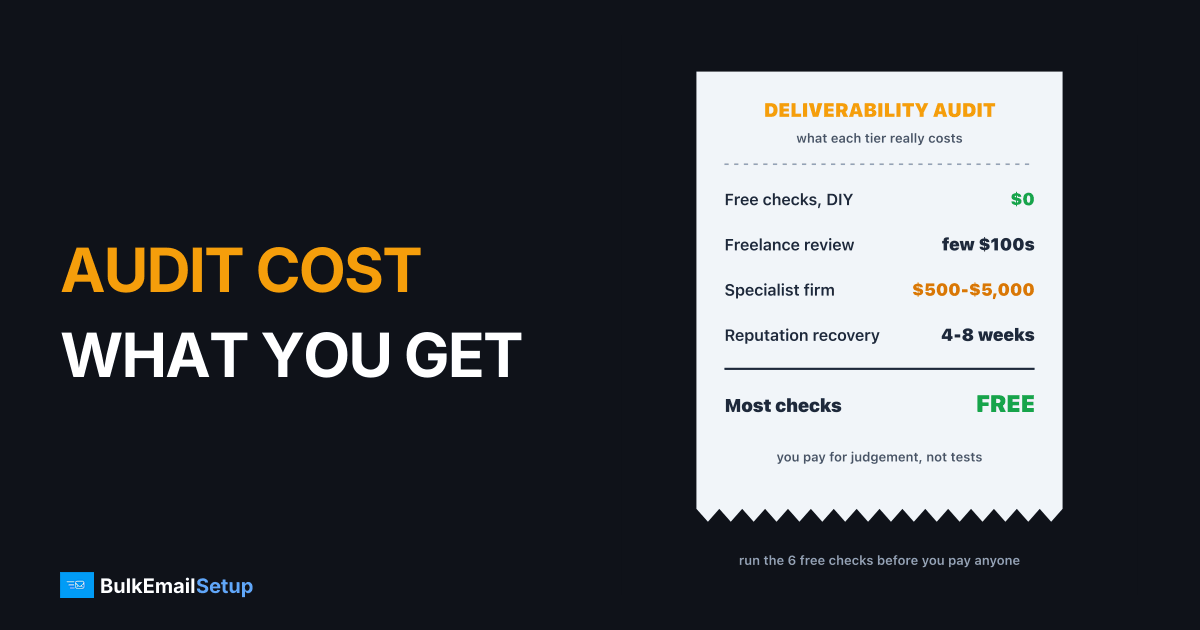
A deliverability audit costs nothing if you run it yourself, a few hundred dollars from a freelancer, and roughly $500 to $5,000 from a specialist firm. What you pay for at the top end is not the checks, which are mostly free, but someone who can read the results and tell you which one problem is costing you the inbox. Run the free checks first. Pay only when they come back clean and your mail still lands in spam.
What a deliverability audit costs, by tier
The price range is wide because "audit" covers everything from an automated score to a two-week investigation.
| Tier | Typical price | What you actually get | Good for |
|---|---|---|---|
| DIY with free tools | $0, one to two days | DNS, blocklists, Postmaster Tools, your own numbers | everyone, first |
| Automated tool report | monthly tool subscription | seed placement test, auth checks, a score | spotting where mail lands |
| Freelance audit | from a few hundred dollars | a person reads your setup and logs once | one domain, one provider |
| Specialist firm | about $500 to $5,000 | multi-provider review, ranked fix plan, a call | several domains or IPs, high email revenue |
| Ongoing consulting | retainer, often thousands a month | someone watching and fixing over time | large programs with in-house teams |
These ranges come from what audit providers publish, for example Postbox Services' deliverability page, which puts most professional audits between $500 and $5,000. Treat any single figure as a starting point, because scope drives the price more than anything else.
Most of the checks are free. The money pays for judgement on top.
What a deliverability audit checks
A real audit works through five layers, from the bottom up. A problem at a lower layer makes everything above it unreliable, which is why good auditors start with DNS and not with subject lines.
Audit from the bottom up. A broken lower layer spoils every layer above it.
| Layer | What is checked | Free way to check it | Red flag |
|---|---|---|---|
| Authentication | SPF, DKIM, DMARC, PTR, alignment | a DNS lookup and a test send's headers | DKIM failing, PTR missing, DMARC absent |
| Reputation | domain and IP reputation at Gmail and Microsoft | Google Postmaster Tools, Microsoft SNDS | reputation Low or Bad |
| Blocklists | Spamhaus, Barracuda and others | Spamhaus lookup | any listing on your sending IP or domain |
| List health | bounce rate, complaint rate, list source, age | your sending platform's stats | bounces over 2%, complaints over 0.1% |
| Content and pattern | links, images, volume spikes, frequency | a seed test, your send history | sudden 3x volume jumps, shortened links |
The thresholds matter. Gmail asks bulk senders to stay under 0.1% spam complaints and treats 0.3% as a hard ceiling. A bounce rate above 2% on a campaign usually means the list itself is the problem, and no audit of your DNS will change that.
How long an audit takes
There are two clocks, and people often mix them up.
The audit is the short part. Recovery after the fixes is the long part.
| Stage | DIY | Paid audit |
|---|---|---|
| Access and data gathering | an hour | 2 to 5 days (DNS, logs, Postmaster access) |
| Running the checks | an afternoon to 2 days | included |
| Seed and placement tests | one send | often several sends over a week |
| Report and fix plan | your own notes | 1 to 3 weeks after start |
| Reputation recovery after fixes | 4 to 8 weeks | 4 to 8 weeks |
The recovery clock is the same whoever runs the audit. Paying more does not make Gmail trust a damaged domain faster.
Running the audit yourself first
Most of what a paid audit checks you can check today, for free, in this order:
- Authentication. Send a test email to a Gmail address, open "Show original" and confirm SPF, DKIM and DMARC all say PASS. If DKIM fails, stop here and fix it.
- PTR. Look up the reverse DNS of your sending IP. It should resolve to a hostname that matches your HELO name. See how to set up a PTR record.
- Blocklists. Run your sending IP and domain through the Spamhaus lookup. A listing explains most sudden drops.
- Postmaster Tools. Check domain reputation and spam rate for the last 30 days.
- Your own numbers. Pull bounce and complaint rates per campaign for the last month, and note which segment each campaign went to.
- A placement test. Send to a small seed list and see where mail lands. Our guide to inbox placement testing covers the limits of seed tests.
If these six come back clean and you still land in spam, that is the point where a paid audit earns its fee.
When paying for an audit makes sense
| Situation | Pay for an audit? |
|---|---|
| DKIM failing, or no DMARC | No, fix the record first |
| Bought or scraped list in the last 90 days | No, the cause is known |
| Free checks clean, Gmail still sends to spam | Yes |
| Several domains, IPs or providers and no clear owner | Yes |
| Placement fine at Gmail, bad at Microsoft only | Often, Microsoft is harder to read |
| Email drives a large share of revenue | Yes, a week of lost sending costs more |
What a good audit report looks like
A useful report names causes and ranks fixes. A weak one hands you a score.
- Good: "Campaigns to the 2023 webinar segment produced 0.4% complaints and 6% bounces. Suppress it. DKIM key is 1024-bit, rotate to 2048. Then ramp volume 30% every two days."
- Weak: "Your deliverability score is 71/100. Improve engagement and review content."
Ask for a sample report before you pay. If the sample reads like the weak example, keep your money.
The fix after the audit
An audit tells you what is wrong. It does not make the fixes. The common outcomes, and what they cost:
- List cleaning: your time, plus a verification tool if you use one. See email list cleaning.
- DNS fixes: an hour, or part of a setup service. Our DMARC setup cost guide covers the paid route.
- Blocklist removal: usually free on the lists that matter. See blacklist removal service cost.
- Leaving a shared IP pool: a new setup and a warm-up, which is where your own infrastructure comes in.
How BulkEmailSetup helps
We do not sell a stand-alone audit. We build the infrastructure most audits end up recommending: your own SMTP server and dedicated IPs, with SPF, DKIM, DMARC and PTR set up correctly from the start, bounce handling, a campaign platform and a warm-up plan. That removes the shared-pool and authentication problems that show up in most audit reports.
| Plan | One-time fee | Emails per day | Dedicated IPs | Hosting paid to your host |
|---|---|---|---|---|
| Basic | $549 | 25,000 | 3 | about $11 a month |
| Advance | $1,199 | 200,000 | 15 | about $49 a month |
No monthly fee to us, unlimited contacts, and a 15-day money-back guarantee that applies until server access is handed over. See the Basic plan or all pricing.
Frequently asked questions
How much does an email deliverability audit cost?
A do-it-yourself audit costs nothing but a day or two of your time, using free tools like Google Postmaster Tools and the Spamhaus lookup. Freelance audits commonly start at a few hundred dollars. Specialist firms quote from about $500 up to roughly $5,000 for one audit, depending on how many domains, IPs and providers are involved. Ongoing consulting retainers cost much more than a one-off audit.
What does a deliverability audit check?
A proper audit checks five layers: DNS authentication (SPF, DKIM, DMARC, PTR), IP and domain reputation at Gmail and Microsoft, blocklist status, list health (bounce rate, complaint rate, list source) and content plus sending pattern. The output should be a ranked list of fixes with the cause of each problem, not just a score or a screenshot of a seed test.
How long does an audit take?
The checks themselves take a day or two. A paid audit usually takes one to three weeks end to end, because the auditor needs access to DNS, sending logs and Postmaster Tools, and often runs inbox placement tests across several sends. Fixing what the audit finds, and then waiting for reputation to recover, is a separate clock that usually runs four to eight weeks.
Can I run a deliverability audit myself?
Yes, most of it. Authentication, PTR, blocklists, Postmaster Tools reputation and bounce and complaint rates can all be checked for free in an afternoon. What a paid expert adds is pattern recognition: reading logs across providers, spotting a bad list segment or a shared IP problem, and knowing which of twenty findings actually matters. Run the free checks first and pay only if they come back clean but mail still lands in spam.
Is a deliverability audit worth paying for?
It is worth it when the free checks pass and you still have a placement problem you cannot explain, or when email revenue is large enough that a week of lost sending costs more than the audit. It is rarely worth it when the cause is already obvious, such as a bought list or a missing DKIM record, because you would be paying someone to tell you what you already know.
Will an audit fix my deliverability?
No. An audit is a diagnosis, not a cure. It tells you what is wrong and in what order to fix it. The fixes, such as cleaning the list, correcting DNS or moving off a poor shared IP, are a separate job. BulkEmailSetup's server setups ship with SPF, DKIM, DMARC and PTR done, from $549 one-time, and reputation still takes weeks to recover.


