
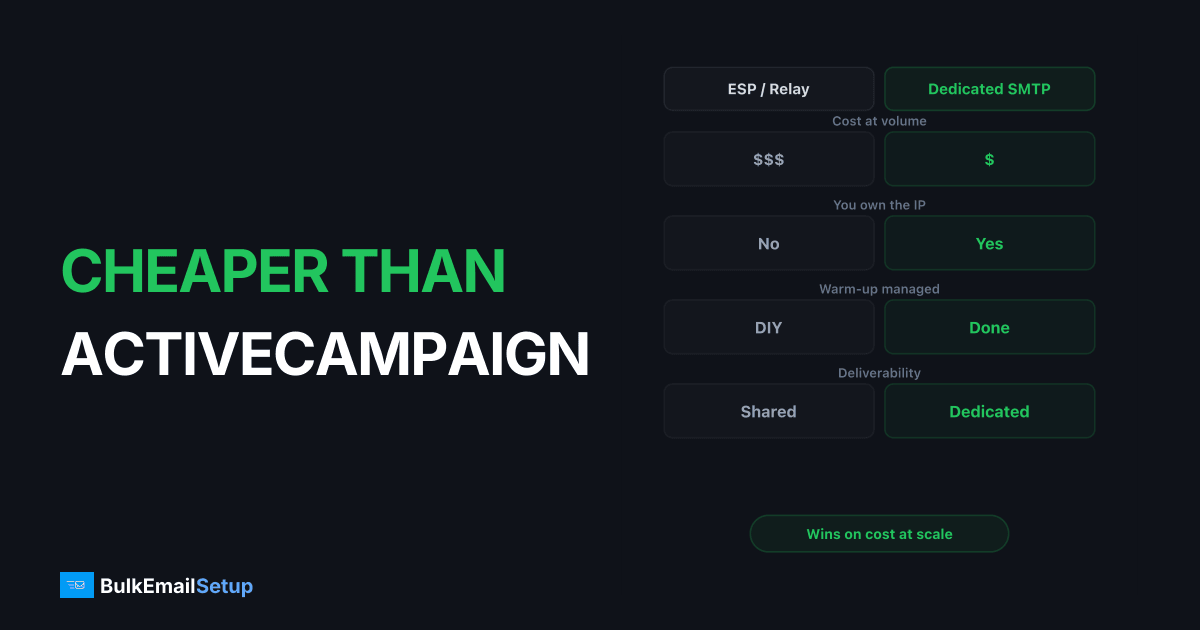
If you want something cheaper than ActiveCampaign in 2026, the answer depends on what you're actually paying for. ActiveCampaign bills per contact, so a 50K-contact list runs roughly $200-250/month on the Plus tier even if you send twice a month. For pure sending, Amazon SES costs about $10 per 100K emails, and a managed dedicated SMTP server runs a flat $50-150/month no matter the list size. The trade-off: those options replace sending and deliverability, not the visual automation builder and CRM you may be paying ActiveCampaign for.
I've moved a few teams off ActiveCampaign and helped others decide it was worth keeping. Here's the honest math on what's cheaper, and what you give up to get there.
Why ActiveCampaign gets expensive
The pricing model is the whole story. ActiveCampaign charges by contact count, not by emails sent. That's normal for marketing automation, but it has a sharp edge.
You pay to store a contact whether you mail them daily or once a quarter. A list full of one-time buyers, old leads, and trial signups who never opened a thing still counts against your tier. As of 2026, check current pricing, but the rough shape:
- Starter: small lists, low send features
- Plus: CRM, automation, lands around $200-250/month at 50K contacts
- Pro and Enterprise: predictive features, climbs to $400-700+/month at larger lists
Cross a contact threshold and you jump a tier or pay an overage, often mid-month. Teams with a 100K+ list that mostly sits dormant feel this hardest. You're taxed on the list, not the activity.
The contact tax vs the send model
Two pricing worlds, and the gap between them grows with list size:
| Model | You pay for | Cheap when | Expensive when |
|---|---|---|---|
| Per-contact (ActiveCampaign, Klaviyo) | List size | Small, active list | Big or dormant list |
| Per-email (SES, Mailgun, SendGrid) | Emails sent | Low send frequency | High frequency to small list |
| Flat dedicated SMTP | Server + IP | Sustained high volume | Tiny volume |
A team mailing a 60K list twice a month sends 120K emails. ActiveCampaign charges for 60K contacts ($250/mo). SES charges for 120K sends ($12). That 20x gap is the contact tax in one line. The catch: SES doesn't give you the automation, forms, or CRM you were also buying.
What's actually cheaper, by tier
Real ballparks for 2026, check current pricing before committing:
| Monthly setup | ActiveCampaign | SES (sending only) | Mailgun | Managed dedicated SMTP |
|---|---|---|---|---|
| 5K contacts, 10K sends | ~$50-70 | ~$1 | ~$15 | ~$50-100 (overkill) |
| 25K contacts, 50K sends | ~$130-180 | ~$5 | ~$50 | ~$50-150 flat |
| 50K contacts, 150K sends | ~$200-250 | ~$15 | ~$90 | ~$50-150 flat |
| 100K contacts, 400K sends | ~$400-500 | ~$40 | ~$300 | ~$100-200 flat |
| 250K contacts, 1M sends | ~$700+ | ~$100 | ~$600+ | ~$100-200 flat |
The sending-only columns look dramatically cheaper because they are doing less. SES and dedicated SMTP move bytes; they don't build automations or store CRM records. The number to watch is the gap at your tier, and whether the features you'd lose are worth that gap.
For a deeper send-cost breakdown see the cost to send 1 million emails per month and the cheapest way to send 100K emails per month.
When ActiveCampaign is worth keeping
I won't pretend dedicated SMTP replaces everything. ActiveCampaign earns its price when:
- You lean on the visual automation builder daily, multi-branch flows, conditional waits, lead scoring.
- The built-in CRM and pipeline is your actual sales tool, not a side feature.
- Your list is small and active (under ~15K contacts) where per-contact pricing is still cheap.
- One vendor doing forms, landing pages, automation, and sending is worth more to you than the cost gap.
If that's you, switching to cut $100/month is a false economy. You'd rebuild that automation logic elsewhere and lose time worth more than the savings.
When something cheaper wins
The case for moving flips when:
- Your list is large and partly dormant, so you're paying to store contacts you rarely mail.
- Send volume is high relative to list size (frequent campaigns, transactional traffic mixed in).
- You already have automation logic elsewhere (a separate tool, your app, a workflow engine) and ActiveCampaign is mostly a send button now.
- Deliverability matters and you want your own IP reputation, which shared marketing platforms don't give you.
That last point is underrated. On ActiveCampaign's standard sending you share IP pools, so a neighbor's bad campaign can dent your inbox placement. A dedicated IP vs shared IP setup puts reputation entirely in your hands.
The split-stack approach (cheaper without losing automation)
You don't have to choose all-in-one or nothing. The pattern I set up most often:
- Keep cheap automation logic somewhere, a lighter tool, a self-hosted workflow, or your app's own triggers.
- Route the actual sends through a dedicated SMTP server or SES via SMTP credentials.
- Keep contacts in a database you own, not in a per-contact billing system.
This kills the contact tax while preserving the parts that matter. The cost moves from "per contact stored" to "per server" or "per email," which scales far better. The work: you wire the connection and own deliverability, or pay someone to. Compare the full picture in self-hosted vs managed vs ESP TCO and is managed SMTP worth it.
If you only want to drop the marketing-suite cost and keep things simple, the broader cheaper than Mailchimp breakdown and the Klaviyo alternatives list cover similar per-contact escapes.
Deliverability: the part nobody warns you about
Moving sending off ActiveCampaign means you inherit the deliverability job, partly or fully. Don't skip these:
- Warm the new IP. A fresh dedicated IP needs a 2-4 week ramp, not a day-one full blast. See how long IP warm-up takes.
- Split streams. Keep transactional and marketing on different subdomains, ideally different IPs. Subdomain vs root domain for sending explains why.
- Clean the list before you move. Dormant contacts on ActiveCampaign were costing you money; mailing them on new infrastructure costs you reputation. Suppress hard bounces and long-term non-openers first, and read how to reduce email bounce rate.
- Authenticate properly. New SPF include, fresh DKIM selector, DMARC alignment confirmed before real traffic.
This is exactly the work a managed dedicated SMTP provider takes off your plate, which changes the cost comparison. SES at $40/month stops looking cheap the first weekend you spend diagnosing a Microsoft block alone.
How to decide
| Your situation | Cheaper-than-ActiveCampaign pick |
|---|---|
| Small active list, heavy automation user | Stay on ActiveCampaign, you're getting value |
| Large dormant list, infrequent sends | SES for sends, contacts in your own DB |
| High volume, want own reputation, no ops time | Managed dedicated SMTP, flat fee |
| Technical team, want max control | Self-host Postal/Postfix, see Postal vs Postfix |
| Just want a cheaper suite, low volume | A lighter ESP, see Mailchimp alternatives for high-volume senders |
For relay pricing across providers, the SMTP relay pricing comparison and Amazon SES alternatives cover the sending layer in detail. If a sub-$100 setup is the goal, bulk email setup under $100 walks the budget path.
The honest trade-off
Cheaper than ActiveCampaign almost always means unbundling. You drop the contact tax, you pick up either deliverability work or a separate automation tool, sometimes both. The savings are real, often 50-80% at 50K+ contacts, but they're not free. You're trading vendor convenience for lower cost and more control.
At low volume with heavy automation use, ActiveCampaign's all-in-one model can genuinely be the cheaper total once you count your own hours. At high volume or with a big dormant list, the per-contact model bleeds money and a flat-fee or per-email setup wins clearly.
How BulkEmailSetup helps
BulkEmailSetup runs the sending and deliverability layer so you can drop the contact tax. You get a dedicated SMTP server with your own warmed IP, blacklist monitoring, and full DNS setup, at a flat $50-150/month regardless of list size or send count. Keep your automation logic wherever it lives, point it at our SMTP, and stop paying to store contacts you rarely mail. At 50K+ contacts with real send volume, that flat fee typically beats ActiveCampaign by a wide margin. See pricing for current plans.
Frequently asked questions
What is cheaper than ActiveCampaign for sending email?
For pure sending, Amazon SES at about $0.10 per 1,000 emails is the cheapest, and a managed dedicated SMTP server at a flat $50-150/month is cheapest at sustained volume. Both cost far less than ActiveCampaign's per-contact pricing once your list passes 25K contacts, but you give up the visual automation builder and CRM.
Why does ActiveCampaign get so expensive?
ActiveCampaign prices by number of contacts, not emails sent. A 50K-contact list on the Plus tier runs roughly $200-250/month even if you only mail twice a month. You pay to store contacts, not to send to them, so big dormant lists get expensive fast.
Can I keep automation and still pay less than ActiveCampaign?
Yes, by splitting the stack. Keep a cheaper automation tool or self-hosted workflow for logic, and route the actual sending through a dedicated SMTP server or SES. You lose the all-in-one convenience but cut the per-contact tax.
Is a dedicated SMTP server a full ActiveCampaign replacement?
No. A dedicated SMTP server replaces the sending and deliverability layer, not the CRM, forms, or visual automation builder. If your main pain is the cost of high-volume sending and you already have your campaign logic elsewhere, it replaces the expensive part.


