
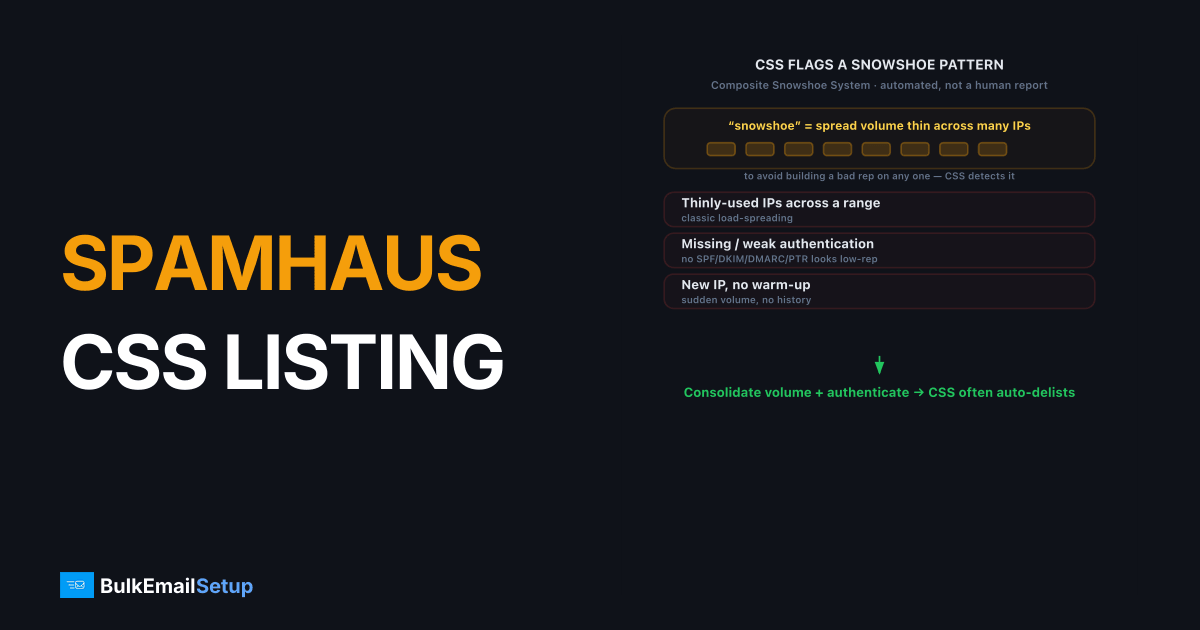
A Spamhaus CSS listing means Spamhaus's automated systems flagged your IP as a low-reputation or snowshoe-style sender. The CSS (Composite Snowshoe System) targets IPs that spread mail thinly across ranges, lack proper authentication, or show weak sending history. It's a reputation listing, not a manual spam report. The fix is to correct the underlying sending pattern (full authentication, consolidated volume, a clean list), after which the CSS often auto-delists. If it doesn't clear, submit a removal request.
What is the Spamhaus CSS?
The CSS (Composite Snowshoe System) is an automated Spamhaus blocklist, published as part of the SBL (Spamhaus Block List). "Snowshoe" spam spreads its weight across many IPs and domains to avoid building a bad reputation on any single one, the way a snowshoe spreads weight across snow. The CSS detects that pattern algorithmically and lists the IPs involved.
Because it's part of the SBL, any receiver that checks Spamhaus (a large share of mail servers worldwide) will reject or filter mail from a CSS-listed IP. The rejection usually carries a Spamhaus URL and a 5.7.1 code. The listing is automated, so there's no human accusation to dispute, just a behavior pattern to correct. For the broader Spamhaus picture, see our Spamhaus delisting guide.
Why is my IP on the Spamhaus CSS?
The CSS catches both real snowshoe spammers and legitimate senders whose setup looks snowshoe-ish. Here's what trips it.
| Trigger | Why CSS flags it |
|---|---|
| Thinly-used IPs across a range | Classic snowshoe load-spreading pattern |
| Missing or weak authentication | No SPF, DKIM, DMARC, or PTR looks low-reputation |
| New IP, no warm-up | Sudden volume from an IP with no history |
| Low engagement, high complaints | Reputation signals consistent with spam |
| Sending from a fresh or "burner" range | Ranges associated with churn-and-burn senders |
| Inconsistent volume | Spiky, irregular sending reads as evasive |
Legitimate senders most often land here from poor setup: a new IP with no authentication, no warm-up, and a cold list. To Spamhaus's algorithm, that's indistinguishable from a snowshoe operation. The pattern we see most often is a sender who buys a small /28 and spreads 2K a day across all 16 IPs to "play it safe." That thin, even spread across a fresh range is the exact CSS signature, and Spamhaus lists the whole block at once. Concentrating the same volume on one warmed IP would never have tripped it.
How do I confirm a CSS listing from a bounce?
Read the actual bounce string before you do anything else. A CSS rejection comes back from the receiving server, not from Spamhaus, and it usually looks like this:
550 5.7.1 Service unavailable; Client host [203.0.113.10] blocked
using Spamhaus; https://www.spamhaus.org/query/ip/203.0.113.10
The IP in brackets is your sending IP, and the URL is the lookup you should open next. Paste that IP (not your domain) into the Spamhaus IP lookup. A CSS hit shows up under the SBL section with a SBLCSS reference and a short reason. If the lookup shows PBL or XBL instead, you've got a different problem: PBL means the IP is in a "shouldn't send direct mail" range (see the Spamhaus PBL listing fix), and XBL means a compromised or proxy host. Confirm it's actually CSS before you spend time on the steps below, because the fixes differ.
One more check: look up every IP you send from, not just the one in the bounce. CSS frequently lists a whole thin-spread range at once, so a single clean lookup doesn't mean the rest of your IPs are clear.
How do I get delisted from the Spamhaus CSS?
Fix the behavior first. The CSS re-lists fast if you delist without changing anything.
- Confirm the listing. Look up your IP at Spamhaus's lookup tool. It'll show CSS/SBL with a reference and often a reason hint.
- Complete authentication. Publish SPF, DKIM, DMARC, and a valid PTR for every sending IP. Missing auth is the most common cause. Use our authentication setup guide and PTR setup.
- Consolidate your sending. Stop spreading low volume across many IPs. Send consistent volume from fewer, properly warmed IPs so each builds real reputation.
- Warm up properly. If the IP is new, ramp volume over 4-6 weeks instead of blasting. See how long IP warm-up takes.
- Clean your list. Remove bounces, traps, and unengaged contacts. Low engagement feeds the CSS. See email list cleaning.
- Request removal. Once the setup is fixed, use the Spamhaus Blocklist Removal Center linked from the lookup result. Since CSS is automated, it may also clear on its own as reputation recovers.
How do I keep my IP off the CSS?
Send consistent volume from properly authenticated, warmed IPs to engaged recipients, and the snowshoe pattern never forms. The CSS is fundamentally a reputation filter, so the same discipline that keeps your Sender Score healthy keeps you off it: low complaints, clean bounces, steady sending, and complete authentication. If you operate multiple IPs, give each enough dedicated volume to earn its own reputation rather than thinly spreading load.
If you're choosing where to send from in the first place, a clean dedicated IP you control beats a churned shared range. We cover that trade-off in dedicated IP vs shared IP email.
How BulkEmailSetup helps
We provision clean dedicated IPs with full SPF, DKIM, DMARC, and PTR, run the warm-up, and concentrate your volume so each IP builds real reputation instead of looking like snowshoe sending. We monitor Spamhaus and handle delisting if a listing appears. See plans on our pricing page.
Frequently asked questions
What is a Spamhaus CSS listing?
The CSS (Composite Snowshoe System) is an automated Spamhaus blocklist that targets IPs showing low-reputation or snowshoe spam patterns: spreading volume thinly across many IPs, poor authentication, and weak sending history. It's part of the SBL and blocks mail at receivers that use Spamhaus data.
Why is my IP on the Spamhaus CSS?
Usually because your sending looks like snowshoe spam to Spamhaus's automated systems: new or thinly-used IPs, missing or weak authentication, low engagement, or sending patterns that resemble spreading load to dodge reputation. It can also catch legitimate senders with poor setup.
How do I get delisted from the Spamhaus CSS?
Fix the underlying cause first: complete SPF, DKIM, DMARC, and PTR, consolidate your sending, and clean your list. CSS often auto-delists once the IP's behavior improves. If it doesn't clear, submit a removal request through the Spamhaus lookup tool.
How long does CSS delisting take?
The CSS is largely automated, so if you fix the sending pattern, the listing can clear on its own within days as your reputation recovers. A manual removal request can speed it up, but the listing returns quickly if the underlying behavior hasn't changed.


