
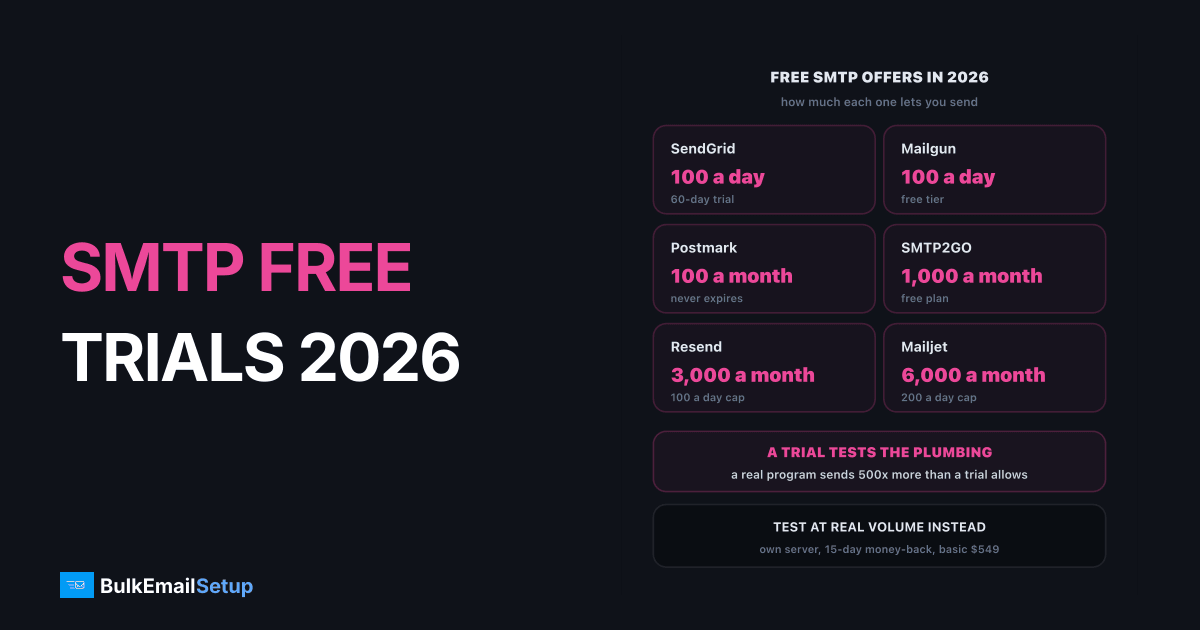
Real SMTP free trials are rare in 2026: SendGrid gives 60 days at 100 emails a day, Mailgun gives the first month free on its Foundation and Scale plans, and MailerSend gives 14 days of Professional features. Amazon SES has no standing free tier any more, only up to $200 in new-account AWS credits for 6 months. Everyone else offers a small permanent free tier instead of a trial. And no trial, from anyone, tells you how your mail performs at real volume.
So the useful question is not "who is free" but "what can I prove before I pay". This post sorts the options and lists what is worth testing.
Trial, free tier or refund window: three different things
Providers use "free" loosely. These three offers protect you in different ways.
| Offer type | What you get | Who offers it in 2026 | What it proves |
|---|---|---|---|
| Time-limited trial | paid features, capped volume, ends on a date | SendGrid, Mailgun, MailerSend | setup, API, support |
| Permanent free tier | tiny volume, never expires | Postmark, Mailjet, Resend, Brevo, SMTP2GO, Mailgun | setup and API only |
| Money-back guarantee | full product, refund inside a window | SMTP2GO (30 days), BulkEmailSetup (15 days) | the real thing, at your risk window |
A trial or free tier lets you poke the product without a card. A refund window lets you buy the real product and walk away if it is wrong. For shared ESPs the first is enough. For dedicated infrastructure only the second means anything, because the thing you are paying for (your own IPs at your volume) cannot be faked at 100 emails a day.
Three kinds of free, and what each one can prove
Every SMTP free trial and free tier, compared
Figures are from each provider's own pricing page in October 2026. Free tiers change often; check the linked page before you plan around one.
| Provider | Free offer | Volume cap | Expires? | First paid step |
|---|---|---|---|---|
| SendGrid | 60-day trial | 100 a day | yes, sending stops | Essentials $19.95 a month |
| Mailgun | Free plan + first month free on Foundation/Scale | 100 a day on Free | Free no, promo yes | Basic from $15 a month |
| MailerSend | Free plan + 14-day Professional trial | 500 a month | trial yes | Hobby $7 a month (5,000) |
| Amazon SES | up to $200 AWS credits | sandbox until approved | 6 months | $0.10 per 1,000 |
| Postmark | Developer plan | 100 a month | never | Basic $15 a month (10,000) |
| Mailjet | Free plan | 6,000 a month, 200 a day | never | Essential $19 a month (15,000) |
| Resend | Free plan | 3,000 a month, 100 a day | never | Pro $20 a month (50,000) |
| Brevo | Free plan | 300 a day | never | Starter, low monthly fee |
| SMTP2GO | Free plan | 1,000 a month | never | Starter $10 a month (10,000) |
A few details hide behind those rows:
- SendGrid ended its permanent free plan in 2025. The trial is now the only free path, and it stops sending on day 60.
- Mailgun's free month applies to Foundation ($35 a month, 50,000 emails) and Scale ($90 a month, 100,000 emails). It is a discount on a paid plan, so a card is on file.
- Amazon SES starts every new account in a sandbox that only sends to verified addresses. Credits do not help until AWS grants production access. Our post on SES sending limit increases being denied covers that step.
- Postmark's 100 a month is enough to wire up an app and nothing more. Check the Postmark pricing page for current tiers.
If you are already on one of these free tiers and running out of room, outgrew the free SMTP tier covers what each first paid step really costs.
Why every trial is capped at a few hundred emails
Free accounts are where spam comes from. A shared ESP puts thousands of customers on the same IP pools, so one bad signup blasting a scraped list hurts every paying customer on that pool. Capping trials at 100 to 300 a day is how providers limit the damage.
That cap has a side effect people miss: a trial cannot show you deliverability at your volume. At 100 a day, your mail rides a shared pool that the provider keeps clean for you. At 50,000 a day on your own dedicated IP, your results depend on your list, your warm-up and your complaint rate. Those are different situations, and the trial only shows the first one.
A trial tests the plumbing, not your volume
What to test during a trial
Use the free days on the things a trial can actually prove. Five checks, in order:
- Authentication. Publish SPF and DKIM for your own domain and send to a Gmail address. Open "Show original" and confirm
spf=pass,dkim=passanddmarc=passwith your domain aligned, not the provider's. - Inbox placement on seed inboxes. Send the same message to your own Gmail, Outlook.com and Yahoo inboxes. Note inbox, promotions or spam for each. Small samples, but it catches broken setups fast.
- Bounce and complaint handling. Send to an address that does not exist. Check the bounce appears in the dashboard or webhook within minutes and the address is suppressed.
- Speed of the API or SMTP connection. Time a batch of 100 from your app. Watch for connection limits on the trial.
- Support. Ask one real technical question, such as how they handle DMARC alignment on a subdomain. The reply time and quality during a trial is the best they will ever be.
Our guide to testing an SMTP provider before committing goes deeper on each check, including what a good answer looks like.
What a trial cannot tell you
| Question | Can a trial answer it? | Where the answer comes from |
|---|---|---|
| Do my SPF, DKIM and DMARC pass? | yes | headers of a test message |
| Is the dashboard usable? | yes | a week of real use |
| Will 50,000 a day reach the inbox? | no | warm-up results on your own IPs |
| Will I get suspended at volume? | no | the acceptable use policy and your list |
| What will I pay in month six? | no | the pricing page at your real volume |
The middle two rows are where most buyers get hurt. A shared ESP's acceptable use policy decides whether your kind of sending is allowed at all. Read it during the trial, not after a suspension. The red flags in cheap SMTP providers post lists the policy lines to look for.
Free trial or money-back guarantee: which protects you more?
For a shared ESP below about 50,000 emails a month, a free trial is all you need. Setup is quick, the provider runs deliverability, and you can leave with your list.
For dedicated infrastructure, a trial is close to meaningless. Nobody can lend you warmed IPs for free, and cold IPs at 100 a day prove nothing. Here a refund window matters more, with one thing to check: when does the window close? Some close on a date. Ours closes earlier if the work is finished: the 15-day guarantee applies until server and application access is handed over, and if setup work is already done a partial refund is calculated against that work. Read the refund terms before you pay, whoever you buy from.
The other free check that works for dedicated setups is a demo login. You can see the campaign builder, lists and stats with no signup.
How BulkEmailSetup helps
We do not run a free trial, because there is nothing honest to trial: the value is your own server and your own IPs, set up and warmed for your volume. What you can do for free is log in to the demo account and use the customer panel before you buy.
When you are ready, Basic is $549 one-time for 1 SMTP server, 3 dedicated IPs, 25,000 emails a day and unlimited contacts, with hosting of about $11 a month paid to your own provider. Every plan has a 15-day money-back guarantee until the server is handed over. Compare tiers on pricing or see the Basic plan cost breakdown.
Frequently asked questions
Which SMTP providers offer a free trial?
In 2026 the time-limited trials are SendGrid (60 days at 100 emails a day), Mailgun (first month free on Foundation and Scale) and MailerSend (14 days of Professional features). Amazon SES gives new AWS accounts up to $200 in credits for 6 months. Others, like Postmark, Mailjet, Resend, Brevo and SMTP2GO, offer a small permanent free tier instead.
Is a free trial or a money-back guarantee better?
A free trial is better for testing a shared ESP, because you can send real mail at low volume without paying. A money-back guarantee is better for dedicated infrastructure, because a trial on cold IPs tells you nothing about deliverability. Check what the guarantee covers: some, including BulkEmailSetup's, end once the server is handed over to you.
What can you test in an SMTP trial?
Test authentication (SPF, DKIM and DMARC alignment), where your mail lands at Gmail, Outlook and Yahoo using your own seed inboxes, bounce and complaint handling, API or SMTP connection speed, and how fast support answers a real question. Do not judge deliverability at volume from a trial; trials run on shared or cold IPs at tiny volumes.
Why do free trials limit volume?
Free accounts are the main source of spam and abuse on shared platforms. A capped trial, usually 100 to 300 emails a day, limits how much damage one bad signup can do to the shared IP pool that paying customers also use. It also means a trial can never show how the provider performs at your real volume.
Does SendGrid still have a free plan?
No. Twilio retired the permanent free SendGrid plan in 2025. New accounts get a 60-day trial at 100 emails a day, and sending stops when the trial ends unless you upgrade. The cheapest paid Email API plan is Essentials at $19.95 a month.
Can I try a dedicated SMTP server for free?
Almost never, because a dedicated server costs real money to set up: a VPS, IPs, domains and configuration time. What you can do for free is log in to a demo of the sending platform. BulkEmailSetup has a free demo account with the customer panel, and a 15-day money-back guarantee on every plan until the server is handed over.
Is the Amazon SES free tier still available?
Not as a standing free allowance. New AWS customers get up to $200 in Free Tier credits that can be spent on SES, valid on the free plan for 6 months after account creation. After that SES is $0.10 per 1,000 emails. New SES accounts also start in a sandbox that only sends to verified addresses until you request production access.


