
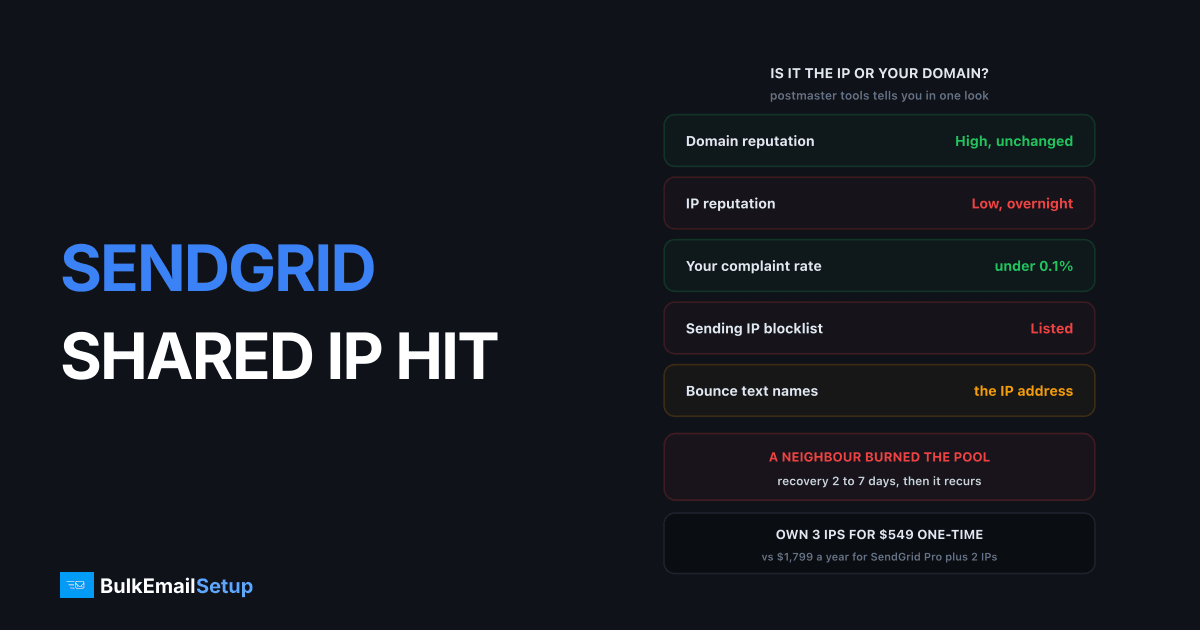
If your complaint rate is under 0.1%, your bounce rate is under 2%, and Gmail still started deferring or spam-foldering your SendGrid mail overnight, the shared IP is almost certainly the problem, not you. SendGrid puts thousands of Free and Essentials accounts on the same IP pool, and one neighbour with a scraped list can get that IP blocklisted or throttled in a single afternoon. Google Postmaster Tools will show it plainly: Domain Reputation High, IP Reputation Low, same day. The recovery takes 2 to 7 days if you wait, and it will happen again on any shared pool.
How to prove it is the IP and not you
The proof takes about 20 minutes and four checks. Do all four, because you will need the evidence when you talk to SendGrid support, and because a domain problem needs a completely different fix.
1. Google Postmaster Tools. Open Postmaster Tools for your sending domain and look at the Domain Reputation and IP Reputation dashboards side by side. Domain High or Medium with IP Low or Bad on the same date your deliveries dropped is the signature of a shared pool problem. If both fell together, or domain fell first, the problem is your traffic. Our Postmaster Tools guide covers reading the graphs if you have not used it before.
2. Microsoft SNDS. Register the SendGrid IP range in Smart Network Data Services and check the colour for the IP that carried your mail. Red or yellow on an IP you share, with a complaint rate you can show is yours alone, says the same thing to Outlook.com that Postmaster says for Gmail.
3. Pull the actual IP from headers. Send a test to a Gmail address, open it, click Show original, and find the Received: from line naming a sendgrid.net host. That IP is what receivers are scoring. Check it against the major blocklists:
dig +short 45.123.45.67.zen.spamhaus.org
dig +short 67.45.123.45.dnsbl-1.uceprotect.net
Reverse the octets, and any answer other than an empty response means listed. Spamhaus CSS and UCEPROTECT Level 1 are the two that most often catch shared SendGrid IPs, because both list per-IP on short spam bursts.
4. Read the bounce text. SendGrid's Activity Feed shows the receiver's reply on every deferral and block. The wording tells you which side of the line you are on.
| Bounce text | Who it is about | What it means |
|---|---|---|
421 4.7.0 ... unusual rate of unsolicited mail originating from your IP address | the IP | Gmail throttling the pool |
550 5.7.1 ... blocked using Spamhaus or ... zen.spamhaus.org | the IP | Spamhaus listing on the IP |
550 5.7.1 [IP] Our system has detected that this message is likely suspicious | the IP or content | Gmail, usually IP when domain rep is High |
550 5.7.1 ... this message has been blocked ... low reputation of the sending domain | your domain | Not an IP problem, stop reading and fix your list |
550 5.7.606 Access denied, banned sending IP | the IP | Microsoft has the IP on its internal block |
Symptoms table for IP problem vs domain problem
Keep this next to the Activity Feed. Most of the misdiagnosis I see comes from people treating an IP problem as a list problem and deleting a third of their subscribers for nothing.
| Signal | IP problem (neighbour) | Domain problem (you) |
|---|---|---|
| Postmaster Domain Reputation | High or Medium, unchanged | Dropped to Low or Bad |
| Postmaster IP Reputation | Dropped to Low or Bad | Often still fine on a clean pool |
| Onset | Overnight, between two sends | Gradual over 2 to 3 weeks |
| Your complaint rate | Under 0.1%, unchanged | Rising, often past 0.3% |
| Your bounce rate | Under 2%, unchanged | Rising past 5% |
| Affected receivers | One or two, usually Gmail or Microsoft first | All of them, roughly evenly |
| Blocklist check on sending IP | Listed | Clean |
| Bounce text names | the IP address | the sending domain |
| Transactional mail on same domain, different IP | Delivers fine | Also suffers |
That last row is the cleanest test if you have it. Password resets on a separate transactional IP still landing while marketing on the shared pool fails is proof nobody at SendGrid can argue with.
What SendGrid can and cannot do about it
SendGrid's own options are narrower than most people expect, and they depend heavily on which plan you are on.
| Action | Available on | Reality |
|---|---|---|
| Move you to a different shared pool | All plans, via support | Works, but takes 1 to 5 days and the new pool has strangers too |
| Remove the offending sender | Their call, not yours | They do this, usually within 24 to 48 hours of the spike |
| Request delisting for the IP | Their job | Spamhaus clears in under 24 hours once they ask |
| Dedicated IP | Pro plan, $89.95/month base | 1 IP included, extra IPs around $30/month each |
| Automated IP warm-up | Pro and above | Ramps a new dedicated IP over about 4 weeks |
| Refund for the ruined campaign | Rarely | Terms put delivery risk on you |
The honest version: on Free ($0, 100 emails/day) and Essentials (from $19.95/month for 50,000 emails), you are on the cheapest pools with the loosest neighbours and the slowest support. That is the trade you made for the price. SendGrid does police the pools, and a scraped-list spammer usually gets cut within two days, but the IP reputation damage has already reached Gmail by then and you carry it until the receiver's scoring window rolls over.
Why this will happen again on any shared pool
A shared IP is a reputation account with several thousand names on it. SendGrid's pool assignment is automatic, driven by plan tier and rough volume, and the onboarding filter for a $19.95 account is a credit card. The maths is what it is: if 1 in 500 new accounts is a spammer, a pool with 2,000 senders sees roughly four bad actors a month rotate through before they get caught.
Gmail's reputation system works per IP for the first hop and per domain for the sender, which is why you see the split in Postmaster. Google's bulk sender guidelines spell out the 0.3% complaint ceiling and the authentication requirements, and a shared IP fails that ceiling whenever any one tenant does. You cannot authenticate your way out of it, because SPF and DKIM prove who you are, not who else is on the wire.
Pool moves buy you weeks. Dedicated IPs buy you the only thing that fixes it, which is nobody else's traffic on your address. The dedicated vs shared IP piece goes through the volume threshold, roughly 50,000 emails a month, where dedicated stops being a luxury.
Your four options, compared
| Option | Time to normal delivery | Cost | Recurs? | Best for |
|---|---|---|---|---|
| Wait it out | 2 to 7 days | $0 plus lost campaign revenue | Yes | Under 20,000/month, low urgency |
| Request a pool move | 1 to 5 days | $0 | Yes | Anyone on Free or Essentials as a bridge |
| Dedicated IP on SendGrid Pro | 4 to 6 weeks warm-up | $89.95/month, ~$30/month per extra IP | No | 100,000 to 500,000/month, happy with SendGrid's UI |
| Own dedicated SMTP server, 3 IPs | 4 to 6 weeks warm-up | $549 one-time plus roughly $40 to $80/month hosting | No | 200,000/month and up, or anyone burned twice |
The first two are the same option with a different amount of hope in it. If you send once a month and this is the first time, waiting is fine. If you send twice a week and revenue depends on it, the 2 to 7 day window is two to four missed campaigns, and the pool move just resets the clock on the next neighbour.
What it costs over 12 months
Numbers for a sender doing 200,000 emails a month, which is about where this problem stops being a nuisance and starts costing real money.
| Line item | SendGrid Essentials (shared) | SendGrid Pro, 1 dedicated IP | Own server, 3 dedicated IPs |
|---|---|---|---|
| Plan or setup | $34.95/month, $419/year | $89.95/month, $1,079/year | $549 one-time |
| Extra IPs | none | 2 more at $30 = $720/year | included |
| Hosting | none | none | about $60/month, $720/year |
| Expected shared-IP incidents | 2 to 4 per year | 0 | 0 |
| Lost campaigns per incident | 1 to 3 | 0 | 0 |
| 12-month total, before lost revenue | $419 | $1,799 | $1,269 |
| Who owns the IP reputation | strangers | you, rented | you, owned |
At 200,000 a month, 2 to 4 incidents a year each costing a campaign is the part that dominates. A campaign to 200,000 people at a 0.5% conversion and $30 order value is $30,000. Even one lost send a year makes the $419 plan the most expensive option in the table. The full breakdown with more volumes is in SendGrid vs a dedicated SMTP server and cheaper than SendGrid.
The warm-up cost of moving, stated honestly
Both dedicated options come with a 4 to 6 week warm-up, and that has a real cost that the pricing tables above do not show.
- Week 1: 500 to 2,000 emails a day per IP, most engaged segment only.
- Week 2: 3,000 to 8,000 a day per IP.
- Week 3: 10,000 to 20,000 a day per IP.
- Weeks 4 to 6: ramp roughly 30% every two days to full volume.
With 3 IPs you reach a 25,000 a day ceiling faster than with 1, because the ramp runs in parallel. Either way, plan to keep the SendGrid account alive through the warm-up and split traffic: engaged contacts on the new IPs, the remainder on SendGrid until the new infrastructure carries everything. SendGrid's automated warm-up does the same thing for you on Pro, which is genuinely useful if you stay. The IP warm-up schedule has the per-day table.
Do not start a warm-up in the middle of your peak season. Start it 6 weeks before you need the volume.
The 7-day action plan
Day 1: diagnose. Postmaster Tools, SNDS, header IP, blocklist check, bounce text. Screenshot everything with dates visible. Pause marketing sends. Leave transactional running.
Day 2: talk to SendGrid. One ticket, with the screenshots, asking for two things: confirmation the IP is under remediation, and a pool move. State the plan you are on and the volume you send. Do not open a second ticket.
Day 3: check delisting. Re-run the blocklist check on the IP. If Spamhaus still lists it, ask SendGrid for the delisting status. Our blocklist delisting guide explains which lists clear on request and which expire on a timer.
Day 4: decide. Use the options table. If this is the second time in 12 months, or you send more than 100,000 a month, start the dedicated path now while the shared pool recovers.
Day 5: order infrastructure if you decided to move. Dedicated IP on SendGrid Pro is instant. A dedicated server takes 1 to 3 days to set up with DNS, PTR, SPF, DKIM and DMARC done properly.
Day 6: send a small test. 5,000 to your most engaged Gmail and Microsoft contacts on whatever IP is now clean. Watch deferral rate, not opens. Under 2% deferrals means you can resume.
Day 7: resume or ramp. On a recovered shared pool, resume at 50% volume and return to full within three sends. On a new dedicated IP, start the warm-up schedule and split traffic as above.
How BulkEmailSetup helps
We build dedicated SMTP infrastructure you own: your own server, your own IPs, full SPF/DKIM/DMARC/PTR configuration, MTA tuning, bounce handling and a warm-up plan. Because the IPs are yours alone, there is no pool, no neighbour, and no overnight collapse caused by someone else's list. When Postmaster Tools shows a dip, it is yours, and you can find it in your own logs.
Basic starts at $549 one-time, covering 1 SMTP server, 3 dedicated IPs, 25,000 emails/day and unlimited contacts. Higher tiers scale to 15 IPs and 200,000 emails/day. See pricing, or read SendGrid vs a dedicated SMTP server for the direct comparison.
Frequently asked questions
How do I know if the SendGrid shared IP is the problem and not my domain?
Open Google Postmaster Tools and compare the two reputation graphs. If Domain Reputation is High or Medium but IP Reputation dropped to Low or Bad on the same day your deliveries fell, the IP is the problem. Confirm by pulling the sending IP from a Received header of a delivered message and checking it against Spamhaus, Spamcop and UCEPROTECT.
Can SendGrid move me to a different shared IP pool?
Yes, support can move an account between pools, but there is no guarantee the new pool is cleaner, and on Free and Essentials plans the request often goes unanswered for days. Pool moves are a stop-gap. The same thing can happen on the new pool next month because you still share it with strangers.
How much does a dedicated IP cost on SendGrid?
A dedicated IP is included in the Pro plan, which starts at $89.95 per month for 100,000 emails. Each additional dedicated IP is around $30 per month on top. On your own SMTP server a dedicated IP costs the hosting provider price, typically $2 to $10 per month each.
How long does a shared IP reputation problem take to clear?
Gmail IP reputation usually recovers within 2 to 7 days once the offending sender is removed from the pool, provided the remaining traffic is clean. A Spamhaus SBL or CSS listing clears within 24 hours of a successful delisting request. A UCEPROTECT Level 1 listing expires on its own 7 days after the last hit.
Will moving to a dedicated IP fix delivery immediately?
No. A new dedicated IP starts with zero reputation and needs 4 to 6 weeks of warm-up, starting around 500 emails a day and growing roughly 30% every two days. During that window you are sending less than you were before. The fix is permanent isolation, not a faster recovery this week.
Does a shared IP problem damage my domain reputation too?
Not directly, but it can if you keep pushing volume through a bad IP. Gmail scores domain and IP separately, and a domain that keeps sending from a Low reputation IP starts collecting deferrals and spam-folder placements that lower engagement. Pause marketing sends until the IP score recovers, keep transactional going.


