
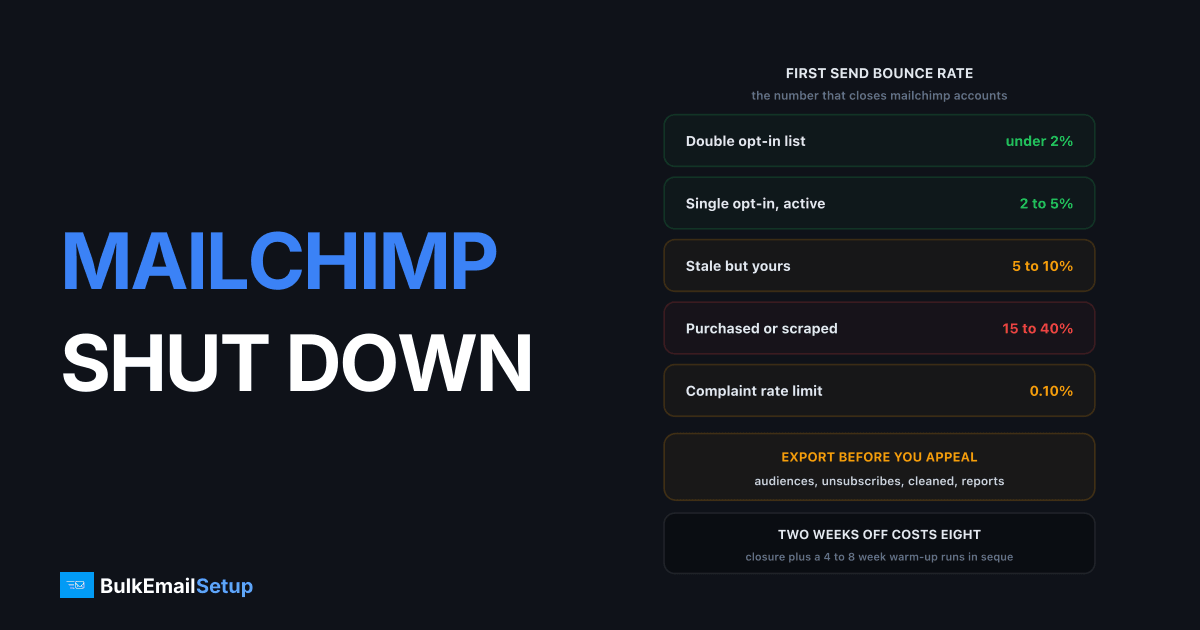
Mailchimp closures come down to list provenance, a complaint rate over roughly 0.1%, or content in a category the Acceptable Use Policy bans outright. They are harder to reverse than a suspension at most other providers. The first thing to do is not appeal. It is export your data, because the export window can be shorter than the appeal process.
Export first, appeal second
You may have days, not weeks, and some closures cut console access immediately. Pull all four of these before you write a single word to support.
| Export | Where it lives | Why it matters |
|---|---|---|
| Audiences with fields | Audience, Export Audience | signup source and date prove provenance in the appeal |
| Unsubscribes | Audience, filter Unsubscribed | legally required at your next provider |
| Cleaned contacts | Audience, filter Cleaned | Mailchimp's hard bounce record, your suppression seed |
| Campaign reports | Reports, Export | identifies which send triggered the closure |
The unsubscribe and cleaned lists matter most. Losing unsubscribes means you cannot honour prior opt-outs at your next provider, which is a compliance problem under CAN-SPAM and GDPR. Losing the cleaned list means you re-import the same dead addresses and reproduce the bounce rate that closed you.
The audience export runs as a background job and the link is emailed. A frozen account can usually still trigger it. If the login is dead, ask support for the export in the same message as the closure question, and ask for it first.
Read which kind of closure you have
| Notice wording | Meaning | Access | Reversible? |
|---|---|---|---|
| "Under review" / "paused pending" | Compliance check, human has not decided | usually read-only | Often |
| "Suspicious import activity" | Omnivore scored the list as purchased | frozen | Sometimes, with evidence |
| "Does not comply with our Terms" | A human reviewed and decided | limited window | Rarely |
| "Prohibited content" | Category named in the AUP | closed | Almost never |
| "Repeat violation" | Second event on the same domain | closed | No |
Review versus closure is the whole game. People spend a week appealing a final decision and lose the export window doing it. A compliance hold reads like a question. A terms closure reads like an announcement.
What Omnivore flags, and when
Mailchimp runs an abuse system called Omnivore that scores you twice: at import, and again at send. That is why some accounts are shut down having never delivered a message.
| Stage | What Omnivore looks at | Typical trigger |
|---|---|---|
| At import | role addresses, domain spread, syntax patterns | above 5% role addresses like info@ or sales@ |
| At import | spamtrap-shaped and recycled addresses | any known trap pattern in the file |
| At import | import size versus account age | 50,000 addresses into a two-week-old account |
| At send | list age against last-send date | list untouched for over 24 months |
| At send | complaint history on the sending domain | prior abuse events at any Intuit property |
| Post-send | bounce and complaint rate in the first hour | bounces above 10% in the first few thousand |
The most common shutdown is a brand-new account that imports a large file and sends immediately. That sequence is exactly what list buying looks like, and Mailchimp acts on the pattern rather than waiting for the metrics. Mailchimp's Acceptable Use Policy is direct about it: you must be able to point to an opt-in form or other evidence of consent, and uploading purchased, rented, third-party, co-reg, publicly available or partner lists of any kind is prohibited.
The same policy names the outright bans: escort services, gambling, cryptocurrency, multi-level marketing, affiliate marketing and list brokers, plus illegal goods, sexually explicit content and counterfeit products. Trading tips, horoscopes, mortgages and supplements get extra scrutiny rather than a flat ban. If your category is on the first list, no wording changes the answer.
The seven days before, in numbers
Pull these from the reports you exported. They tell you which cause you hit, and the appeal has to name one.
| Metric | Danger line | What it points to |
|---|---|---|
| Bounce rate on first send | over 10% | list was not collected by you |
| Overall bounce rate | over 5% | stale list, needs hygiene |
| Complaint rate | over 0.10% | targeting, consent or frequency |
| Unsubscribe rate | over 0.50% | wrong content or too often |
| Volume jump versus prior month | 3x or more | triggered an automated review |
| Role addresses in the audience | over 5% | scraped from websites |
Bounce rate on the first send after an import is the single most diagnostic number.
| List type | Bounce rate on first send |
|---|---|
| Double opt-in list | under 2% |
| Single opt-in, active | 2 to 5% |
| Stale but genuinely yours | 5 to 10% |
| Purchased or scraped | 15 to 40%, this is what closes accounts |
If your first send bounced above 10%, that is almost certainly what happened, whatever you believe about where the addresses came from. Mailchimp reads the number, not the intention.
When an appeal is worth filing
File one if you can state all three concretely, in one message, with numbers.
| Section | Strong version | Weak version |
|---|---|---|
| Where the list came from | "checkout opt-in form, Jan 2023 to Aug 2025, 34,100 addresses" | "our customers" |
| Why the metrics spiked | "a 2022 webinar segment of 12,400 we had not mailed in 3 years" | "an unusual campaign" |
| What has changed | "segment deleted, 12,400 removed, quarterly hygiene scheduled" | "we will be more careful" |
Do not appeal if the content category is banned outright in the AUP, if this is a repeat event on the same domain, or if the list was bought. In those three cases the answer is already fixed and the appeal costs you a week you need for setting up elsewhere.
One message, three answers, no argument about fairness. Multiple tickets slow the queue rather than speeding it. And do it after the export, not before.
What the closure does to your domain versus your account
These are two separate problems and people conflate them constantly.
| Damage | Where it sits | Does moving provider fix it? |
|---|---|---|
| Mailchimp account closed | Mailchimp only | Yes, another provider does not care |
| Audience and templates lost | Mailchimp only | Yes, if you exported |
| Spam complaints recorded | your sending domain, at every receiver | No |
| Hard bounce history | receiver-side, tied to your domain | No |
| Spamtrap hits | blocklist operators, tied to domain and IP | No |
| Gmail domain reputation drop | Google Postmaster Tools | No, takes weeks to recover |
Gmail and Microsoft score sending domains independently of which provider carries the mail. Google's bulk sender requirements set a hard limit of 0.30% spam complaints and recommend below 0.10%. If the closing send pushed you past 0.30%, that is already on your domain at Gmail.
Check before assuming a clean start. Read Domain Reputation and IP Reputation separately in Google Postmaster Tools. If domain reputation reads Low or Bad, no provider change fixes delivery. Setup is one DNS TXT record: see our Postmaster Tools guide and domain vs IP reputation.
Outcomes and timelines
| Outcome | What it looks like | Typical timeline |
|---|---|---|
| Compliance hold lifted | you evidenced the opt-in source | 2 to 10 business days |
| Hold lifted with conditions | reduced sending limits, re-verification | 1 to 2 weeks, then watched |
| Appeal refused | terms closure stands, export window runs out | days |
| Closure upheld, category ban | no route back on Mailchimp | final |
| You move instead | new infrastructure plus warm-up | 4 to 8 weeks to full volume |
Even the good outcome does not restore your sending speed. A reinstated account under conditions still sends at reduced volume while Mailchimp watches, so a hold and a move cost more alike than they look on paper.
Where to go next depends on the cause
If it was list quality, fix the list before you migrate. Every provider enforces the same bounce and complaint signals, so moving a bad list just burns a second reputation two weeks later. Start with email list cleaning, suppress every hard bounce, drop anyone with no engagement in 12 months, and expect that to remove 20 to 30% of a typical list. Those are the addresses producing your bounces and complaints.
If it was policy, meaning legitimate sending in a banned category, the calculation differs. Shared pools ban categories because complaint rates from them land on other customers using the same IPs. On dedicated IPs that objection disappears, since the only reputation at stake is yours. The law still applies: consent, a working unsubscribe, accurate headers, and whatever licensing your sector needs.
If it was cost as much as compliance, and Mailchimp's contact-based pricing was already the problem, Mailchimp alternatives for high-volume senders and migrating from Mailchimp to your own SMTP cover the move properly.
Either way, warm up again. New infrastructure starts cold no matter what your history was. Four to eight weeks, ramping about 30% every two days per IP.
What the outage costs
| Line item | Typical scale |
|---|---|
| Sending down | 1 to 6 weeks |
| Revenue from paused campaigns | your normal email revenue, gone |
| Re-warm to full volume after that | 4 to 8 weeks |
| Rebuilding templates and automations | 15 to 40 hours |
| Re-permissioning if the list was the problem | 30 to 70% of the list, permanently |
| Domain reputation recovery | months, if Postmaster Tools dropped |
The two clocks run in sequence. A two-week closure plus a six-week warm-up is eight weeks to full volume. Mailchimp also bills by contact rather than by send, so a paused account can keep charging for an audience you cannot mail. Check billing the same day.
The 30-day plan
Days 1 to 3: export and diagnose. Audiences, unsubscribes, cleaned contacts, campaign reports, in that order. Find the campaign that broke it from the reports sorted by bounce rate. Set up Google Postmaster Tools. Cancel or downgrade billing if the account is frozen.
Days 4 to 7: clean, then appeal if it is worth it. Delete the segment that caused it. Remove every hard bounce permanently and every 12-month non-opener. Verify what remains. Then send the one appeal message with the three answers, if the notice was a hold rather than a category ban.
Days 8 to 14: build the fallback. Do not bet the business on the appeal. Stand up sending on a subdomain rather than the root domain so the next problem stays contained. SPF, DKIM at 2048 bits, DMARC at p=none read for two weeks, PTR matching your HELO name. Reasoning in subdomain vs root domain.
Days 15 to 45: warm up. A few hundred a day per IP to the most engaged 10% of the list. Grow roughly 30% every two days. Watch 4xx deferrals rather than opens, because deferrals move first. Full ramp in how long IP warm-up takes.
Ongoing: fifteen minutes a week. Complaint and bounce rate per campaign, Postmaster Tools domain reputation, suppression list actually enforced. That is the whole cost of not repeating this.
What not to do
- Do not open a replacement account. Mailchimp links by sending domain, payment method and audience fingerprint. A new account gets closed fast and turns a possibly appealable situation into a definitely final one.
- Do not appeal before exporting. The appeal routinely outlasts the export window.
- Do not move the same list to another shared relay. Same behaviour, same outcome, two weeks later, and now two providers have your domain on record.
- Do not send a re-engagement blast to prove the list is good. Cold addresses hit spamtraps and spike bounces at the same time.
- Do not import the audience without the cleaned and unsubscribed files. That is how people reproduce the exact bounce rate that closed them.
- Do not argue the category. If the AUP names it, wording will not move it.
How BulkEmailSetup helps
We build dedicated SMTP infrastructure you own: your own server, your own IPs, full SPF/DKIM/DMARC/PTR configuration, MTA tuning, bounce handling and a warm-up plan. No shared pool, so no policy team assessing whether your legitimate sending is a risk to other customers, and no Omnivore scoring your import before you have sent anything.
We are also straight about the prerequisite: if the closure was caused by list quality, dedicated IPs make that worse rather than better, so clean the list first. When it is clean, Basic starts at $549 one-time covering 1 SMTP server, 3 dedicated IPs, 25,000 emails/day and unlimited contacts. Higher tiers scale to 15 IPs and 200,000 emails/day. See pricing, or Mailchimp alternatives for high-volume senders.
Frequently asked questions
Why did Mailchimp shut down my account?
The common causes are a high bounce rate on a first send after import, a complaint rate above roughly 0.1%, content in a category the Acceptable Use Policy bans such as affiliate marketing or cryptocurrency, or an import that Omnivore scored as purchased. Mailchimp reviews new accounts that import a large list and send immediately, because that pattern matches list buying.
What is Mailchimp's Omnivore system?
Omnivore is Mailchimp's abuse-prevention system. It scores your list at import and your campaign before send, looking at role addresses, domain spread, spamtrap-shaped addresses and past complaint history. It can warn you, block one campaign, or freeze the account before a single message leaves, which is why some people are shut down having never sent anything.
Can I get a closed Mailchimp account back?
Sometimes for a compliance hold, rarely for a terms closure. Mailchimp distinguishes between an account under review, which can reopen once you evidence the list source, and a closure for prohibited content or a repeat issue, which is normally final. The wording of the notice tells you which one you have, so read it before spending a week on an appeal.
Does Mailchimp delete my data when they close the account?
You usually retain a window to export audiences and campaign data, but it is not indefinite and not guaranteed after a terms closure. Export audiences, unsubscribes, cleaned contacts and campaign reports immediately on any notice, before appealing, because the appeal routinely takes longer than the export window.
What content does Mailchimp ban outright?
The Acceptable Use Policy names escort services, gambling, cryptocurrency, multi-level marketing, affiliate marketing and list brokers, plus illegal goods, sexually explicit content and counterfeit products. Trading tips, horoscopes, mortgages and supplements face extra scrutiny rather than a flat ban. Purchased, rented, third-party, co-reg and partner lists of any kind are prohibited.
What are the best alternatives after a Mailchimp closure?
It depends on the cause. If it was list quality, fix that before moving, because every provider enforces the same bounce and complaint signals. If it was a banned category, a dedicated SMTP server removes the policy conflict since you are not sharing IP reputation with other customers who need protecting.
Can I sign up for Mailchimp again with a new account?
No. Mailchimp links accounts by sending domain, payment method and audience fingerprint, and replacement accounts are closed quickly. It also converts a possibly appealable situation into a definitely final one. Move to different infrastructure rather than trying to re-enter.


