
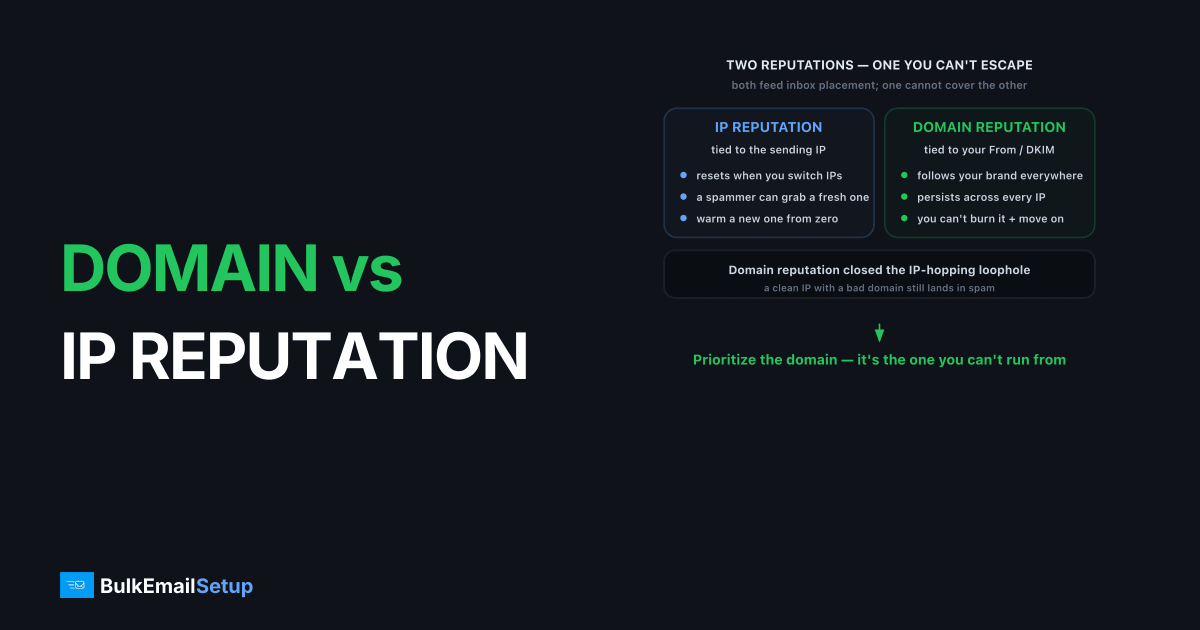
Domain reputation is a trust score mailbox providers attach to your sending domain (the From address and DKIM-signing domain), while IP reputation is a trust score attached to the IP address your mail leaves from. The key difference: IP reputation stays with the IP, so you can leave it behind by switching, but domain reputation follows your brand everywhere. Both feed into inbox placement decisions at Gmail, Yahoo, and Microsoft, and a clean record on one cannot fully cover a poor record on the other.
What does IP reputation actually measure?
IP reputation measures the sending behavior of a single IP address: volume consistency, complaint rate, bounce rate, spam-trap hits, and blocklist status. Google Postmaster Tools reports IP reputation on a Bad-to-High scale, reflecting how that specific IP has behaved over recent weeks. It is the older of the two systems and still central to delivery.
Because it is IP-bound, reputation resets when you move. A new dedicated IP starts at zero and must be warmed up, which is why IP warm-up exists. The flip side: a spammer can abandon a burned IP and grab a fresh one. Mailbox providers know this, which is part of why domain reputation grew in importance.
What does domain reputation measure, and why is it harder to escape?
Domain reputation measures trust in your From domain and DKIM d= domain across every IP you have ever sent from. Google's Postmaster Tools tracks domain reputation separately from IP reputation, and it persists no matter how often you change sending infrastructure. That permanence is the whole point.
Domain reputation closed the loophole that IP reputation left open. A sender could once burn an IP and move on. They cannot burn a brand domain and keep using it, so receivers weight domain signals heavily for established senders. This is why a clean IP with a bad domain still lands in spam.
DKIM is the mechanism that binds mail to your domain. When you sign with d=yourdomain.com, receivers attribute that mail to you. For how signing works, see DKIM explained.
Which one should you prioritize?
Prioritize domain reputation, because it is the one you cannot run away from. But the two are not a competition, and both must be healthy. A practical split:
| Factor | IP reputation | Domain reputation |
|---|---|---|
| Bound to | Sending IP | From / DKIM domain |
| Survives provider switch | No | Yes |
| Reset by warm-up | Yes | No |
| Main lever | Volume consistency | Engagement + authentication |
| Easiest to damage | Volume spikes, traps | High complaints, spam runs |
We have watched senders chase IP problems for weeks when the real issue was a domain reputation hit from a bad list buy. One sender moved across three fresh dedicated IPs in a month, warmed each one, and still spam-foldered at Gmail, because Postmaster showed the IP reputation climbing to High while domain reputation sat at Low the whole time. Changing IPs did nothing. The recovery came from cutting complaints and rebuilding engagement on the same domain.
How do you keep both healthy?
Keep both healthy with the same fundamentals: authenticate fully, send consistently, and protect engagement. Gmail and Yahoo's 2024+ bulk sender rules require SPF, DKIM, and DMARC for senders above 5,000/day, plus a spam complaint rate under 0.3%. Meet those and both reputations have room to grow.
Consistent volume protects the IP. Low complaints and real engagement protect the domain. List hygiene protects both at once, which is why list hygiene sits upstream of every reputation metric. If you are choosing infrastructure, dedicated sending gives you a domain and IP nobody else can damage, covered in dedicated IP vs shared IP.
How do you monitor both reputations?
Monitor both reputations in Google Postmaster Tools, which reports IP reputation and domain reputation as separate Bad-to-High graphs for Gmail. For Outlook and Hotmail, Microsoft SNDS shows IP-level reputation and complaint data. Read them together, because a split (good IP, bad domain) tells you exactly where the problem lives.
The diagnostic value is in the divergence. If your IP reputation reads High but mail still spam-folders, the issue is domain reputation or engagement, not the IP, so changing IPs is wasted effort. If a single IP drops while your domain holds, you likely have a volume spike or trap hit on that one IP. Watching both columns turns a vague "we're in spam" into a specific fix.
How do you recover a damaged reputation?
Recover a damaged reputation by cutting the cause first, then rebuilding slowly with your most engaged contacts. There is no reset button. Whether the hit landed on the IP or the domain, recovery follows the same arc: stop the bleeding, then earn trust back send by send.
The practical sequence:
- Find the cause. A bad list import, a spam run, or a spike. Postmaster and SNDS tell you which signal cratered.
- Suppress aggressively. Remove inactives, hard bounces, and any segment driving complaints.
- Shrink and re-warm. Drop volume to your top openers, then ramp like a warm-up over weeks.
- Hold authentication steady. Keep SPF, DKIM, and DMARC aligned the whole time so good behavior credits to your domain.
Domain recovery is slower than IP recovery in our experience, often four to eight weeks of disciplined sending, because the score persists by design. Rushing volume back up just restarts the damage.
How do subdomains let you compartmentalize domain reputation?
Subdomains carry their own domain reputation, which is how serious senders stop one mail stream from poisoning another. If you send marketing from news.yourbrand.com and transactional mail from mail.yourbrand.com, a complaint spike on the marketing subdomain does not directly drag down the password resets and receipts your users actually need.
There is a limit to the isolation. Mailbox providers also track the organizational (root) domain, so a badly behaved subdomain can still bleed a little reputation upward to the parent. The separation is real but not total. Used well, it gives you a controlled blast radius: your highest-stakes mail lives on a subdomain you guard tightly, while riskier bulk sends run on their own. The trade-offs of root versus subdomain sending are covered in subdomain vs root domain for email sending, and it pairs naturally with isolating your IP too.
How BulkEmailSetup helps
Reputation problems are slow to build and slow to fix, so the goal is to never break either score. We set up SPF, DKIM, DMARC, and PTR correctly, run warm-up to protect IP reputation, and isolate your domain on infrastructure you control. That keeps both signals clean. See plans on our pricing page.
Frequently asked questions
What is the difference between domain and IP reputation?
IP reputation is tied to the sending IP address and stays with that IP. Domain reputation is tied to your From and DKIM-signing domain and follows you across any IP or provider you send from. Mailbox providers track both.
Which matters more, domain or IP reputation?
Domain reputation increasingly carries more weight at Gmail because it is harder to escape. You can change IPs, but a damaged domain reputation follows your brand. Both still matter, and a clean IP cannot rescue a poor domain.
Can I fix a bad domain reputation by changing IPs?
No. Domain reputation is bound to your domain, not the IP. Switching IPs leaves the domain problem intact. You fix domain reputation by improving engagement, cutting complaints, and authenticating properly over time.
Does DKIM affect domain reputation?
Yes. DKIM signs mail with your domain, so receivers attribute that mail to your domain for reputation purposes. Consistent DKIM signing is how domain reputation accrues to you rather than to a shared platform domain.


