
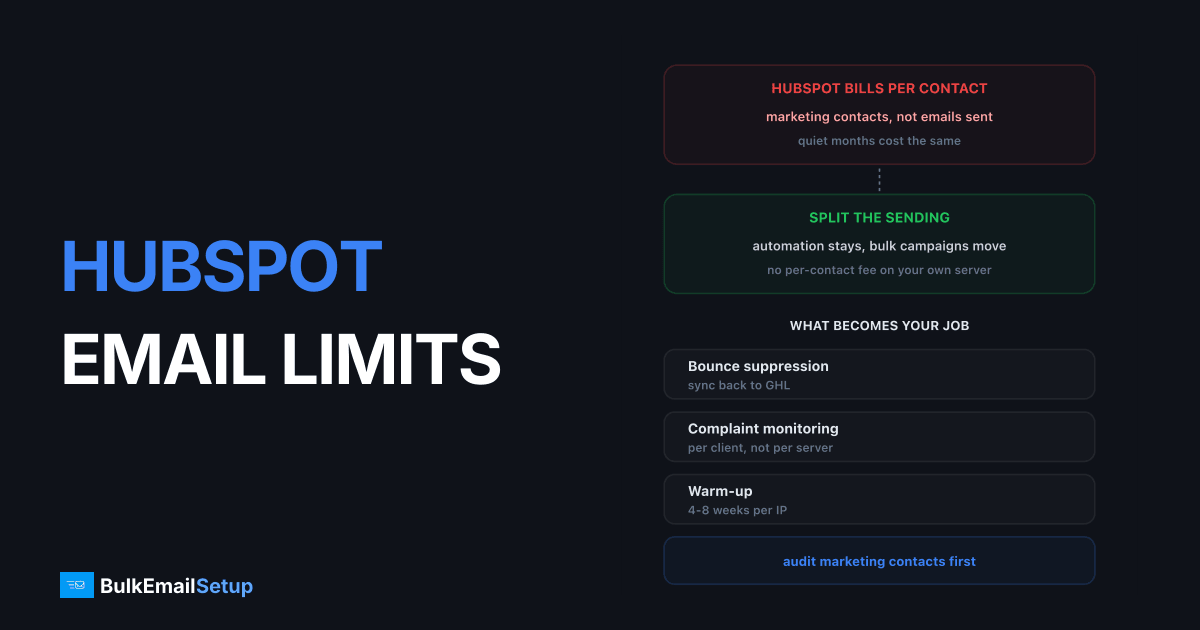
HubSpot bills on marketing contacts rather than emails sent, and caps sends at a multiple of that tier. So the limit that bites first is usually commercial, not technical: growing the list raises the bill before it raises the ceiling. Marketing campaigns also run through HubSpot's own infrastructure and cannot be pointed at your SMTP server, which is what pushes high-volume senders to split their mail.
What the limits actually are
| Limit | How it works |
|---|---|
| Marketing contacts | billed tier, the main cost driver |
| Send allowance | multiple of the contact tier, often 10x |
| Transactional email | separate add-on, own SMTP possible |
| Sales email | sends via your connected mailbox |
The distinction between marketing contacts and stored contacts is the one that costs people money. You are billed on the former. Most accounts carry a large number of contacts marked as marketing who have not engaged in over a year.
The send allowance is published and it scales with the plan, not with your list. From HubSpot's Marketing Hub pricing:
| Tier | Monthly price | Marketing contacts included | Send limit | Onboarding fee |
|---|---|---|---|---|
| Free | $0 | limited, 2 users max | low daily cap | none |
| Starter | $7 per seat | 1,000 | 5x contact tier | none |
| Professional | $800 | 2,000 | 10x contact tier | $3,000 one-time |
| Enterprise | $3,600 | 10,000 | 20x contact tier | $7,000 one-time |
Read the last two columns together. Professional at its included 2,000 contacts gives you 20,000 sends a month, which is ten mailings to your whole list. Almost nobody sends that often, so the allowance is not what stops you. What stops you is buying contact blocks to get past 2,000, because that is where the bill starts climbing while the product stays the same.
The onboarding fees are the line people forget. Professional carries a mandatory $3,000 one-time charge and Enterprise $7,000, paid before you send your first campaign. That is on top of the $9,600 or $43,200 of annual subscription.
What counts as a marketing contact, and why it drives the bill
A marketing contact is anyone you send marketing email to or target with ads. A contact sitting in the CRM that you never mail is a non-marketing contact, and those are free and effectively unlimited.
| Contact type | Billed | Can receive marketing email | Can receive sales or transactional mail |
|---|---|---|---|
| Marketing contact | yes | yes | yes |
| Non-marketing contact | no | no | yes |
| Unsubscribed | depends on flag | no | yes |
| Hard bounced | yes if still flagged marketing | no | no |
Row four is the quiet money leak. A contact that hard bounced six months ago stays billable until someone flips its marketing flag, and HubSpot has no reason to do that for you. Same for the unsubscribed segment if it was never re-flagged.
The billed number is a setting, not a fact about your database. That is the single most useful thing to know about HubSpot pricing, and it is why the audit below comes before any migration talk.
Do the contact audit first
Before comparing anything, run this:
- Filter contacts with no email engagement in 12 months.
- Switch them to non-marketing.
- Watch the billed tier drop at the next renewal.
This is not a trick, it is what the setting is for. It cuts the bill and improves deliverability at the same time, because you stop mailing people who ignore you. For many accounts it saves more than changing provider would, and it costs nothing.
See email list cleaning for the wider hygiene process.
What that is worth in cash, on the published tier structure:
| Marketing contacts before | After a 12-month engagement audit | Typical annual saving |
|---|---|---|
| 25,000 | 17,000 to 20,000 | $2,000 to $4,000 |
| 50,000 | 33,000 to 40,000 | $4,000 to $8,000 |
| 100,000 | 65,000 to 80,000 | $8,000 to $16,000 |
| 250,000 | 160,000 to 200,000 | $18,000 to $35,000 |
Those assume the 20 to 35% dormant share that most lists carry after two years of collecting addresses. Your number will differ. Run the report before you believe the range.
The deliverability half is worth as much as the money. Mailing a segment that has ignored you for a year drags open rates down and complaint rates up, and Google measures you on complaints: bulk senders must stay under 0.30% spam complaints, with 0.10% as the target, per Google's email sender guidelines. Dormant contacts are where those complaints come from. See Gmail's 0.30% spam complaint rate.
What you can and cannot route through your own SMTP
| Stream | Own SMTP? |
|---|---|
| Marketing campaigns | No, HubSpot infrastructure only |
| Transactional email | Yes, via the transactional add-on |
| Sales email | Sends through your connected mailbox |
That table explains the shape of every migration off HubSpot email. You are not moving the CRM, and you are not moving sales mail. You are moving the full-list campaign sends, because that is the only stream where the volume is high and the per-contact pricing hurts.
The transactional email add-on
Transactional email is sold separately from Marketing Hub. It is the one stream where HubSpot supports connecting your own SMTP server, and it exists because receipts, password resets and order confirmations should never share a sending reputation with newsletters.
| Question | Answer |
|---|---|
| Included in Marketing Hub? | no, separate paid add-on |
| Published price | not on the marketing pricing page, ask sales |
| Own SMTP supported? | yes, this is the only stream that allows it |
| Sends counted against marketing allowance? | no, separate allowance |
| Requires a paid Marketing Hub tier? | yes, it is an add-on not a standalone |
Before you buy it, ask what problem it solves. If your application already sends receipts, the cheapest transactional path is your application talking to your own SMTP server directly, with no HubSpot in the loop at all. The add-on earns its cost only when you want transactional templates managed inside HubSpot alongside marketing ones and logged against the contact record.
The practical split most teams land on: transactional stays in the application and goes out over your own SMTP, marketing stays in HubSpot until the contact bill says otherwise. That gives you two sending streams on two separate subdomains, which is what you want anyway. See SMTP for CRM and marketing automation.
What HubSpot costs by marketing-contact count
Contact blocks are bought on top of the tier price, so the total climbs with list size while the software does not change.
| Marketing contacts | Typical Professional annual cost | Emails at 10x allowance | Cost per 1,000 emails, monthly send |
|---|---|---|---|
| 2,000 (included) | $9,600 plus $3,000 onboarding | 20,000/month | $400 |
| 10,000 | $12,000 to $15,000 | 100,000/month | $100 to $125 |
| 25,000 | $18,000 to $24,000 | 250,000/month | $60 to $80 |
| 50,000 | $28,000 to $38,000 | 500,000/month | $47 to $63 |
| 100,000 | $45,000 to $65,000 | 1,000,000/month | $37 to $54 |
Contact-block pricing is quoted rather than published, so treat the annual column as the observed range and confirm your own number with HubSpot. The first-year figures also carry the onboarding fee.
The right-hand column is the argument. Even at 100,000 contacts you are paying $37 to $54 per thousand emails if you mail monthly. A dedicated SMTP server carrying the same volume costs a one-time $549 build plus roughly $40 to $80 a month of hosting, which is under $2 per thousand in year one and under $1 after. That gap is not a rounding difference. Worked through in cost per email, SMTP vs ESP and cost to send 1 million emails a month.
What you are actually buying at that price is the CRM, the attribution reporting, the workflow builder and the sales tooling. The email sending is the cheapest part of the product and the most expensive line on the invoice. That mismatch is the whole reason the split exists.
The split most teams end up with
HubSpot keeps: CRM-triggered mail, lifecycle sequences, sales outreach, anything that depends on contact properties and deal stages. Low volume, high value, tightly coupled to the CRM.
Your own infrastructure takes: the monthly newsletter, product announcements, any send to the whole database. High volume, low personalisation, exactly where per-contact pricing is worst.
Authenticate both, and send campaigns from a separate subdomain so a campaign problem cannot damage sales mail deliverability. See subdomain vs root domain for email sending.
Stream by stream, the split writes itself:
| Stream | Where it belongs | Volume | Why |
|---|---|---|---|
| Lifecycle and workflow email | HubSpot | low | driven by contact properties and deal stages |
| Sales sequences | HubSpot, via connected mailbox | very low | needs the rep's own mailbox and reply tracking |
| Lead nurture on recent form fills | HubSpot | low | tight coupling to forms and scoring |
| Monthly newsletter to all contacts | your own SMTP | high | one send, whole list, simple logic |
| Product and pricing announcements | your own SMTP | high | same |
| Re-engagement to 12-month dormant | your own SMTP, separate IP | high | worst complaint risk of anything you send |
| Receipts and password resets | your own SMTP, from the app | medium | never mix with marketing reputation |
The dormant re-engagement row deserves its own IP even inside your own infrastructure. It generates the complaints, so keep it off the IP carrying anything that has to arrive. See re-engagement email campaign guide.
Contact sync is straightforward. HubSpot has an API and an export, so most teams push the currently mailable segment out nightly to the campaign tool and let HubSpot stay the source of truth. Anyone who unsubscribes on the sending side needs writing back to HubSpot the same day, which is the one piece of the integration worth doing properly rather than by CSV.
What the move costs in effort
| Task | Effort | Elapsed |
|---|---|---|
| Provision server and IPs, PTR records | half a day | day 1 |
| SPF, DKIM, DMARC on the sending subdomain | 1 to 2 hours | day 1 |
| Install MailWizz, Mautic or Listmonk | half a day | day 2 |
| Export the mailable segment, set up nightly sync | 1 day | week 1 |
| Rebuild the two or three templates you use | 1 to 3 days | week 1 |
| Two-way unsubscribe sync back to HubSpot | 1 day | week 1 |
| IP warm-up to full volume | monitoring only | 4 to 8 weeks |
Two weeks of build, then a warm-up you cannot rush. Keep HubSpot running the whole time, because a cold IP pushed to 100,000 messages on day one collects deferrals from Gmail and Microsoft for a fortnight. Schedule in IP warm-up schedule for email.
When the split is worth it
| Marketing contacts | Verdict |
|---|---|
| Under 25K | stay, the CRM integration earns it |
| 25K - 100K | audit contacts first, then reassess |
| Over 100K | split, the email line is the problem |
| Any, if email is your biggest bill line | split |
The audit comes first in every row. Splitting infrastructure while paying for 40,000 disengaged marketing contacts fixes the wrong problem.
Put numbers on it. At 50,000 marketing contacts you are spending $28,000 to $38,000 a year with HubSpot. Do the audit first: if 30% of those are dormant, you drop to roughly 35,000 contacts and save $4,000 to $8,000 for an afternoon's work. Then decide whether the remaining email spend justifies a $549 build. It usually does above 50,000 and rarely does below 25,000. The arithmetic is in break-even point for a dedicated SMTP.
When to keep everything in HubSpot
Three cases where splitting is the wrong call.
Attribution is how you report. If marketing reports revenue attribution from HubSpot's own campaign data, sends made outside HubSpot leave gaps in it. You can close them with UTM discipline and a webhook, but it is real work and somebody has to own it.
Nobody owns deliverability. Your own server needs a person watching bounce logs, blacklist listings and 4xx deferral rates. Without one, HubSpot watching for you is worth the premium.
You are under 25,000 marketing contacts. The saving does not cover the operational load at that size, and the workflow builder you would be walking away from is genuinely good.
What you take on
A dedicated SMTP server sends mail and nothing else. No campaign builder, no CRM properties, no workflows. Senders who split usually run self-hosted software such as MailWizz, Sendy or Listmonk for the campaign layer, and sync engaged segments out of HubSpot to it.
You also own warm-up, 4 to 8 weeks, and list hygiene. If nobody will own those, stay where you are.
How BulkEmailSetup helps
We build the sending half: your own server, your own IPs, full SPF/DKIM/DMARC/PTR configuration, MTA tuning, bounce handling and a warm-up plan, on a subdomain kept separate from your sales and CRM mail.
Basic starts at $549 one-time, covering 1 SMTP server, 3 dedicated IPs, 25,000 emails/day and unlimited contacts, which is the part that matters when you are billed per contact elsewhere. Higher tiers scale to 15 IPs and 200,000 emails/day. See pricing, or SMTP for CRM and marketing automation.
Frequently asked questions
What are HubSpot's email sending limits?
Marketing email sends are capped at a multiple of your marketing contact tier, commonly 10x on Professional and higher on Enterprise. The constraint most senders hit first is the marketing contacts count itself, because HubSpot bills on contacts you market to rather than emails sent, so growing the list raises the bill before it raises the send cap.
Can you use your own SMTP server with HubSpot?
For transactional email, yes. HubSpot offers a transactional email add-on and supports connecting your own SMTP for that stream, and sales email sends through your connected mailbox. Marketing campaigns go through HubSpot's own infrastructure and cannot be pointed at your server, so high-volume campaign sending is where people move off.
What is a HubSpot marketing contact?
A contact you are actively marketing to, as opposed to one stored in the CRM. You are billed on the marketing count, so setting non-engaged contacts to non-marketing reduces the bill without deleting records. Many accounts carry thousands of contacts marked as marketing that have not opened anything in a year.
How do I reduce my HubSpot email bill?
Audit which contacts are set as marketing. Anyone who has not engaged in 12 months can usually be switched to non-marketing, which cuts the billed tier immediately and improves deliverability at the same time. That single audit often saves more than switching providers would.
Should I move bulk campaigns off HubSpot?
Consider it once marketing contacts pass roughly 100,000 or the email portion of the bill is the largest line. Keep HubSpot for CRM-triggered and sales mail, which is where its value sits, and move full-list campaigns to your own infrastructure where per-contact pricing does not apply.
How many emails can you send per month on HubSpot Marketing Hub?
HubSpot's pricing page states the send limit as a multiple of your marketing contact tier: 5x on Starter, 10x on Professional and 20x on Enterprise. A Professional account on a 10,000-contact tier therefore gets 100,000 sends a month. The multiple applies to the tier you pay for, not the contacts you actually have.
How much does HubSpot Marketing Hub cost?
Per HubSpot's published pricing, Starter is $7 per seat per month with 1,000 marketing contacts, Professional is $800 a month with 2,000 contacts and a $3,000 one-time onboarding fee, and Enterprise is $3,600 a month with 10,000 contacts and a $7,000 onboarding fee. Extra marketing contacts are bought in blocks on top of those figures.
Does HubSpot charge extra for transactional email?
Yes. Transactional email is a paid add-on, sold separately from Marketing Hub, and it is the only stream where HubSpot lets you connect your own SMTP server. Ask sales for the current price, since HubSpot does not publish it on the marketing pricing page. Many teams skip the add-on and send transactional mail from their own server directly.
What counts as a marketing contact in HubSpot?
Any contact you send marketing email to or target with ads. Contacts stored in the CRM but flagged non-marketing are free and unlimited, so the billed number is a setting you control rather than a measure of your database. Switching a 12-month dormant segment to non-marketing drops the billed tier at renewal.


