
An MTA (Mail Transfer Agent) is the software that accepts an email message and routes it from one mail server to the next over SMTP until it reaches the recipient's mail server. Postfix, Exim, Sendmail, and hosted services like Amazon SES are all MTAs. When you click send, your message hops between MTAs across the internet, each one looking up the next server's MX record and handing the mail off until it lands. The MTA is the postal sorting office of email: it doesn't write the letter or read it, it just moves it.
I've run Postfix and Postal in production for years. Here's what an MTA actually does, how it differs from the parts around it, and when you need to think about it.
What does an MTA do, step by step
An MTA's job is narrow and specific:
- Accept a message handed to it (from a client, or from another server).
- Look up the recipient domain's MX record in DNS to find the next mail server.
- Open an SMTP connection to that server.
- Transfer the message, retry on temporary failures (4xx), give up on hard failures (5xx).
- Queue anything it can't deliver yet and try again on a schedule.
That's it. The MTA doesn't store your inbox, render HTML, or show you a "sent" folder. It's plumbing between servers.
MTA vs MSA vs MDA
People mix these up constantly. They're three different roles in the path an email takes:
| Component | Full name | Job | Port |
|---|---|---|---|
| MUA | Mail User Agent | Your email client (Outlook, Gmail web, an app). Writes and reads mail. | - |
| MSA | Mail Submission Agent | Accepts mail from the MUA, authenticates the sender. | 587 / 465 |
| MTA | Mail Transfer Agent | Relays mail server to server over SMTP. | 25 |
| MDA | Mail Delivery Agent | Drops the message into the recipient's mailbox. | - |
In practice one piece of software often plays several roles. Postfix can act as MSA and MTA at once. The distinction matters when you're debugging: a submission problem (port 587, auth) is a different fix from a relay problem (port 25, MX, reputation).
What ports and codes does an MTA use
| Port | Use | Encryption |
|---|---|---|
| 25 | Server-to-server relay (MTA to MTA) | Opportunistic STARTTLS |
| 587 | Client submission (MUA to MSA) | STARTTLS, standard for sending |
| 465 | Client submission, implicit TLS | TLS from connection start |
| 2525 | Fallback submission when 587 is blocked | STARTTLS |
Port 25 is the one that matters for the transfer step, and it's the one most cloud providers and home ISPs block outbound by default to fight spam. That single fact is why most people can't just run their own MTA from a laptop or a fresh VPS without unblocking it first.
The reply codes you'll stare at: 2xx means accepted, 4xx means try again later (a soft bounce or greylisting), 5xx means rejected for good (a hard bounce). Reading these correctly is half of reducing your bounce rate.
Common MTAs, self-hosted and hosted
| MTA | Type | Notes |
|---|---|---|
| Postfix | Self-hosted | The default on most Linux servers, sane config, huge community |
| Exim | Self-hosted | Powerful, flexible, common on cPanel hosts |
| Sendmail | Self-hosted | The original, powerful but painful to configure |
| Postal | Self-hosted | Modern, web UI, built for bulk sending |
| Amazon SES | Hosted | You send, AWS does the relay and retries |
| Mailgun / SendGrid | Hosted | MTA plus APIs, analytics, suppression lists |
Hosted MTAs hand you the relay step without the server. Self-hosted MTAs give you full control and near-zero per-email cost, but you own warm-up, reputation, and blacklist work. I compared the two paths in Postal vs Postfix and the broader self-hosted vs managed vs ESP cost breakdown.
Do you need to run your own MTA?
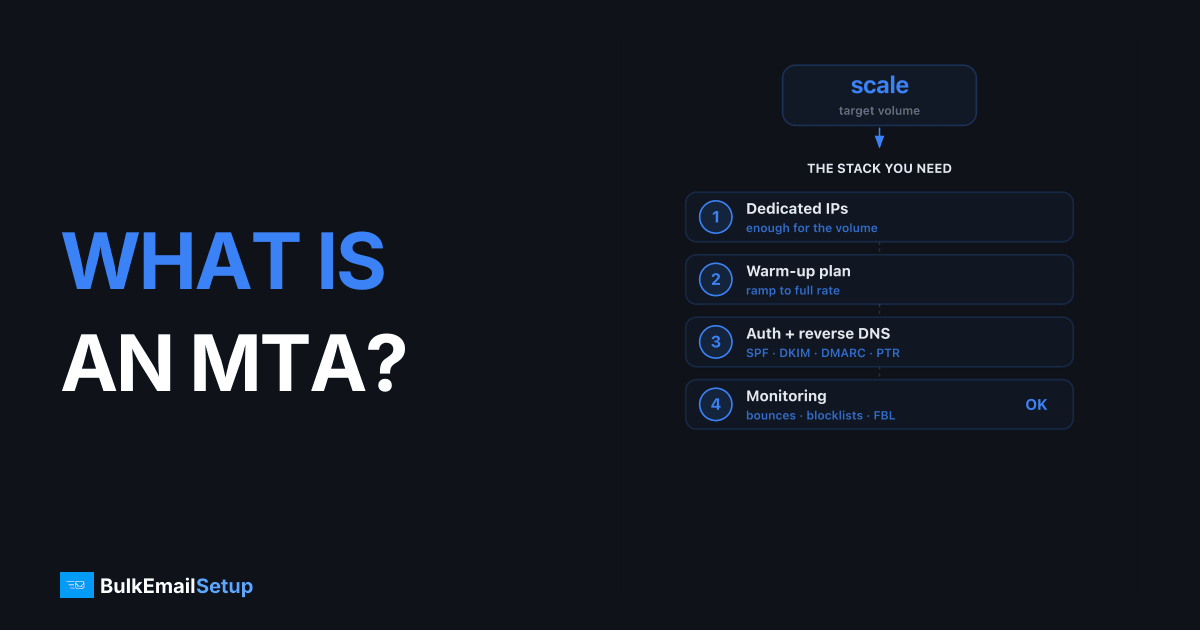
Running your own MTA is only worth it past a certain volume and only if you'll do the operational work. The hard parts aren't the MTA software, they're everything around it: SPF, DKIM, DMARC, reverse DNS, a dedicated IP and its warm-up, and blacklist monitoring.
Quick guide:
- Under ~50K/month: use a hosted MTA. Amazon SES at roughly $10 per 100K emails (2026 ballpark, check current pricing) is the cheapest. Don't run your own.
- 100K+/month, want your own reputation: a managed dedicated MTA at a flat $50-150/month usually beats per-email pricing, see the full 1M-email cost breakdown.
- Have sysadmin time and want control: self-host Postal or Postfix.
For the deeper buy-vs-build math, is managed SMTP worth it walks through the numbers, and SendGrid alternatives covers hosted options if you're leaving an ESP.
How BulkEmailSetup helps
BulkEmailSetup runs a managed dedicated MTA for you: your own server and warmed IP, with SPF/DKIM/DMARC, reverse DNS, blacklist monitoring, and bounce handling all configured and maintained. You get the control of self-hosting without the 2 a.m. delisting work, at a flat monthly fee that beats per-email pricing once you're sending at volume. See pricing for current plans.
Frequently asked questions
What is an MTA in email?
An MTA (Mail Transfer Agent) is the software that accepts an email message and routes it server to server over SMTP until it reaches the recipient's mail server. Postfix, Exim, and Amazon SES are examples of MTAs.
What is the difference between an MTA, MSA, and MDA?
The MSA (Mail Submission Agent) accepts mail from your email client on port 587. The MTA (Mail Transfer Agent) relays that mail between servers over SMTP on port 25. The MDA (Mail Delivery Agent) drops the message into the recipient's mailbox at the end.
Is SMTP the same as an MTA?
No. SMTP is the protocol, the set of rules for moving mail between servers. An MTA is the software that speaks SMTP. Postfix is an MTA; SMTP is the language it uses.
What port does an MTA use?
MTAs relay mail server to server on port 25. Clients submit mail to an MTA on port 587 (with STARTTLS) or port 465 (implicit TLS). Port 25 is often blocked outbound by ISPs and cloud providers to limit spam.
Is Amazon SES an MTA?
Yes. Amazon SES is a hosted MTA. You hand it a message over API or SMTP and it handles the server-to-server relay, retries, and bounce processing for you instead of you running Postfix yourself.


