
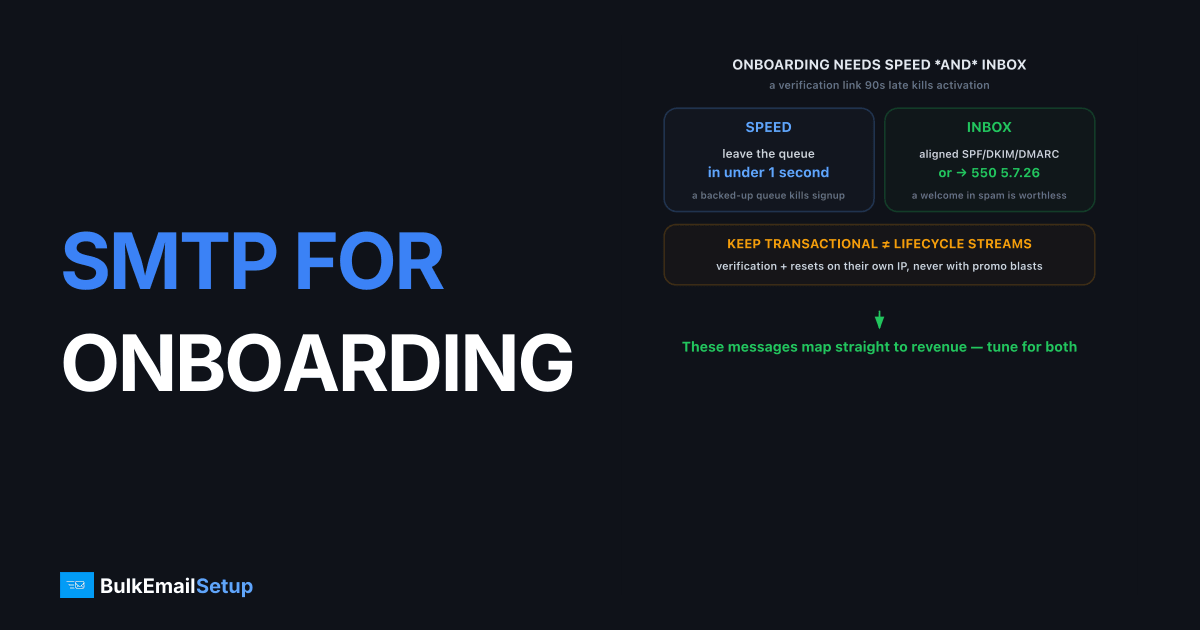
SMTP for SaaS onboarding and lifecycle emails means a sending setup tuned for two things at once: speed (a verification link must arrive in seconds) and inbox placement (a welcome series is worthless in spam). The right choice depends on volume. Below roughly 50,000 emails a month, a quality shared SMTP relay with correct SPF, DKIM, and DMARC is usually enough. Above that, a dedicated SMTP server with a dedicated IP you control gives your onboarding stream a reputation nobody else can damage, plus the throughput to handle signup spikes without throttling.
Why onboarding email is different from marketing email
Onboarding email is time-critical and trust-critical in a way marketing email isn't. A verification link that lands 90 seconds late kills activation. A welcome email in spam means the user never sees your product tour. These messages map directly to revenue, so the bar is higher than for a newsletter.
Three properties matter most:
- Latency. Verification and password-reset mail should leave your queue in under a second and hit the inbox in seconds. A backed-up SMTP queue ruins signup conversion.
- Authentication. Every message needs aligned SPF and DKIM, plus a DMARC policy that mailbox providers trust. Unauthenticated onboarding mail gets a
550 5.7.26rejection at Gmail. - Stream isolation. Transactional onboarding mail should never share a reputation with promotional blasts.
Should you separate transactional and lifecycle streams?
Yes, separate them. Transactional onboarding mail (verification, password reset, receipts) and lifecycle marketing (drip sequences, feature nudges, re-engagement) behave differently and should not share one reputation. Mailbox providers score streams independently, so a complaint spike on a lifecycle campaign should never throttle a signup confirmation.
The cleanest pattern uses subdomains:
| Stream | Example subdomain | Sensitivity |
|---|---|---|
| Transactional onboarding | mail.app.yourco.com | Critical, must inbox in seconds |
| Lifecycle / drip marketing | news.yourco.com | Important, tolerates slight delay |
| Bulk / promotional | promo.yourco.com | Lowest priority |
This separation, covered in our guide to subdomain vs root domain for email sending, means a marketing mistake can't take down the emails users genuinely need. On a dedicated SMTP server you can route each stream through its own IP for hard isolation.
When does a SaaS need a dedicated SMTP server?
The threshold is roughly 50,000 emails per month, sent consistently. Below that, a dedicated IP can't accumulate enough sending history to hold a stable reputation, and it sits permanently throttled like a stranger. A quality shared pool delivers better at low volume because the pool is already warm.
Past 50K/month, the math flips. Signup spikes (a launch, a press hit, a viral moment) can 10x your verification volume in an hour, and a dedicated IP with negotiated throughput absorbs that better than a shared pool that throttles you mid-surge. You also get clean logs: when a verification email bounces you see exactly why, instead of guessing about poolmates. The full breakdown lives in how many emails before you need dedicated infrastructure.
A new dedicated IP needs a 4-6 week warm-up, ramping from about 100 sends a day to full volume. Skip it and your IP starts life throttled and blocklisted.
How to set up SMTP for onboarding email
Setting up onboarding SMTP correctly means three things: pointing your app at the SMTP server through a queue, authenticating to your own domain, and separating transactional from lifecycle streams. The connection itself is a few lines of config. The reliability comes from queuing and alignment, the parts that keep verification mail fast and trusted under load.
Send through a background queue, never inline
A verification email sent inline from a signup request blocks the response and ties signup speed to SMTP latency. Queue every send instead, using whatever your stack provides (Celery, Sidekiq, a hosted queue, or your framework's job runner). The queue retries transient failures like greylisting (451 4.7.1), paces volume so a launch spike doesn't trip 421 4.7.0 too-many-connections, and keeps signup responses instant. Set a short retry interval for transactional mail so a verification link still arrives in seconds, not minutes.
Authenticate and align to your own domain
Publish SPF listing your sending IP, the 2048-bit DKIM key your provider issues, and DMARC at p=none while warming, then move to quarantine. The critical detail is alignment: your DKIM signature must be on the same domain as your From address. If your verification mail signs with the provider's domain instead of yours, DMARC fails alignment and Gmail can reject it with 550 5.7.26. Set a PTR record so the IP's reverse DNS matches your sending domain.
The alignment trap catches more onboarding setups than any other single mistake we see. One SaaS team had every record published correctly, yet roughly 30 percent of their verification emails still hit spam. The cause was that their app sent password-reset mail from [email protected] but the DKIM key signed for theirapp.com, so DMARC alignment failed on exactly that one stream. Everything "looked authenticated" in a header check. Pointing the From address at the signed domain fixed it the same day, and verification placement jumped back above 95 percent.
Use subdomains to isolate the streams
Route transactional onboarding mail through a subdomain like mail.app.yourco.com and lifecycle marketing through news.yourco.com, each with its own DKIM key. On a dedicated server you can put each subdomain on its own IP for hard isolation. This way a complaint spike on a lifecycle campaign can never throttle the verification mail a new user is waiting on right now.
Common SaaS onboarding email mistakes
The errors that break onboarding email are mostly about latency and stream mixing, not the SMTP setup itself. Teams that queue sends and isolate streams rarely see verification mail miss or land in spam, while those that send inline and share one reputation fight slow, missing signups. The recurring traps are easy to avoid once named.
- Sending verification mail inline. Tying the signup response to SMTP latency makes activation slow and fragile. Always queue.
- One stream for everything. A marketing complaint spike that delays a password reset costs you active users. Separate transactional and lifecycle.
- A dedicated IP too early. Below roughly 50,000 sends a month, a dedicated IP stays cold and throttled. Use a quality shared pool until volume is steady.
- Provider-domain DKIM. Signing with the vendor's domain breaks DMARC alignment and sends verification mail to spam. Align to your own domain.
How to keep lifecycle drips out of spam
Lifecycle drips are the most complaint-prone email a SaaS sends, because they keep emailing users who've gone quiet. Gmail's bulk sender guidelines require a spam complaint rate under 0.3 percent. Cross it and your whole domain reputation drops, dragging your verification mail down with it.
Practical controls:
- Suppress dormant users. Stop drips to accounts inactive for 60-90 days. Dead recipients generate complaints and spam-trap hits.
- One-click unsubscribe. Add the RFC 8058
List-UnsubscribeandList-Unsubscribe-Postheaders to every lifecycle message. Required for bulk senders. - Honor opt-outs instantly. Process unsubscribes within minutes, not the 48 hours some platforms allow.
- Watch complaint rate per campaign. A single bad drip can spike your domain reputation. Catch it in Google Postmaster Tools.
How BulkEmailSetup helps
We provision dedicated SMTP servers with a dedicated IP you control, full SMTP access, and SPF, DKIM, DMARC, and PTR configured correctly, so your onboarding stream stays fast and isolated from your marketing reputation. We run the IP warm-up and monitor reputation, which matters most when a launch spikes your signup volume overnight. Plans and volume tiers are on our pricing page.
Frequently asked questions
Do SaaS onboarding emails need a dedicated IP?
Not until volume is steady. Below roughly 50,000 sends per month a good shared pool delivers better, because a dedicated IP can't build a stable reputation on thin traffic. Past that threshold, a dedicated IP isolates your onboarding stream from everyone else's reputation.
Should verification emails and marketing emails use the same SMTP stream?
No. Keep transactional onboarding mail (verification, password reset) on a separate stream or subdomain from marketing. A campaign complaint spike should never delay a signup confirmation. Separation protects the emails users actually need to receive.
Why is my signup verification email slow or missing?
Common causes are SMTP queue latency, missing SPF/DKIM, a cold IP being throttled, or the message landing in spam. Verification mail must arrive in seconds, so latency and authentication matter as much as raw deliverability.
What complaint rate is safe for lifecycle emails?
Keep spam complaints under 0.3 percent, and ideally under 0.1 percent, per Gmail and Yahoo bulk sender rules. Lifecycle drips that go to dormant users drive complaints, so suppress inactive recipients and honor unsubscribes fast.


