
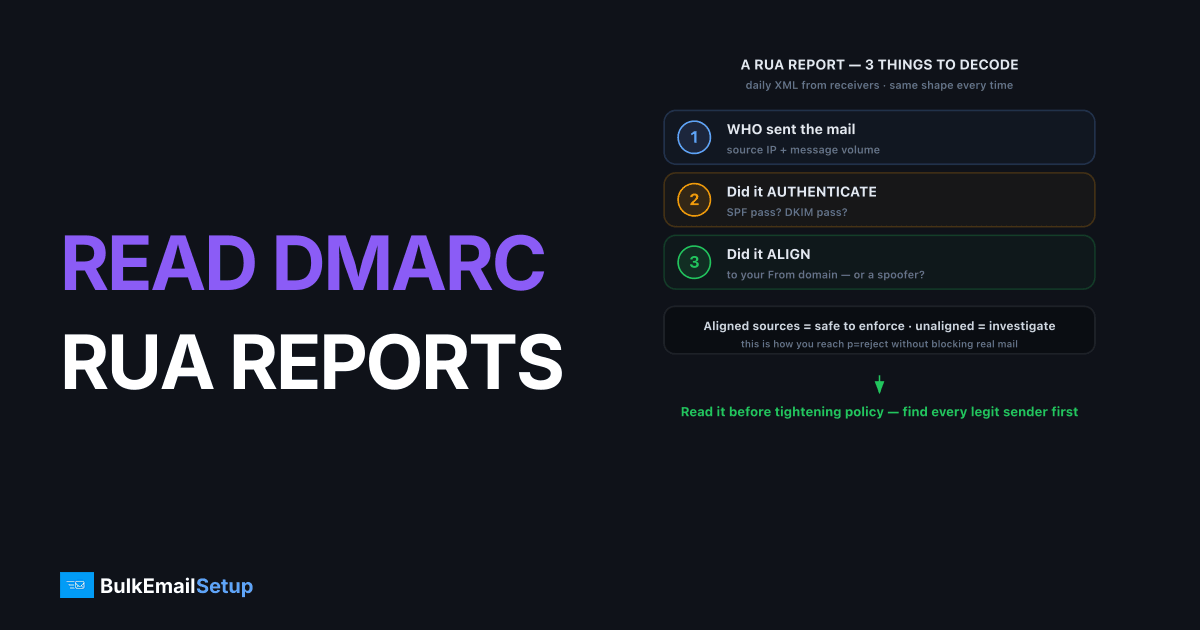
A DMARC aggregate (RUA) report is a daily XML file that receiving providers send to the address in your DMARC record, summarizing every IP that sent mail using your domain along with its SPF, DKIM, and alignment results. To read one, you decode three things: who sent the mail (source IP and volume), whether it passed SPF and DKIM, and whether those passes aligned with your From domain. That tells you which senders are safe to enforce against and which are spoofers.
What's inside a RUA report
A RUA report has two main parts: metadata about the report itself, and one or more records describing groups of messages. The structure is fixed XML, so once you know the shape, every report reads the same way.
The top section, <report_metadata>, tells you who sent the report and the date range:
<report_metadata>
  <org_name>google.com</org_name>
  <email>[email protected]</email>
  <date_range><begin>1755648000</begin><end>1755734400</end></date_range>
</report_metadata>
Then <policy_published> echoes the DMARC policy you had live when the mail was sent, the same policy tags defined in RFC 7489. After that come the <record> blocks, which is where the actual data lives.
How do I read a record block?
Each <record> block represents a group of messages from one source IP that shared the same authentication outcome. This is the heart of the report. Read the <row> for volume and the policy result, then the <auth_results> for the SPF and DKIM detail.
<record>
  <row>
    <source_ip>203.0.113.10</source_ip>
    <count>148</count>
    <policy_evaluated>
      <disposition>none</disposition>
      <dkim>pass</dkim>
      <spf>pass</spf>
    </policy_evaluated>
  </row>
  <identifiers><header_from>yourbrand.com</header_from></identifiers>
  <auth_results>
    <dkim><domain>yourbrand.com</domain><result>pass</result></dkim>
    <spf><domain>yourbrand.com</domain><result>pass</result></spf>
  </auth_results>
</record>
This record says: 148 messages from IP 203.0.113.10, From yourbrand.com, with DKIM and SPF both passing and aligned. That's a clean, legitimate sender.
The fields that actually matter
Out of the whole XML, four fields decide whether a sender is safe. Focus on these and the rest is context. The policy_evaluated block shows the aligned result DMARC used, while auth_results shows the raw SPF and DKIM domains so you can confirm alignment yourself.
| Field | What it tells you |
|---|---|
source_ip | Which server sent the mail |
count | How many messages in this group |
header_from | The visible From domain |
policy_evaluated > dkim / spf | Aligned pass/fail DMARC used |
auth_results > dkim/spf domain | The actual authenticated domain |
Alignment is the catch: SPF can pass in auth_results but show fail in policy_evaluated if the SPF domain doesn't match header_from. When that happens, read DMARC alignment explained to see why.
Finding the senders you didn't know about
The real payoff of RUA reports is discovering every system sending as your domain, including the ones you forgot or never authorized. Sort all your records by source IP and you'll see three buckets emerge.
- Known and passing. Your ESP, your dedicated SMTP server, your CRM. These align and pass; nothing to do.
- Known but failing. A legitimate platform you forgot to add to SPF or enable DKIM on. Fix authentication before enforcing.
- Unknown. An IP you don't recognize sending as your domain. Either shadow IT (a department's tool) or an actual spoofer.
You cannot safely move to p=reject until bucket two is empty and you understand bucket three. That's the entire purpose of the monitoring phase described in DMARC explained.
In the domains we onboard, bucket three almost always turns up something the customer forgot rather than a true spoofer: a billing portal, an old help-desk tool, a marketing platform a single team signed up for. On one recent setup the first week of RUA data showed four separate IPs sending as the domain, and three of them were legitimate SaaS tools nobody had told us about. Find those before p=reject, or you will reject your own invoices.
A worked example: spotting a spoofer
Here's a <record> block that should stop you. Same XML shape as a clean sender, but the results tell a different story:
<record>
  <row>
    <source_ip>198.51.100.77</source_ip>
    <count>2200</count>
    <policy_evaluated>
      <disposition>none</disposition>
      <dkim>fail</dkim>
      <spf>fail</spf>
    </policy_evaluated>
  </row>
  <identifiers><header_from>yourbrand.com</header_from></identifiers>
  <auth_results>
    <dkim><domain>randomhost.ru</domain><result>fail</result></dkim>
    <spf><domain>randomhost.ru</domain><result>fail</result></spf>
  </auth_results>
</record>
Read it: 2,200 messages claiming From: yourbrand.com, from an IP you don't run, where both SPF and DKIM authenticated against randomhost.ru instead of your domain. That's a spoofer. The disposition is still none only because your policy is p=none. Move to p=reject and those 2,200 messages get blocked. This single block is the argument for enforcement.
Contrast it with a sender you forgot to authenticate: header_from is yours, but auth_results shows your ESP's domain failing alignment. That's bucket two, a fix, not a spoofer.
Common report-reading mistakes
A few habits trip up people new to RUA data. Avoiding them keeps you from enforcing too early or chasing ghosts.
- Reading
dispositionas the verdict. While you're atp=none, disposition is alwaysnoneeven for spoofers. Read thedkim/spfresults, not disposition. - Ignoring
pct. If your policy usespct, only a slice of failing mail is enforced; the rest reports asnone. Don't mistake that for passing. - Trusting forensic (RUF) reports. Most providers no longer send them. Build your picture from aggregate data.
- Reacting to a single day. Reports are per-provider and bursty. Watch a week before concluding a sender is gone.
A DMARC dashboard that aggregates by IP across providers makes all of this faster. For the full reporting context, see DMARC explained.
Which providers report, and how often
You won't get a report from every receiver, and that's normal. The big mailbox providers report reliably, plenty of smaller ones never do, and the volume you see roughly tracks where your recipients are. Knowing who reports helps you judge coverage.
| Reporter | Cadence | Notes |
|---|---|---|
| Daily | Most consistent; one file per day | |
| Yahoo | Daily | Reliable aggregate reporting |
| Microsoft | Daily | Covers Outlook/Hotmail recipients |
| Smaller hosts | Rare or never | Many skip DMARC reporting entirely |
Because each reporter sends its own daily file, a domain mailing widely receives several XML attachments a day. Pointing rua= at a plain mailbox buries you fast, which is why most senders route reports to a parser. The absence of a report from a given provider isn't a failure; it just means that receiver didn't report, or no mail reached it that day. Judge your readiness for p=reject on the providers that do report, since they represent the bulk of your real recipients.
From reading to enforcing
Once your reports show every legitimate IP passing SPF or DKIM with alignment, you're ready to tighten policy. Move from p=none to p=quarantine, watch a few more days of reports to confirm nothing legitimate broke, then move to p=reject. Reports don't stop at enforcement; keep reading them to catch new shadow IT and spoofing attempts. The policy progression is covered in DMARC none vs quarantine vs reject.
How BulkEmailSetup helps
BulkEmailSetup gives you a dedicated SMTP server with a known, fixed sending IP, which makes your aggregate reports trivial to read: your traffic shows up as one clean, aligned source instead of a tangle of shared pool addresses. We help you interpret the reports and reach p=reject safely. If your reports are currently a tangle of shared-pool IPs, dedicated IP vs shared IP email explains why a fixed IP makes them readable. See pricing.
Frequently asked questions
What is a DMARC aggregate report?
A DMARC aggregate (RUA) report is a daily XML file sent by receiving providers to the address in your DMARC record. It summarizes every IP that sent mail using your domain, with message counts and SPF, DKIM, and alignment results.
How often do DMARC reports arrive?
Typically once per day per reporting provider. Each provider, such as Google, Yahoo, or Microsoft, sends its own report covering the previous 24 hours, so you'll receive several separate XML files daily.
How do I read the XML without going cross-eyed?
Use a DMARC report parser or dashboard that converts the XML into a readable table. Reading raw XML is fine for one record, but at volume a parser that aggregates by IP and result saves hours.
What am I looking for in the reports?
Two things: confirm every legitimate sending IP passes SPF or DKIM with alignment, and spot unfamiliar IPs sending as your domain. The first lets you enforce safely; the second reveals spoofing or shadow IT.


