
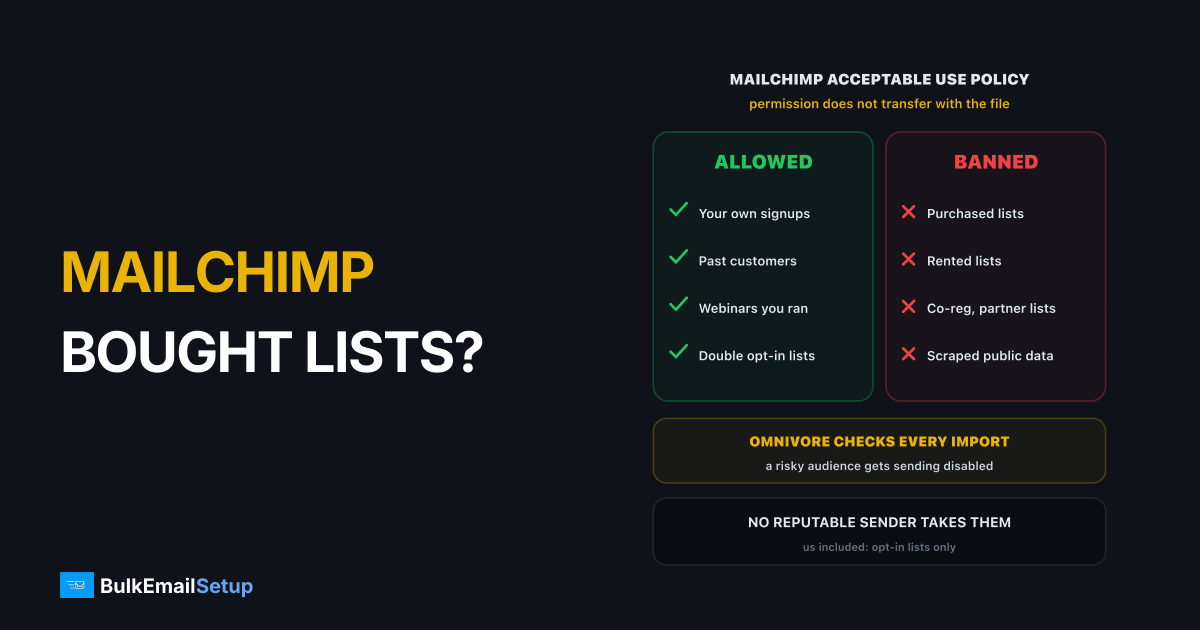
No. Mailchimp's Acceptable Use Policy bans purchased, rented, third-party, co-registration, publicly available and partner lists, with no exceptions. Its Omnivore system checks new imports and can stop you sending to the audience before a single email goes out. If bounces or complaints follow a send, the account can be suspended or closed. And no reputable sender, including us, will take the list instead, so the real question is what to do with it.
What Mailchimp's policy actually says
The Mailchimp Acceptable Use Policy lists, as prohibited, uploading or sending campaigns to "purchased, rented, third-party, co-reg, publicly available data, or partner lists of any kind". If you break it, Mailchimp may suspend or terminate the account.
In practice that covers more than people expect:
| List source | Allowed on Mailchimp? | Why |
|---|---|---|
| People who signed up on your site | Yes | they asked to hear from you |
| Your own past customers | Yes, by Mailchimp's terms | real purchase history counts as permission |
| A list bought from a data vendor | No | purchased list |
| A list rented for one send | No | rented list |
| Co-registration from a partner offer | No | co-reg, opted in to someone else |
| Addresses scraped from websites or LinkedIn | No | publicly available data |
| An event organiser's attendee list | No | third-party list |
| Contacts a partner "shared" with you | No | partner list |
"The seller says they all opted in" does not change the answer. They opted in to the seller. Permission does not transfer with the file.
How Mailchimp spots a bought list
Mailchimp runs an abuse-prevention system called Omnivore. It checks new addresses when you import them and when you send to people you have not mailed before.
What happens to a list import before the first send
It looks for the fingerprints bought data always has:
- Dead addresses. Purchased data is old. People change jobs and abandon inboxes, so a large share of any bought list no longer exists.
- Spam traps. Old addresses get recycled into traps, and scraped lists pick up traps planted on web pages.
- Role accounts. Lots of info@, sales@ and admin@ is a classic sign of scraped B2B data.
- Never-seen addresses. A big block of contacts that have never received mail through Mailchimp, uploaded at once.
If the audience looks likely to bounce or draw complaints, Omnivore shows a warning and disables sending to that audience. The usual fix Mailchimp points to is undoing the most recent import.
The second check happens after a send. High bounce and complaint rates on a campaign trigger an account review whether or not Omnivore caught the list on import.
What happens next, step by step
| Stage | What you see | What you can do |
|---|---|---|
| Omnivore warning | sending to the audience disabled | undo the import, remove flagged contacts |
| Post-send review | account paused while compliance looks | answer honestly about list source |
| Suspension | no sending on the account | appeal only if the list was genuinely yours |
| Termination | account closed | export data, move on |
If the list was bought, an appeal will not work, and arguing about it costs time. We covered what a full shutdown looks like in Mailchimp shut down my account.
Why a bought list fails everywhere, not just on Mailchimp
This is the part people miss. Mailchimp's rule is not the real obstacle. Gmail, Outlook and Yahoo are.
Why bought lists get caught: the numbers inbox providers see
| Signal | Opt-in list | Purchased list | The line |
|---|---|---|---|
| Hard bounce rate | under 2% | 15 to 40% | under 2% to stay healthy |
| Spam complaint rate | under 0.1% | often over 0.5% | Gmail ceiling 0.3% |
| Spam trap hits | rare | common | one can list your IP |
Google's sender guidelines put the complaint ceiling at 0.3% for everyone. A purchased list usually blows through it on the first send. So the list fails on SendGrid, on Amazon SES, on Brevo, and on a server you own, for the same reason. We went through the law and the numbers in detail in sending to a purchased list.
Where can you send to a list you bought?
Honestly: nowhere you should. Every major provider bans it, and so do we. Our anti-spam policy prohibits purchased, rented and scraped lists on servers we set up, for the same reasons as everyone else. A dedicated server does not make a bought list work. It just means the damage lands on your own IPs and domain instead of a shared pool.
What you can do with the money already spent:
- Do not mail it. One send can cost you a domain that took years to build.
- Use it for research, not email. It can tell you which companies or roles to target with ads, content or outreach you do individually and lawfully.
- Build the real list. A lead magnet, a webinar, a newsletter signup. Slower, but every address works.
- Use double opt-in. It removes typos and fake signups before they hurt you. See double opt-in vs single opt-in.
Lists that look bought but are fine
Plenty of legitimate lists get treated with suspicion. Make sure you can show where they came from.
| Situation | Fine to mail? | Keep as proof |
|---|---|---|
| Customers from your shop | Yes | order records |
| Webinar or event signups you ran | Yes | the signup form and consent wording |
| Business cards people handed you | Yes, if they asked to hear from you | notes from the event |
| A list migrated from another tool | Yes, if it was opt-in there | export with signup dates |
| An old list you have not mailed in 2 years | Clean it first | signup source |
The last row is the trap. Your own list, left alone for two years, behaves like bought data. Run it through list cleaning and start with the most recent signups.
How BulkEmailSetup helps
If your list is opt-in and your problem is Mailchimp's contact pricing rather than its policy, we can help. We set up a dedicated SMTP server you own, with no contact limit and no per-contact billing. A 50,000 contact list that costs hundreds a month on Mailchimp sends from your own server for a fixed fee.
| Plan | One-time fee | Emails per day | Dedicated IPs | Hosting you pay your host |
|---|---|---|---|---|
| Basic | $549 | 25,000 | 3 | about $11 a month |
| Advance | $1,199 | 200,000 | 15 | about $49 a month |
SPF, DKIM, DMARC, bounce handling, a campaign platform and an IP warm-up plan are included. The same rules apply on your own server: opt-in lists only. See Basic plan details or all pricing, and if Mailchimp's bill is the real issue, Mailchimp contact limit reached shows the numbers.
Frequently asked questions
Can I upload a purchased list to Mailchimp?
No. Mailchimp's Acceptable Use Policy bans uploading or sending to purchased, rented, third-party, co-registration, publicly available or partner lists of any kind. The rule applies even if the seller says every contact opted in, because they opted in to the seller, not to you. Uploading one risks the audience being disabled and the account being suspended.
How does Mailchimp detect bought lists?
Through Omnivore, its abuse-prevention system. When you import new addresses or send to people you have not mailed before, Omnivore checks them for signs like dead addresses, spam traps and role accounts. If the audience looks likely to bounce or draw complaints, sending to it is paused. Bounce and complaint rates after a send are a second check.
What happens if Mailchimp finds a purchased list?
Usually an Omnivore warning first, which stops you sending to that audience until the flagged addresses are removed, often by undoing the import. If complaints or bounces follow a send, Mailchimp can suspend the account and, under its policy, terminate it. A closed account keeps your data exportable for a while, but sending does not come back.
Where can I send to a list I bought?
Nowhere reputable, and that includes BulkEmailSetup. Amazon SES, SendGrid, Brevo and BulkEmailSetup's own anti-spam policy all ban purchased lists, and Gmail and Outlook judge the result regardless of who sends it. Bought data typically bounces 15 to 40% and hits spam traps. The useful move is to stop mailing it and build an opt-in list instead.
Do past customers count as a purchased list?
No. Mailchimp's compliance guidance says a real purchase history with a customer counts as permission under its terms. Local law may still require marketing consent, especially in the EU, UK and Canada, so check that the checkout collected it. What fails is a list of someone else's customers, bought or borrowed from a partner.
Is a list from a trade show or event a purchased list?
It depends on who collected it and what people agreed to. Contacts who gave you their card or scanned your badge to hear from you are yours. An attendee list sold or shared by the organiser is a third-party list under Mailchimp's rules, even if every attendee agreed to the organiser's terms. Mail only the people who agreed to hear from you.


