
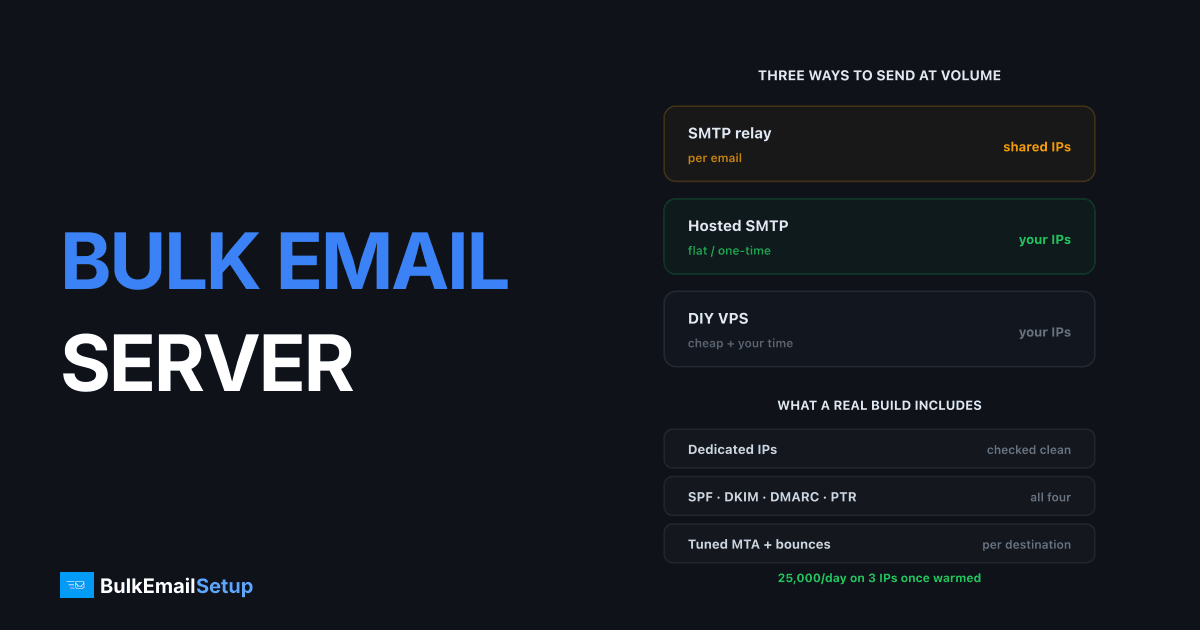
A bulk email server is an SMTP server built for one job: pushing large volumes of outbound mail without hitting the caps that stop ordinary hosting. It has dedicated IP addresses that belong to you alone, complete authentication (SPF, DKIM, DMARC, PTR), tuned queue and retry behaviour, and no per-message limit. A warmed server with 3 dedicated IPs sends around 25,000 emails a day. With 15 IPs, roughly 200,000.
That is the whole idea. Everything below is detail on cost, setup and when it stops making sense.
Bulk email server vs the alternatives
Most people arrive here after trying to send volume through something that was never built for it.
| Factor | Web hosting | Google Workspace | Shared ESP relay | Bulk email server |
|---|---|---|---|---|
| Daily send cap | ~200-500 | 2,000 | Plan-based | No hard cap |
| Outbound port 25 | Blocked | N/A | N/A | Open, yours |
| IP reputation | Shared with strangers | Shared pool | Shared pool | Yours alone |
| Cost at 500K/month | Not possible | Not possible | $250-600 | Flat |
| Who gets blamed for a spammer | You do | You do | You do | Nobody, IPs are yours |
The row that decides it is IP reputation. On shared infrastructure your mail leaves from an address used by hundreds of other senders. When one of them burns it, your invoices stop arriving too, and you have no visibility and no recourse.
What actually makes a server "bulk ready"
Four things, in the order they break:
1. Dedicated IPs with clean history. Check every IP against Spamhaus, Barracuda and SORBS before you accept it. Recycled IPs arrive pre-listed more often than providers admit.
2. Full authentication. SPF, DKIM, DMARC and a PTR record that matches your HELO hostname. Missing PTR alone gets you rejected outright at Gmail and Microsoft.
3. A tuned MTA. Default Postfix settings are built for a mail server handling a few hundred messages, not 25,000. Concurrency limits, per-destination rate limits and retry back-off all need adjusting per receiving domain.
4. Bounce handling that feeds back. If hard bounces are not removed from your list automatically, your complaint rate climbs and the IPs you just warmed get burned in a week.
Miss any one and the server sends fine into a void.
What it costs
| Item | Self-managed | Managed |
|---|---|---|
| Server | VPS, $5-40/mo | one-time build, from $549 |
| Dedicated IPs | $2-10/mo each | 3 IPs, 25K/day, included |
| Setup time | 40-60 hrs, yours | included |
| Warm-up plan | yours, ongoing | included |
| Authentication | yours | included |
The self-managed route looks cheaper until you count the warm-up. Getting three IPs from cold to 25,000 a day takes 4 to 8 weeks of disciplined ramping. Rush it and you start over on new IPs.
Against a rented relay, the crossover sits somewhere between 100,000 and 250,000 emails a month. Below that, per-email pricing wins on simplicity. Above it, flat cost wins and keeps winning as you grow. There is a full breakdown in what 100,000 emails a month really costs and the 1 million tier.
When you should not get one
Be honest about this. A bulk email server is the wrong answer if:
- You send under 50,000 a month. The economics do not work yet.
- Your list is bought or scraped. Dedicated IPs make the damage yours permanently instead of shared.
- Nobody will own the warm-up. It needs someone watching daily metrics for two months.
- You need it running tomorrow. Warm-up cannot be skipped.
The first two are the common ones. Dedicated infrastructure amplifies whatever your list quality already is, in both directions.
Setting one up, in order
- Buy the server and IPs, then check every IP against the major blocklists before configuring anything.
- Set PTR records for each IP, matching the HELO hostname exactly.
- Publish SPF, DKIM and DMARC. Start DMARC at
p=noneand read the reports for two weeks. - Install and tune the MTA. Postfix is the sensible default. See Postfix vs Exim vs Haraka if you want the comparison.
- Wire up bounce and complaint handling before the first real send, not after.
- Warm up. Start at a few hundred a day per IP, ramp roughly 30% every two days, watch deferrals.
- Register for Google Postmaster Tools and Microsoft SNDS on day one.
Step 6 is where most self-builds fail. The technical setup is a weekend. The warm-up is two months of patience.
How BulkEmailSetup helps
We build the whole thing as a one-time job rather than a monthly rental: a dedicated SMTP server with your own IPs, full SPF/DKIM/DMARC/PTR configuration, MTA tuning, bounce handling and a warm-up plan you can actually follow.
Basic starts at $549 one-time, covering 1 SMTP server, 3 dedicated IPs, 25,000 emails/day and unlimited contacts. Higher tiers scale to 15 IPs and 200,000 emails/day. See pricing for the full breakdown, or read when you actually need a dedicated SMTP server if you are still deciding.
Frequently asked questions
What is a bulk email server?
A bulk email server is an SMTP server configured specifically for high-volume outbound sending. It has its own dedicated IP addresses, full SPF, DKIM, DMARC and PTR authentication, tuned queue and retry settings, and no per-message send cap. A single server with 3 dedicated IPs handles about 25,000 emails a day once warmed.
How much does a bulk email server cost?
A self-managed VPS runs $5 to $40 a month plus $2 to $10 per dedicated IP, but you do all the configuration and warm-up yourself. A managed setup on hardware you own starts at $549 one-time. Rented ESP relays charge per email instead, which is cheaper below roughly 50,000 emails a month and more expensive above it.
How many emails can a bulk email server send per day?
Throughput comes from IP count and warm-up status, not CPU. A warmed server with 3 dedicated IPs comfortably sends 25,000 a day. Scale to 15 IPs and you are at roughly 200,000 a day. The same hardware unwarmed gets throttled at a few thousand.
Can I use a normal VPS as a bulk email server?
Only if the provider allows outbound port 25 and will assign clean dedicated IPs, which most budget hosts will not. DigitalOcean, Vultr and Linode block port 25 by default on new accounts. Check the IP against Spamhaus before you buy anything, because recycled IPs often arrive already listed.
Do I need a bulk email server or is an ESP enough?
Below about 50,000 emails a month an ESP is simpler and cheaper. Above that, per-email pricing starts to dominate and you lose control of IP reputation on shared pools. The switch usually pays for itself somewhere between 100,000 and 250,000 emails a month.


