
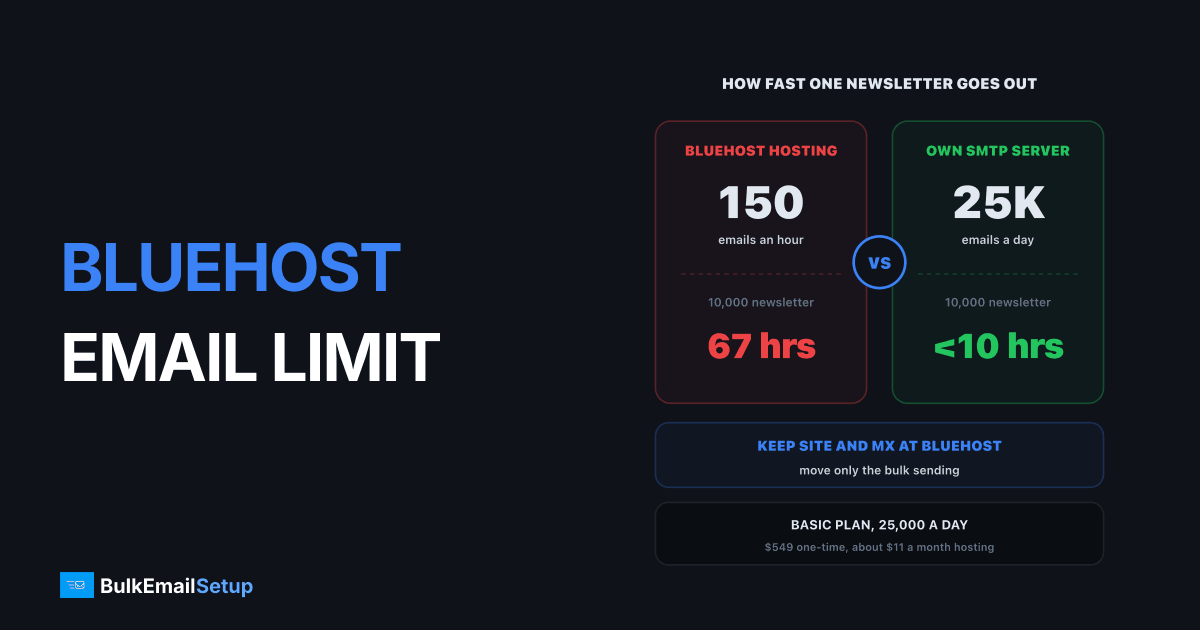
Bluehost limits every hosting account to 150 emails an hour by default, and its Professional Email mailboxes stop at 500, 1,000 or 2,000 external emails a day depending on the plan. That is fine for a contact form and order receipts. It is far too low for a newsletter: a 10,000 subscriber list takes about 67 hours at 150 an hour. The fix is to keep your site and mailboxes on Bluehost and send bulk mail through a separate SMTP server.
Bluehost email limits, by product
Bluehost sells two kinds of email, and they have different caps.
| Product | Per hour | Per day | Source |
|---|---|---|---|
| Hosting account email (cPanel) | 150 messages | not stated | Bluehost help center |
| Professional Email | 200 external | 500 external | Bluehost help article |
| Professional Email Plus | 300 external | 1,000 external | same page |
| Professional Email Ultra | 500 external | 2,000 external | same page |
Professional Email limits apply per mailbox. Mail between addresses on your own domain has a separate, higher cap of 1,000 an hour and 2,000 a day.
Bluehost's daily caps next to a 25,000 a day dedicated server
What the limit means for a real newsletter
Hourly caps sound abstract until you divide your list by them.
| List size | At 150 an hour | At 500 a day | On a 25,000 a day server |
|---|---|---|---|
| 2,000 | about 13 hours | 4 days | under 2 hours |
| 10,000 | about 67 hours | 20 days | under 10 hours |
| 25,000 | about 167 hours | 50 days | 1 day |
A newsletter that takes three days to go out is a broken newsletter. Subscribers at the end of the list get a sale after it ended. Replies come in over a week, so you cannot read results. And the hosting account keeps sending at the cap, which can delay your password resets and order emails stuck in the same queue.
67 hours for one newsletter at Bluehost's hourly cap
Why Bluehost limits email at all
On shared hosting, your site sits on a server with many other customers, and they share IP addresses. If one of them sends thousands of emails an hour and gets spam reports, Gmail and Microsoft start blocking that IP, and everyone's mail suffers. The hourly cap protects the server, not you.
That is also why asking support for a bigger cap rarely solves it. Bluehost's help center says to contact support with a detailed explanation, and they may raise it. Even a doubled cap is 300 an hour, and you still share an IP you cannot control.
Why your Bluehost emails are not sending
If mail stops or bounces, check these in order:
- Did you hit the cap? A big send through a mailbox or a WordPress plugin can burn the hour's 150 messages in minutes.
- Is SPF set? Your domain's SPF record must list every server that sends for you. Missing it means Gmail may reject the mail.
- Is DKIM on? Gmail and Yahoo require it for bulk senders. See SPF, DKIM and DMARC explained.
- Is WordPress using PHP mail? Plain PHP mail has no authentication and lands in spam. Use an SMTP plugin with a real login.
Keep Bluehost, move only the bulk mail
You do not have to leave Bluehost. Split the jobs:
| Job | Where it runs | Why |
|---|---|---|
| Website | Bluehost | nothing changes |
| Staff mailboxes, MX records | Bluehost | inbox stays the same |
| Contact forms, receipts | Bluehost or your SMTP | low volume, under the cap |
| Newsletters and campaigns | your own SMTP server | no hourly cap, your own IPs |
In Bluehost's DNS you add the new server to your SPF record, publish its DKIM key and a DMARC record. Your mail still comes from your domain and passes checks. We did the same walk-through for GoDaddy's sending limit, and the DNS steps are identical.
Five DNS changes, and your site and mailboxes stay put
For WordPress sites, our WordPress bulk email guide covers plugin setup. If you were sending through a Gmail account instead, read what to do when you outgrow Gmail SMTP.
Which option fits your list size
| List size | Best fit | Rough monthly cost |
|---|---|---|
| Under 2,000 | Bluehost email, sent in batches | included in hosting |
| 2,000 to 10,000 | a free or cheap ESP tier | $0 to $20 |
| 10,000 to 25,000 a day | your own SMTP server, Basic | about $11 hosting after $549 once |
| Up to 200,000 a day | your own SMTP server, Advance | about $49 hosting after $1,199 once |
Under a few thousand subscribers, an ESP free tier is the cheapest answer. We say that plainly in SMTP free trials in 2026. Once you send tens of thousands a week, a server you own costs less than per-contact pricing and has no hourly cap.
How BulkEmailSetup helps
We set up a dedicated SMTP server for your Bluehost domain, with SPF, DKIM, DMARC and PTR in place, bounce handling, a campaign platform and a warm-up plan. Your website and mailboxes stay exactly where they are.
| Plan | One-time fee | Emails per day | Dedicated IPs | Hosting you pay your host |
|---|---|---|---|---|
| Basic | $549 | 25,000 | 3 | about $11 a month |
| Advance | $1,199 | 200,000 | 15 | about $49 a month |
No monthly fee to us and no contact limit. See the Basic plan or all pricing.
Frequently asked questions
What is the Bluehost hourly email limit?
Bluehost's help center says every hosting account has a default limit of 150 email messages sent per hour, and support may raise it if you explain why. Its separate Professional Email product caps each mailbox at 200 external emails an hour and 500 a day on the base plan, 300 and 1,000 on Plus, and 500 and 2,000 on Ultra.
Why are my Bluehost emails not sending?
The most common reason is the hourly cap. Past 150 messages an hour on hosting, or the hourly and daily caps on Professional Email, extra messages are refused or held. Other causes are a missing SPF or DKIM record, which makes Gmail reject the mail, and a WordPress site sending through PHP mail instead of an authenticated SMTP connection.
Can I use an external SMTP with Bluehost?
Yes. A WordPress SMTP plugin, or your newsletter app, can send through any external SMTP server with a username and password, usually on port 587. Your website and mailboxes stay on Bluehost. You add the new server to your SPF record and publish its DKIM key in Bluehost's DNS, so the mail still passes checks for your domain.
Where can I send newsletters from a Bluehost domain?
From any service that lets you send as your domain: an ESP like Mailchimp or Brevo, an email API, or your own SMTP server. Keep MX records at Bluehost so your mailboxes keep working. A dedicated server like BulkEmailSetup's Basic plan sends 25,000 emails a day for $549 one-time plus about $11 a month in hosting.
How long does a 10,000 email newsletter take at Bluehost's limit?
At 150 an hour, 10,000 emails take about 67 hours, close to three days of nonstop sending. On a base Professional Email mailbox at 500 a day, the same list takes 20 days. Long sends also hurt results, because the last people on the list get the offer days after the first, and some offers expire.
Will Bluehost raise my email limit?
Bluehost says it will try if you contact support with a detailed reason. Expect a modest raise at best. Shared hosting puts many sites on the same server and IP, so one customer sending thousands of newsletters an hour risks that IP for everyone. For real volume the answer is a separate sending server, not a bigger cap.


