
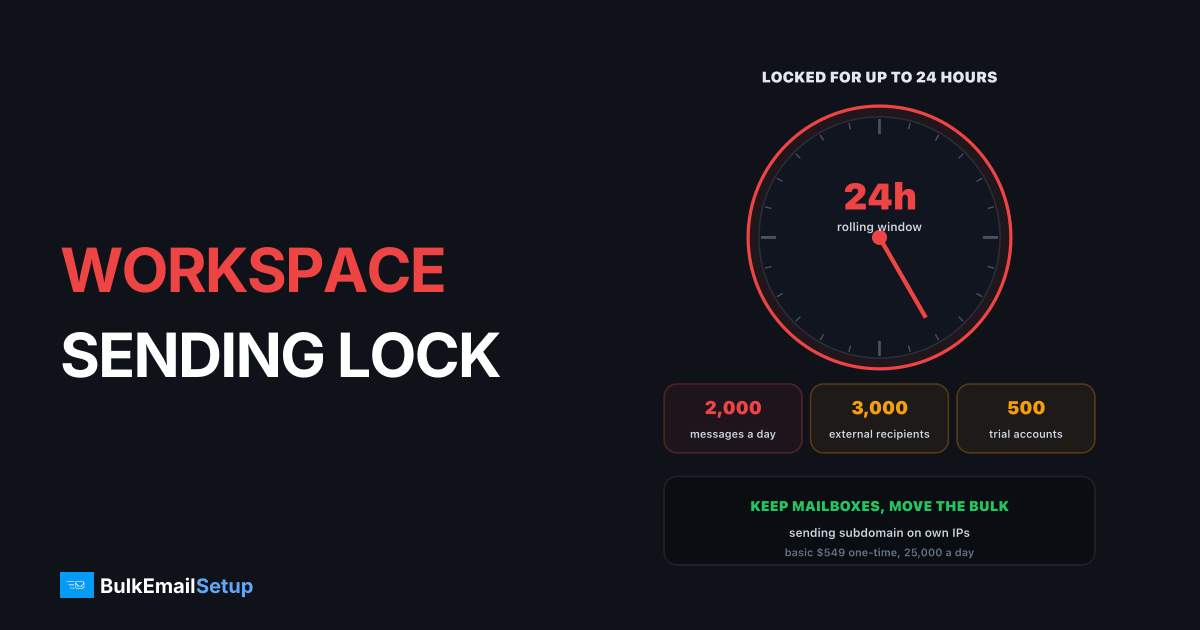
Google Workspace stops a user from sending for up to 24 hours once they pass any daily limit: 2,000 messages, 10,000 total recipients, or 3,000 external recipients in a rolling 24-hour window. Receiving still works. The lock lifts by itself as old sends age out, and nobody at Google or in your admin console can lift it early. If it happened because someone sent a newsletter or outreach from their mailbox, it will happen again: the fix is to move bulk mail off Workspace and keep the mailboxes for people.
The limits you crossed
These are Google's published figures from the Workspace sending limits page.
| Limit (per user, rolling 24 hours) | Paid account | Trial account |
|---|---|---|
| Messages sent | 2,000 | 500 |
| Mail merge messages | 1,500 | not published |
| Total recipients | 10,000 | not published |
| External recipients | 3,000 | not published |
| Unique external recipients | 2,000 | 500 |
| Recipients per message | 2,000, max 500 external | not published |
Trial limits only rise after the domain has paid at least $100, which Google says can take up to 75 days. The error users see reads "You have reached a limit for sending email."
A 5,000-person newsletter overflows the external cap on day one
Why the lock lasts up to 24 hours
The window rolls. Workspace does not reset at midnight. It looks back 24 hours from now, so sends made at 10:00 yesterday stop counting at 10:00 today.
The window rolls, so the lock ends when yesterday's sends age out
That is why "wait until tomorrow morning" sometimes works and sometimes does not. If most of the sends happened in the afternoon, the lock lasts into the next afternoon.
What the errors mean
The same limit shows up in different ways depending on how the mail was sent.
| What you see | Where | What it means |
|---|---|---|
| "You have reached a limit for sending email" | Gmail web or app | a daily cap was hit, wait out the window |
| 550 5.4.5 Daily user sending limit exceeded | SMTP log, mail merge or app | the same cap, reported over SMTP |
| Bounce back for some recipients only | Gmail | the external or unique-recipient cap hit mid-send |
| Account suspended notice in the Admin console | admin | not the 24-hour lock, a separate abuse review |
The first three clear on their own. The last one is different: Google has suspended the user, not just their sending. That needs an admin to review the account and the activity that triggered it before anything else, because it usually means the bulk pattern has repeated or the password was stolen.
Get sending again today
- Stop the batch. Cancel any mail merge, script or add-on still queued from that mailbox.
- Send urgent mail from another user. A colleague's mailbox has its own limits, but keep it to genuine one-to-one mail.
- Check for a compromised account. A sudden spike nobody planned can mean a stolen password. Reset it and review the admin audit log.
- Wait out the window. Up to 24 hours from the sends that tripped it.
Do not split the campaign across five colleagues to beat the cap. Spreading bulk mail across mailboxes is a known abuse pattern, and it can turn a 24-hour lock into a suspended account.
Why it keeps happening
Workspace mailboxes are built for people. Every one of these is a bulk pattern Google is designed to stop:
Workspace is green for people, red for campaigns
| Use | Fits Workspace? | Why |
|---|---|---|
| Staff emailing customers one to one | yes | what it is built for |
| Mail merge to 200 existing clients | borderline | counts against the 1,500 merge cap |
| Monthly newsletter to 5,000 | no | over the external cap, no unsubscribe handling |
| Cold outreach from sales mailboxes | no | complaints hit your main domain |
| App notifications through the SMTP relay | partly | allowed for system mail, not campaigns |
If sales sends sequences from Workspace through a tool like HubSpot or an outreach app, the mail still leaves through the user's mailbox and the same caps apply. We covered that trap in HubSpot suspended your email sending.
Where bulk email should go instead
Keep Workspace exactly as it is for your team. Move campaigns to a sending subdomain on infrastructure built for volume.
| Option | Daily volume | Monthly cost | Best for |
|---|---|---|---|
| Stay on Workspace | 2,000 per user | your existing seats | people, not campaigns |
| Shared ESP | high | per contact, rises with the list | small lists, quick start |
| Amazon SES | high once approved | $0.10 per 1,000 | developers who build the rest |
| Dedicated SMTP server | 25,000 on Basic | about $11 hosting after $549 once | ongoing volume, own IPs |
The split is a DNS job, not a migration: Workspace keeps the MX records and the root domain, and a subdomain like news.yourdomain.com gets its own SPF, DKIM and DMARC for the bulk sender. Our subdomain guide walks through it, and outgrew Gmail SMTP covers the same move for smaller senders. Set up Google Postmaster Tools for the new subdomain so you can watch how Gmail rates it.
How BulkEmailSetup helps
We build a dedicated SMTP server on hosting you own, with a campaign platform, unsubscribe handling and SPF, DKIM, DMARC and PTR done for a sending subdomain. Workspace keeps your mailboxes. Campaigns never touch them.
| Plan | One-time fee | Emails per day | Dedicated IPs | Hosting you pay your host |
|---|---|---|---|---|
| Basic | $549 | 25,000 | 3 | about $11 a month |
| Advance | $1,199 | 200,000 | 15 | about $49 a month |
There is no monthly fee to us and no contact limit. The 15-day money-back guarantee applies until server access is handed over. Start with Basic, or compare all pricing.
Frequently asked questions
How long is a Google Workspace sending suspension?
Up to 24 hours. Google's help page says users who hit a limit can't send new messages for up to 24 hours, while receiving mail and other Google services keep working. The limits run on a rolling 24-hour window, not midnight, so the lock lifts when enough of the previous day's sends age out. There is no button an admin can press to lift it early.
What is the Google Workspace daily sending limit?
For a paid account: 2,000 messages a day, 10,000 total recipients, 3,000 external recipients and 2,000 unique external recipients. Mail merge is capped at 1,500. Trial accounts get 500 messages and 500 unique external recipients until the domain has paid at least $100, which can take up to 75 days.
Why does Gmail lock accounts that send bulk email?
Workspace is built for people, not campaigns. Its limits protect Google's own sending reputation, so a user who blasts a newsletter or cold list from a normal mailbox hits the cap fast. Repeated hits, or complaints from recipients, can lead Google to suspend the user account itself, which is a separate and slower process than the 24-hour sending lock.
What should I use for bulk email instead of Workspace?
Keep Workspace for one-to-one mail and move campaigns to a sending subdomain on separate infrastructure: an ESP, a relay like Amazon SES, or a dedicated SMTP server. A dedicated server on BulkEmailSetup's Basic plan sends 25,000 emails a day from 3 dedicated IPs for a $549 one-time setup, and your Workspace mailboxes keep working exactly as before.
Does the Workspace SMTP relay avoid the limit?
Partly. The smtp-relay.gmail.com service has its own separate limits and is meant for devices and apps inside your organisation. It still sends through Google, still counts against your domain's reputation at Google, and is not meant for marketing campaigns. Treat it as a way to send system mail, not newsletters.
Can a Workspace admin raise a user's sending limit?
No. The limits are fixed per user and Google does not raise them on request. Admins can spread sending across more users, but splitting a campaign across mailboxes to dodge the cap is exactly the pattern that leads to account suspensions. The real fix is moving bulk mail off Workspace.
Will moving bulk email off Workspace hurt my domain?
Not if you use a subdomain. Send campaigns from news.yourdomain.com with its own SPF, DKIM and DMARC, and keep staff mail on the root domain in Workspace. A bad campaign then hurts the subdomain's reputation, not the domain your team uses to email customers every day.


