
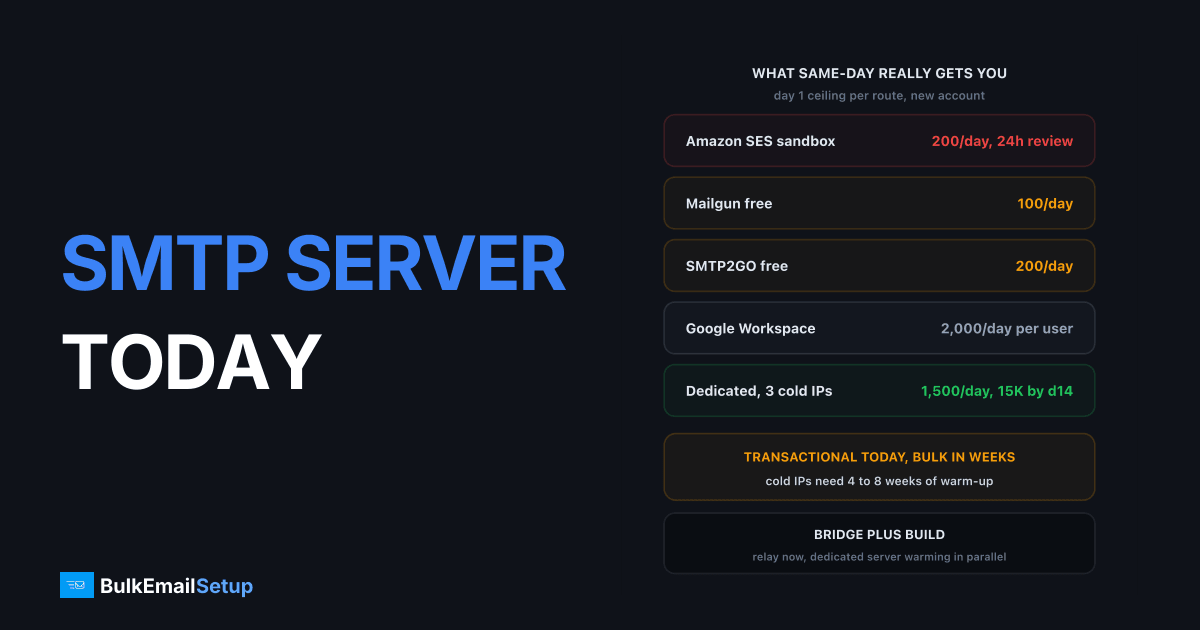
Urgent SMTP server setup gets you transactional mail within hours and bulk mail within weeks, not today. A relay account like SMTP2GO or Mailgun is live in under 30 minutes at 100 to 1,000 emails a day. A dedicated server with 3 IPs can be built, DNS-configured and tested in 4 to 6 hours. But every new IP starts cold, Gmail throttles cold IPs to a few hundred messages an hour, and full volume takes 4 to 8 weeks of warm-up. The plan that works is a relay for what must go out now, and a dedicated server warming in parallel behind it.
I've done this call a few dozen times, usually after a SendGrid or Mailgun suspension. The mistake every time is the same: treating "we need to send today" as one problem. It's two. Password resets are one problem and can be solved before lunch. The Friday campaign to 80,000 people is a different problem with a different clock.
What same-day actually gets you, route by route
Every same-day route has a ceiling on day 1, and it is lower than most people expect.
| Route | Live in | Day 1 ceiling | The catch |
|---|---|---|---|
| Amazon SES (new account) | minutes, but sandboxed | 200 per 24 hours, verified recipients only | Production access needs a review, 24 hours or more |
| SMTP2GO free tier | 10 to 20 minutes | 200/day, 1,000/month | Policy review after signup, paid plans from about $10/month |
| Mailgun free tier | 10 to 20 minutes | 100/day | Custom domain and higher limits need a paid plan, review can pause you |
| Google Workspace SMTP | minutes if you already have it | 2,000/day per user | Marketing mail violates the terms, and 2,000 includes the human's own mail |
| Dedicated server, same-day build | 4 to 6 hours | about 500 per IP, so 1,500 with 3 IPs | Cold IPs, warm-up runs 4 to 8 weeks |
The Amazon SES sandbox rules are on AWS's own production access page: 200 messages per 24 hours, 1 per second, and only to addresses you've verified. AWS says they give an initial response within 24 hours and grant it in that window if they can. A clear request with a verified domain usually clears in a day. A vague one gets a question back and costs 2 to 3 days.
The 500 per IP figure for a cold dedicated server is not a hard cap. It's what I've found Gmail and Microsoft accept from an unknown IP before deferrals start. Push 5,000 through it on day 1 and you'll see 421 4.7.28 and 451 4.7.650 responses within the hour.
Triage: what must go out today
Split your outbound into two piles before you touch any provider. This is the single decision that makes the rest of the day go well.
| Mail type | Goes out today? | Route | Why |
|---|---|---|---|
| Password resets, 2FA codes | Yes | Relay | Users are locked out without them |
| Order confirmations, receipts | Yes | Relay | Support tickets pile up within hours |
| Shipping and account notices | Yes | Relay | Low volume, high engagement |
| Support and sales replies | Yes | Google Workspace | Person to person, no bulk risk |
| Onboarding drips | Partial | Relay | Cap at new signups only, not the backlog |
| Newsletters | No | Waits for week 2 to 3 | Cannot fit under any day 1 ceiling |
| Promotions, re-engagement | No | Waits for week 3 to 4 | Highest complaint risk on a cold IP |
The first four rows usually add up to a few hundred to a few thousand messages a day, which fits under a paid relay tier today. The last two rows are where the volume is, and no same-day route carries them.
One more thing about the relays. SMTP2GO, Mailgun and their peers run policy reviews on new accounts, and the review is triggered by exactly the pattern a panicked sender produces: a fresh account, a big list, a sudden spike. Keep the relay strictly for transactional and it stays up. Put your campaign through it on day 2 and you're back where you started, one provider down. I covered how that cycle plays out in what to do after a SendGrid suspension.
The bridge plus build plan
The plan has two tracks that start on the same day and run in parallel.
Track 1, the bridge. A relay account for transactional mail. Live within the hour. Custom domain authenticated with SPF and DKIM. Cap it at the transactional pile and nothing else. This track exists so the business keeps functioning while track 2 catches up.
Track 2, the build. A dedicated server with your own IPs, ordered and built the same day. DNS published, PTR set, MTA tuned, and warm-up started with your most engaged contacts. This is the track that eventually carries all of your mail, including the campaigns.
The two tracks meet around week 2 to 3, when the dedicated IPs can carry the campaigns at partial volume. Somewhere between week 4 and week 8 the dedicated server carries everything and the relay drops to a backup role or gets cancelled.
Why not skip the bridge and warm up the server for transactional too? Because transactional mail warms an IP better than anything else, so you want it on the new server as early as possible, but not on day 1 when a DNS mistake could bounce your password resets. I move transactional from the relay onto the dedicated server around day 3 to 5, once the first two days of test sends show clean logs.
Day 1 to day 14 timeline with volumes
Here is what the two tracks look like across the first two weeks, assuming 3 dedicated IPs and a list where you can identify the most engaged 10 to 20%.
| Day | Bridge relay | Dedicated server (3 IPs) | What you're doing |
|---|---|---|---|
| Day 1 | Live, transactional only, under 2,000/day | Built, DNS published, 50 to 100 test sends | Order server, publish SPF/DKIM/DMARC/PTR, verify |
| Day 2 | Same | 1,500 total to most engaged contacts | Read logs for 4xx responses per receiver |
| Day 3 to 4 | Same | 2,000 to 2,600/day | Move transactional onto dedicated server |
| Day 5 to 6 | Backup only | 3,500/day | First small newsletter segment, engaged only |
| Day 7 to 8 | Backup only | 4,500 to 6,000/day | Check Postmaster Tools, complaint rate under 0.1% |
| Day 9 to 10 | Backup only | 8,000/day | Widen to 90-day engaged segment |
| Day 11 to 12 | Backup only | 10,000 to 12,000/day | Campaigns resume at partial volume |
| Day 13 to 14 | Cancel or keep as failover | 15,000/day | Full engaged segment, plan the 180-day segment |
The ramp is roughly 30% every two days per IP, which is the schedule in how long IP warm-up takes. If Gmail starts deferring on any day, hold that volume for two more days rather than pushing through. A stalled ramp costs 2 days. A burned IP costs 2 weeks.
By day 14 you're at about 15,000 a day, which for a lot of senders is enough to run the campaign calendar with segments rather than blasts. A 25,000 a day ceiling arrives around week 3 to 4. If your normal volume is 100,000 a day, the honest number is 6 to 8 weeks, and the relay stays as the transactional path the whole time.
What the bridge options cost
The relay is a temporary line item, so the question is what 2 to 8 weeks of it costs, not what a year costs.
| Bridge option | Entry price | Included volume | Realistic bridge cost for 30 days |
|---|---|---|---|
| SMTP2GO | free, then about $10/month | 1,000/month free, 10,000 on the $10 tier | $10 to $75 |
| Mailgun | free, then $15/month | 100/day free, 10,000/month on Basic | $15 to $35 |
| Amazon SES | pay as you go | $0.10 per 1,000 after sandbox exit | $1 to $10 |
| Google Workspace | $7 per user/month | 2,000/day per user | $0 if you already have it |
| Dedicated server (the build) | $549 one-time on our Basic tier | 25,000/day, 3 IPs | $549 plus hosting |
Ballparks for 2026, check the vendor pages before you pay. The relay bill is trivial next to what the outage costs. The real cost of an emergency is the campaign revenue you can't send for 2 to 4 weeks, and the only thing that shortens that window is starting the dedicated warm-up on day 1 instead of day 10. The full breakdown of what steady-state sending costs is in what 100,000 emails a month costs.
What you need ready before anyone can set you up
Same-day is only same-day if these four things are in hand when the work starts. Every one of them missing adds hours, and the first one missing adds a day.
- DNS access for the sending domain. Login to the registrar or DNS host, with permission to add TXT and CNAME records. SPF, DKIM, DMARC and the domain side of PTR all live here. If DNS is with an agency who answers email tomorrow, you're not sending today.
- A list export with the suppression list. Not just subscribers. Every unsubscribe, hard bounce and complaint from the old provider. Export it before your old account is fully closed, because most providers cut API access within 24 to 72 hours of a suspension.
- Sending history. Daily volume for the last 30 days, complaint rate, bounce rate, and the reason you're moving. This decides the warm-up schedule and whether the domain is carrying damage. If Postmaster Tools shows domain reputation at Low, a new IP will not fix delivery on its own.
- A use-case description. One paragraph: what the mail is, how people opted in, what volume you expect. SES, SMTP2GO and Mailgun all ask for it and a vague answer is what triggers the extra review round.
Send from a subdomain like mail.yourdomain.com. It keeps future problems contained and makes the DNS work cleaner.
The mistakes that make it slower
Three things turn a 6-hour job into a 3-week one.
Sending the whole list on day 1. The most common one. A cold IP pushed to 20,000 messages in the first hours gets deferred at Gmail, Microsoft and Yahoo almost immediately, and the pattern is recorded. That day-1 spike costs 1 to 2 weeks of warm-up progress and sometimes the IP itself.
No PTR record. A dedicated IP without reverse DNS matching the HELO hostname gets refused outright at Microsoft and many corporate gateways. On a rented server this record is set at the hosting provider, not in your DNS zone, and a lot of people miss it. The setup is in how to set up a PTR record and it takes 10 minutes if you know where to look.
Skipping DMARC. Google's sender guidelines require SPF, DKIM and DMARC for anyone sending over 5,000 messages a day to Gmail, with a spam rate under 0.3% and one-click unsubscribe on marketing mail. Publishing DMARC at p=none takes one TXT record and 5 minutes. Not publishing it means your warm-up hits a wall the moment you cross 5,000.
How BulkEmailSetup helps
Our same-day build is the "build" track of this plan. You get a dedicated SMTP server with your own IPs, SPF, DKIM, DMARC and PTR published and verified, the MTA tuned for per-receiver rate limits, bounce and complaint handling wired in, and a warm-up schedule written for your list and history. Most builds are sending test mail within 4 to 6 hours of getting DNS access, with the bridge relay running alongside for whatever cannot wait.
Basic is $549 one-time, covering 1 SMTP server, 3 dedicated IPs, 25,000 emails/day and unlimited contacts. Higher tiers scale to 15 IPs and 200,000 emails/day. See pricing, and if you're mid-outage right now, have the four items from the checklist above ready before you get in touch, because that is what turns tomorrow into today.
Frequently asked questions
Can I get an SMTP server set up the same day?
Yes, for transactional mail. SMTP2GO and Mailgun accounts are live in minutes at 100 to 1,000 emails a day, Google Workspace gives 2,000 a day per user, and a dedicated server with its own IPs can be built and DNS-configured in 4 to 6 hours. What you cannot do is send 50,000 marketing emails today from any of them, because cold IPs are throttled to a few hundred an hour by Gmail.
How fast can I send bulk email from a new server?
Day 1 on a cold dedicated IP is about 500 emails per IP, and you ramp roughly 30% every two days. With 3 IPs you reach around 10,000 a day by week 2 and 25,000 a day by week 3 or 4. Full warm-up to 100,000 a day and above takes 4 to 8 weeks whatever provider you choose.
Is Amazon SES a same-day option?
Only partly. A new SES account starts in the sandbox at 200 emails per 24 hours and can only send to verified addresses. Production access requires a review that AWS says gets an initial response within 24 hours, and it can take longer if they ask questions. Treat SES as a day 2 or day 3 option, not a today option.
What do I need ready before someone can set up an SMTP server for me?
Four things. DNS access for the sending domain so SPF, DKIM, DMARC and PTR can be published. A list export with the suppression list, meaning every unsubscribe, bounce and complaint. Your sending history, meaning daily volume and complaint rates from the old provider. A one-paragraph description of what the mail is and how people opted in.
What mail should I prioritise on day 1?
Password resets, order confirmations, receipts, two-factor codes and support replies. These are low volume, high value, and get high engagement, so they also warm the new IP faster. Newsletters and promotions wait until the relay or new server can carry them without deferrals, usually week 2 or 3.
What mistake slows down an emergency SMTP setup the most?
Sending the full list on day 1. A cold IP pushed to 20,000 messages gets deferred at Gmail and Microsoft within the hour, and that first-day pattern can cost 1 to 2 weeks of warm-up. The next two are missing PTR records, which get mail rejected outright at many receivers, and skipping DMARC, which Gmail now requires above 5,000 a day.


