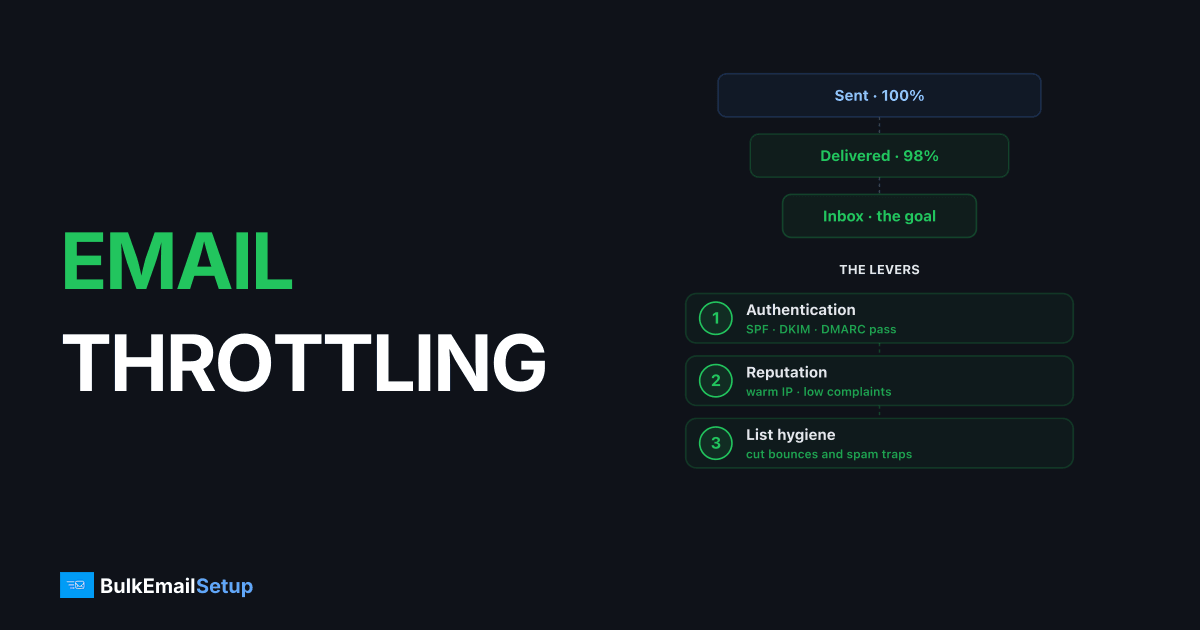
Email throttling is when a receiving mail server deliberately limits how fast it accepts messages from your IP or domain. Instead of rejecting your mail permanently, it returns a temporary 4xx error (commonly 421 or 450) that tells your server to slow down and retry later. Gmail, Outlook, and Yahoo all do this to throttle senders they don't fully trust yet, often capping new IPs at a few hundred to a few thousand messages per hour until reputation builds.
I've watched a fresh IP get throttled to a crawl on day one and run clean at full volume three weeks later. Nothing changed except the receiving providers learned to trust it. Here's how throttling actually works and what to do about it.
How email throttling works
When your server hands a message to a receiving server over SMTP, the receiver replies with a status code. Throttling shows up as a 4xx response, which means "temporary failure, try again." Your mail server queues the message and retries on a schedule.
The receiver throttles for a few reasons:
- Your IP or domain is new and has no sending history.
- You spiked volume suddenly (10K one day after sending 500 the day before).
- Your complaint or bounce rate crossed their tolerance.
- The pool IP you're on has a poor shared reputation.
Throttling is the provider's polite warning. Ignore it and keep pushing, and the soft deferrals turn into hard blocks.
Throttle codes and what they mean
| Code | Meaning | Action |
|---|---|---|
| 421 | Service not available, too many connections / rate exceeded | Slow down, retry later |
| 450 | Mailbox temporarily unavailable / greylisting | Retry after delay |
| 451 | Local error, requested action aborted | Reduce rate, retry |
| 452 | Too many recipients / insufficient resources | Split batch, retry |
| 4.7.x | Policy throttle (Gmail/Yahoo rate limiting) | Back off per provider |
The 4xx family is recoverable. A 5xx response (550 unknown user, 554 blocked) is permanent and means stop, not slow down. Mixing those two up is the most common diagnostic mistake I see. More on the difference in how to reduce email bounce rate.
Throttling vs blocking vs greylisting
These get used interchangeably and they shouldn't be.
- Throttling: provider accepts your mail but caps the rate. Temporary 4xx. Delivers on retry.
- Greylisting: provider rejects the first attempt from an unknown sender (450), expecting a legit server to retry. It will. Adds a few minutes of delay.
- Blocking: provider refuses your mail entirely. Often 5xx, sometimes a 4xx that never clears. Reputation problem, not a rate problem.
If your queue clears on retry, you're throttled. If it never clears, you're blocked.
What triggers throttling most often
The biggest trigger by far is a cold IP. A brand-new IP with zero history gets throttled aggressively because providers have no reason to trust it. That's why warm-up exists. See how long IP warm-up takes for realistic timelines.
Other common triggers:
- Volume spikes. Doubling daily volume is fine; going from 1K to 50K overnight is not.
- Missing or broken authentication. No DKIM alignment, failing SPF, no DMARC.
- Sending to stale lists that generate bounces and complaints.
- Shared IP pool problems, where one bad neighbor caps everyone. See dedicated vs shared IP.
How to fix and prevent throttling
- Honor the retry timing. When you get a 4xx, back off. Hammering the server faster makes it worse.
- Warm up new IPs over 2-4 weeks. Start with engaged recipients at 1-2K/day, roughly doubling every 2-3 days.
- Set per-provider send rates. Don't blast all of Gmail at once. Throttle yourself to a few thousand per hour per provider during ramp.
- Fix authentication first. SPF, DKIM, DMARC all passing with alignment before you scale.
- Prune inactive addresses. Low engagement and bounces are what push providers to throttle in the first place.
A dedicated IP helps here, but only once it's warmed. A cold dedicated IP throttles harder than an established shared pool. The trade-off is covered in Amazon SES vs dedicated SMTP server and is managed SMTP worth it.
How BulkEmailSetup helps
Throttling is mostly a reputation problem, and reputation takes weeks of careful ramping to build. BulkEmailSetup runs your mail on a dedicated SMTP server with a managed warm-up schedule, per-provider rate control, and blacklist monitoring, so your IP earns trust without you babysitting 4xx codes at 2 a.m. At sustained volume a flat monthly fee usually beats per-email pricing too. See pricing for current plans.
Frequently asked questions
What is email throttling?
Email throttling is when a mailbox provider like Gmail or Outlook deliberately limits how fast it accepts mail from your IP or domain. Instead of rejecting messages outright, it returns a temporary 4xx error (such as 421 or 450) telling your server to slow down and retry later. It's a defense against spam and a way for providers to protect their own infrastructure.
What is the difference between throttling and a bounce?
A throttle is a temporary deferral (a 4xx soft bounce) that means 'try again later,' and the mail usually delivers on retry. A hard bounce is a permanent 5xx rejection, like an unknown mailbox, and retrying won't help. Throttled mail sits in your queue; hard-bounced mail is gone.
How do I stop my emails from being throttled?
Warm up new IPs slowly over 2-4 weeks, keep send rates per provider conservative, fix authentication (SPF, DKIM, DMARC), prune inactive recipients, and honor the retry timing in the 4xx response instead of hammering the server. Throttling usually means the provider doesn't trust your volume yet.
Does a dedicated IP reduce throttling?
It can, once warmed. On a shared IP your sending rate is capped by the worst sender in the pool. A dedicated IP gives you a reputation that's entirely yours, so providers throttle you based on your own behavior, not someone else's. New dedicated IPs get throttled hard until they build history.