
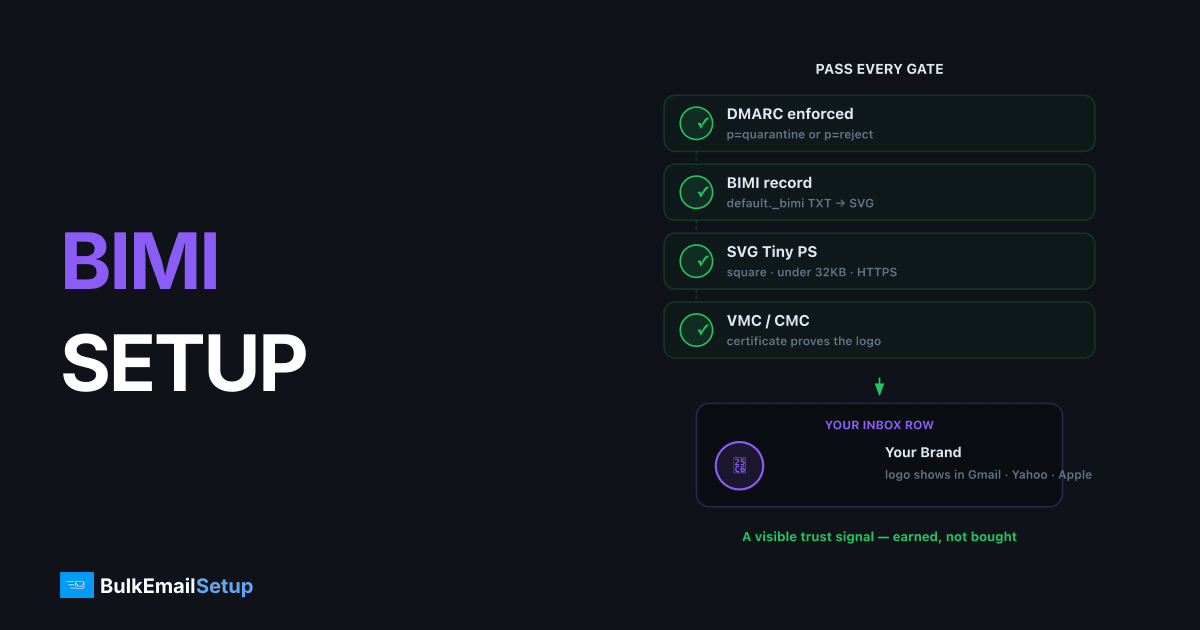
BIMI (Brand Indicators for Message Identification) puts your logo next to your messages in Gmail, Yahoo, and Apple Mail by publishing a DNS TXT record that points to an SVG of your logo. The entry fee is authentication: your domain must enforce DMARC at p=quarantine or p=reject, and Gmail and Apple additionally require a Verified Mark Certificate (VMC) or Common Mark Certificate (CMC) proving you own the logo. Done right, it's a visible trust signal and a measurable open-rate nudge; done without the prerequisites, the record is simply ignored.
How BIMI works
When a supporting mailbox provider receives your message, it checks, in order:
- DMARC passes for the message, and the domain's policy is at enforcement.
- A BIMI record exists at
default._bimi.yourdomain.com. - The SVG at the record's URL meets the SVG Tiny PS profile.
- (Gmail, Apple) The certificate at
a=validates the logo. - The sender's reputation is good enough, providers reserve the right to not display.
Fail any step and the inbox just shows the default initial/avatar. Nothing breaks; you just don't get the logo.
Prerequisite: DMARC at enforcement
BIMI is the reward for finishing your DMARC rollout:
- Policy
p=quarantineorp=rejecton the organizational domain, in a DMARC record per RFC 7489. Gmail's bulk rules, in force since February 2024 for senders of 5,000 or more messages a day, acceptp=none; BIMI does not (Google's sender guidelines) - No
pct=below 100 (the BIMI Group's implementation guide accepts only 100%) - Subdomain policy (
sp=) notnone
If you're still at p=none, work through the DMARC ramp from none to reject first, that's usually 8-12 weeks of the total BIMI timeline. The underlying SPF and DKIM setup must be aligned and passing, since DMARC enforcement against your own mail is fatal to more than just BIMI.
Step 1, Prepare the logo (SVG Tiny PS)
The logo must follow the SVG Tiny Portable/Secure profile, a restricted SVG Tiny 1.2:
| Requirement | Detail |
|---|---|
| Base profile | baseProfile="tiny-ps" and version="1.2" on the svg element |
title element | Required; set it to your brand name |
| Square aspect | 1:1 viewBox; logo centered, solid background color recommended |
| Forbidden | Scripts, animations, external references/links, x=/y= on the svg root |
| Size | Keep under 32 KB |
| Hosting | HTTPS URL, publicly fetchable, no redirects |
Most design-tool SVG exports fail validation on the first try. Run the file through the BIMI Group's SVG conversion guidance or a validator before publishing.
Step 2, Decide on a certificate
| Certificate | VMC | CMC | No certificate |
|---|---|---|---|
| Issuers | DigiCert, Entrust | DigiCert, Entrust | , |
| Requires | Registered trademark of the logo | Logo in prior use 12+ months | , |
| Cost | ~$1,000-1,700/yr | Lower than VMC | Free |
| Gmail | Logo + blue verified checkmark | Logo, no checkmark | No logo |
| Apple Mail | Logo | Not supported | No logo |
| Yahoo | Logo | Logo | Logo possible on good reputation |
If Gmail is the audience that matters, it usually is, budget for a VMC or CMC. The certificate is a PEM file you host alongside the SVG.
Step 3, Publish the DNS record
The record lives at the default selector under _bimi:
default._bimi.yourdomain.com. TXT "v=BIMI1; l=https://yourdomain.com/brand/logo.svg; a=https://yourdomain.com/brand/vmc.pem"
Without a certificate (Yahoo-only play):
default._bimi.yourdomain.com. TXT "v=BIMI1; l=https://yourdomain.com/brand/logo.svg;"
Tags: v=BIMI1 (required), l= (HTTPS URL of the SVG), a= (HTTPS URL of the VMC/CMC PEM, optional). Selectors other than default exist for running different logos per mail stream, signaled via a BIMI-Selector header, most senders never need this.
Step 4, Verify
# Record published?
dig +short TXT default._bimi.yourdomain.com

# SVG reachable, correct content type?
curl -sI https://yourdomain.com/brand/logo.svg | grep -i content-type

# DMARC at enforcement?
dig +short TXT _dmarc.yourdomain.com
Then run the domain through the BIMI Group's inspector (bimigroup.org) and send a live test to Gmail and Yahoo mailboxes. Expect the logo to appear within a few days at Yahoo and after certificate validation at Gmail, not instantly. If the inspector reports an SVG error, fix the file and host it at the same URL; the DNS record only changes if the URL does. Providers may cache the old file, so give a fix a few days before you judge it, and remember that the SVG must still match the logo in your certificate.
Subdomains and more than one brand
Receivers look for the BIMI record at the domain in the From address first. If nothing is there, the BIMI draft standard has them fall back to the organizational domain, so one record at default._bimi.yourdomain.com also covers mail from news.yourdomain.com. Publish a separate record on a subdomain only when that stream should show a different logo.
The DMARC side has the same shape. Subdomain mail qualifies only when the subdomain policy is at enforcement, so sp=none on the root record blocks BIMI for every subdomain even when p=reject is set.
Running several brands on several domains means one record, one SVG and one certificate per brand. The certificate has to cover the exact logo you serve, so a rebrand means a new SVG and a reissued certificate, not just a DNS edit.
Why your logo still might not show
- Reputation isn't there yet. Providers display BIMI at their discretion. New domains and unwarmed IPs often wait weeks of consistent, low-complaint volume before logos render.
- The SVG fails the profile. A stray
<script>element or external font reference silently disqualifies the file. - A forwarded or list-modified message failed DMARC. No DMARC pass on the individual message, no logo on it.
- Certificate/logo mismatch. The SVG served at
l=must be byte-identical to the one embedded in the VMC.
How BulkEmailSetup helps
We set up SPF, DKIM, and DMARC on your dedicated SMTP server, the base BIMI needs, and you take DMARC to enforcement and publish the BIMI record and logo using the steps above. Basic is $549 one-time plus about $11 a month hosting. See pricing.
Frequently asked questions
What is a BIMI record?
A TXT record at default._bimi.yourdomain.com pointing to your logo as an SVG file, optionally with a verification certificate. Supporting mailbox providers display the logo next to authenticated mail from your domain.
Does BIMI require DMARC?
Yes. Your domain needs DMARC at enforcement, p=quarantine or p=reject, with full coverage (no pct below 100, and subdomain policy not set to none). p=none disqualifies you everywhere.
Do I need a VMC for BIMI?
For Gmail and Apple Mail, yes, a Verified Mark Certificate (registered trademark) or, for Gmail, a cheaper Common Mark Certificate. Yahoo can display BIMI logos without a certificate if your sending reputation is good.
What format does the BIMI logo need?
SVG Tiny PS (a locked-down SVG Tiny 1.2 profile): square aspect ratio, no scripts or external references, title element set, served over HTTPS. Keep it under 32 KB.
How much does a VMC cost?
Roughly $1,000-1,700 per year from DigiCert or Entrust, plus a registered trademark for the logo. Common Mark Certificates are cheaper and skip the trademark requirement but show no blue verified checkmark in Gmail.


