
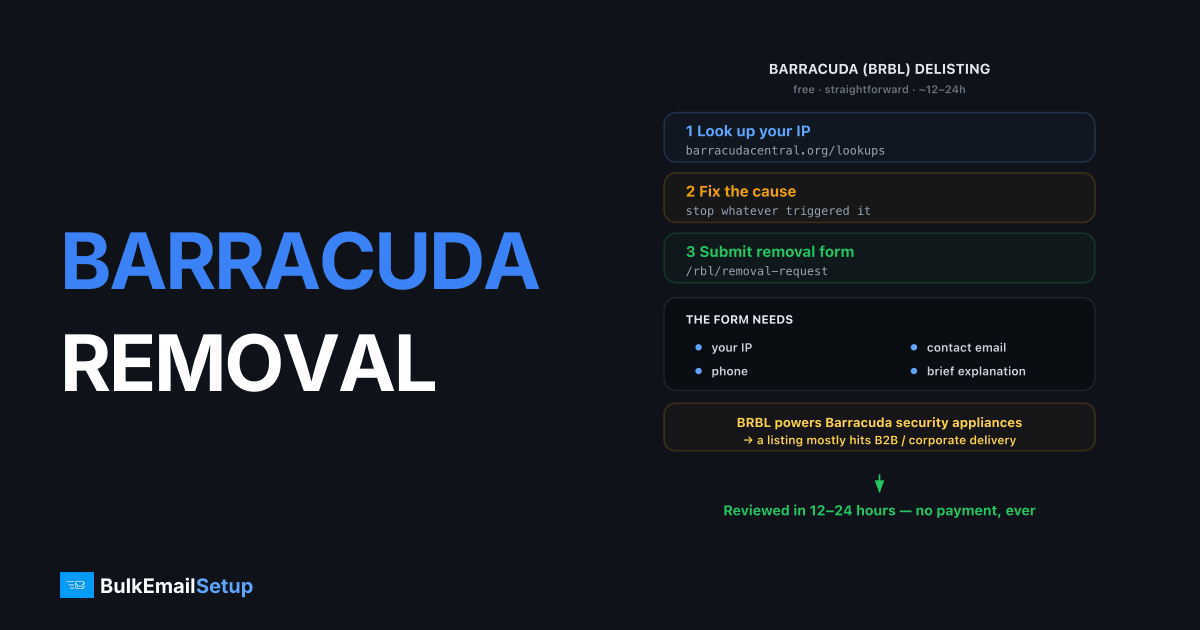
Barracuda blacklist removal is free and straightforward: check your IP at barracudacentral.org/lookups, fix whatever caused the listing, then submit the removal request form at barracudacentral.org/rbl/removal-request with your IP, contact email, phone number, and a brief explanation. Most requests are reviewed and processed within 12-24 hours. The BRBL mostly affects B2B delivery, because it powers Barracuda's widely deployed email security appliances.
What the Barracuda blacklist is
The Barracuda Reputation Block List (BRBL, queried at b.barracudacentral.org) is fed by data from Barracuda's installed base, spam firewalls and Email Security Gateways sitting in front of corporate mail servers. When those devices see spam, trap hits, or bad behavior from your IP, the central reputation system lists it.
That makes Barracuda different from Spamhaus in impact: consumer providers largely ignore it, but a listing silently kills your delivery to thousands of companies running Barracuda boxes. If your B2B reply rates fall off a cliff while Gmail looks fine, check Barracuda first.
Step 1: Confirm the listing
Use the web lookup at barracudacentral.org/lookups, or query the DNSBL directly:
# IP 203.0.113.10 → reverse the octets
dig +short 10.113.0.203.b.barracudacentral.org
# 127.0.0.2  → listed ("poor" reputation)
# NXDOMAIN   → not listed
You may also see Barracuda rejections in your MTA logs:
554 Service unavailable; Client host [203.0.113.10] blocked
using Barracuda Reputation; http://barracudacentral.org/lookups
Step 2: Find and fix the cause before requesting removal
Barracuda manually reviews removal requests, and they relist quickly if the behavior continues. Run through the usual suspects:
| Cause | How to check | Fix |
|---|---|---|
| Spam-trap hits from an old list | When did you last verify the list? | Verify, suppress non-engagers |
| Compromised account/form | Auth logs, outbound queue contents | Rotate creds, patch forms |
| Cold IP volume burst | Did volume jump >50% recently? | Re-warm gradually |
| Open relay | telnet your-ip 25 from outside, try relaying | Lock down Postfix mynetworks |
| Missing rDNS/auth | dig -x your-ip, check SPF/DKIM | Fix DNS before resubmitting |
If you skip this step, expect a denial or a fast relisting, repeat removal requests for the same unresolved IP get scrutinized harder.
Step 3: Submit the removal request
Go to barracudacentral.org/rbl/removal-request and provide:
- The listed IP address.
- A contact email address and phone number (both required. Barracuda occasionally calls or emails to verify).
- A short, factual reason: what caused the listing and what you fixed. One or two sentences beats a paragraph of pleading.
Example of a good reason field: "A contact form on our site was abused to relay spam on June 25. The form is now patched with CAPTCHA and outbound rate limits; the queue was purged."
Most requests are processed within 12-24 hours. There is no fee, and there is no need for any third-party "delisting service."
Step 4: Verify removal and monitor
Re-run the dig check after 24 hours. Then put b.barracudacentral.org into your automated blocklist monitoring alongside Spamhaus and SpamCop. Barracuda listings often recur a few days after removal if a trap address is still on your list. Our Spamhaus delisting guide covers the companion process for the other big blocklist you should be watching.
Avoiding Barracuda listings permanently
- Warm every new IP. Barracuda's reputation engine weights history; a fresh IP doing 20K/day on day one is a textbook listing. Use a proper IP warm-up schedule.
- Verify B2B lists aggressively. Corporate domains recycle addresses into traps faster than consumer providers.
- Watch engagement by domain. Falling response from Barracuda-protected companies is your early-warning signal, segment delivery stats by recipient MX if your platform allows it.
- Keep send rate steady. Spiky sending patterns score worse than consistent daily volume.
Senders running multi-IP pools have an extra advantage: when one IP gets listed, the pool keeps mail flowing during the 24-hour delist window. That resilience model is covered in how to send without getting blacklisted.
How BulkEmailSetup helps
We set up dedicated SMTP servers on your own IPs with a warm-up plan (automatic on Advance and Custom), bounce handling, and SPF, DKIM, DMARC and PTR set up, so listings are rare in the first place and, if one happens, only your own sending is involved. Basic is $549 one-time plus about $11 a month hosting. See our pricing.
Frequently asked questions
How do I remove my IP from the Barracuda blacklist?
Submit the removal request at barracudacentral.org/rbl/removal-request. You provide the IP, your email, phone number, and a short reason. It is free, and most requests are processed within 12-24 hours.
Is Barracuda blacklist removal free?
Yes. Barracuda does not charge for delisting. The standard removal request form is free; there is no legitimate reason to pay a third party for it.
How long does Barracuda delisting take?
Typically 12 to 24 hours after submitting the form, sometimes faster. Barracuda manually reviews requests, so vague or repeat submissions can take longer or be denied.
Why did Barracuda blacklist my IP?
Common triggers are spam-trap hits, complaint reports from Barracuda appliance users, sudden volume from a cold IP, or compromised accounts relaying spam. Barracuda aggregates data from its installed firewall base.
Does a Barracuda listing affect Gmail or Outlook delivery?
Not directly. Gmail and Microsoft use their own systems. A BRBL listing mainly blocks mail to organizations running Barracuda email security appliances, which is a large slice of B2B mail servers.


