
SMTP, or Simple Mail Transfer Protocol, is the internet standard that servers use to send and relay email. When you click send, your mail program hands the message to an SMTP server on port 587 (or 465), and that server forwards it across the internet, server to server, until it reaches the recipient's inbox provider. SMTP has been the backbone of email since 1982 (RFC 821, updated by RFC 5321), and every email you've ever sent traveled over it.
I've run SMTP servers in production for years. Here's how the protocol actually works, the parts that trip people up, and when you'd want your own SMTP server versus a hosted relay.
What does SMTP actually do?
SMTP does one job: move a message from a sender to a destination mail server. That's it. It does not let you read mail, store mail, or manage a mailbox.
The flow looks like this:
- Your mail client (Outlook, a script, an app) connects to an SMTP server and authenticates.
- That server looks up the recipient domain's MX record in DNS to find the receiving mail server.
- It opens an SMTP connection to that receiving server and delivers the message.
- The receiving server hands the message off to the recipient's mailbox.
- The recipient later pulls the message down with IMAP or POP3.
So SMTP is the push half of email. IMAP/POP3 is the pull half. Mixing those up is the single most common confusion I see.
How does an SMTP conversation work?
Under the hood, SMTP is a plain-text conversation of commands and numeric replies. A simplified exchange:
S: 220 mail.example.com ready
C: EHLO sender.com
S: 250-mail.example.com
S: 250 STARTTLS
C: MAIL FROM:<[email protected]>
S: 250 OK
C: RCPT TO:<[email protected]>
S: 250 OK
C: DATA
S: 354 Start mail input
C: Subject: Hi ... message body ...
C: .
S: 250 OK queued
C: QUIT
S: 221 Bye
The client states who it is (EHLO), who the mail is from (MAIL FROM), who it's going to (RCPT TO), then sends the body after DATA. Each step gets a numeric reply. That handshake is the whole protocol.
SMTP ports and status codes
These are the values you'll actually configure and debug.
| Item | Value | What it's for |
|---|---|---|
| Port 25 | Server-to-server relay | MTA-to-MTA delivery; ISPs block it for client sending |
| Port 587 | Submission (STARTTLS) | The standard for clients/apps sending mail in 2026 |
| Port 465 | Submission (implicit TLS) | Encrypted from connect; widely supported again |
| Port 2525 | Alt submission | Fallback some relays offer when 587 is blocked |
| 2xx (e.g. 250) | Success | Command accepted, message queued |
| 354 | Intermediate | Server is ready to receive the message body |
| 4xx (e.g. 421, 451) | Temporary failure | Retry later (greylisting, rate limits, full queue) |
| 5xx (e.g. 550, 554) | Permanent failure | Rejected (bad address, blocked, spam, no relay) |
Rule of thumb when debugging: 4xx means slow down and retry, 5xx means stop and fix something. If you're chasing bounces, the guide to reducing your bounce rate breaks down what each 5xx code usually means.
What about authentication: SPF, DKIM, DMARC?
SMTP moves the message, but on its own it does nothing to prove you're allowed to send as your domain. Three DNS-based standards layer on top:
- SPF: lists which servers/IPs are allowed to send for your domain.
- DKIM: cryptographically signs the message so receivers can verify it wasn't forged.
- DMARC: tells receivers what to do when SPF or DKIM fail, and where to send reports.
Without these, modern inbox providers will junk or reject your mail regardless of clean SMTP. Whether you put them on your root domain or a subdomain matters; see subdomain vs root domain for email sending.
Do I run my own SMTP server or use a relay?
You have three broad options. The trade-off is cost versus how much deliverability work you want to own.
| Option | 2026 ballpark cost | Who owns reputation | Best for |
|---|---|---|---|
| Hosted relay (SES) | ~$0.10 per 1K emails | Shared/yours | Low volume, engineers |
| Hosted relay (SendGrid/Mailgun) | ~$75-250 per 100K | Mostly shared | Convenience at low/mid volume |
| Self-hosted (Postal/Postfix) | ~$20-40/mo VPS | Entirely you | Technical teams with time |
| Managed dedicated SMTP | Flat ~$50-150/mo | Yours, managed | Sustained high volume |
Prices are 2026 ballparks, check current pricing before committing.
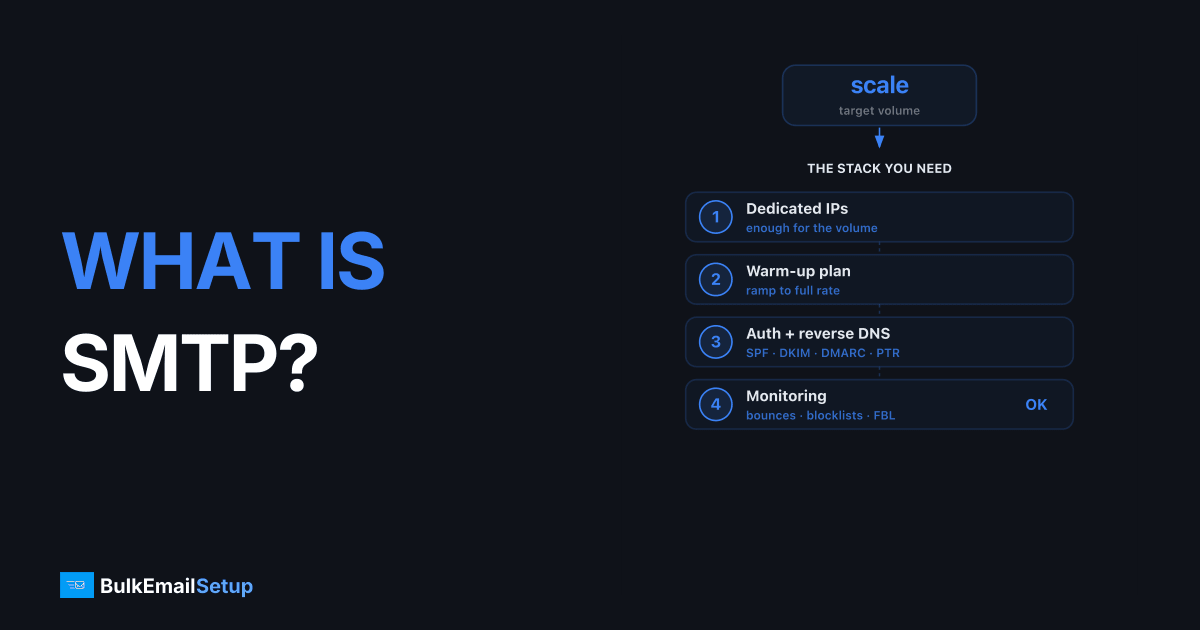
At low volume, a pay-per-email relay like Amazon SES is cheapest. As you scale past roughly 100K-300K emails a month, per-email pricing starts to hurt, and a flat-fee dedicated server with its own warmed IP usually wins on total cost. The full math is in cost to send 1 million emails per month and is managed SMTP worth it. New IPs need a warm-up, and a dedicated IP versus a shared one changes who you share reputation with.
How BulkEmailSetup helps
BulkEmailSetup gives you a dedicated SMTP server with a managed, warmed IP, plus SPF/DKIM/DMARC setup, blacklist monitoring, and bounce handling done for you. You get your own sender reputation without owning the 2 a.m. delisting work, at a flat monthly fee that beats per-email relays once you're sending at volume. See pricing for current plans.
Frequently asked questions
What is SMTP in simple terms?
SMTP (Simple Mail Transfer Protocol) is the standard rule set servers use to send and relay email across the internet. When you hit send, your mail client hands the message to an SMTP server, which forwards it server-to-server until it reaches the recipient's inbox provider.
Which SMTP port should I use?
Use port 587 with STARTTLS for sending mail from an app or client in 2026. Port 465 (implicit TLS) also works and is widely supported again. Port 25 is for server-to-server delivery and is usually blocked by ISPs for client sending.
Is SMTP only for sending email?
Yes. SMTP only sends and relays mail. Retrieving mail from a mailbox uses a different protocol, IMAP or POP3. SMTP gets the message to the destination server; IMAP/POP3 let the recipient read it.
What does a 250 SMTP response mean?
250 means the command succeeded, the server accepted the message or instruction. Codes starting with 4xx are temporary failures (retry later), and 5xx are permanent failures (the message was rejected).
Do I need my own SMTP server to send bulk email?
Not necessarily. You can use a relay like Amazon SES or SendGrid. At sustained high volume, a dedicated SMTP server with its own IP often costs less per email and gives you full control over sender reputation.


