
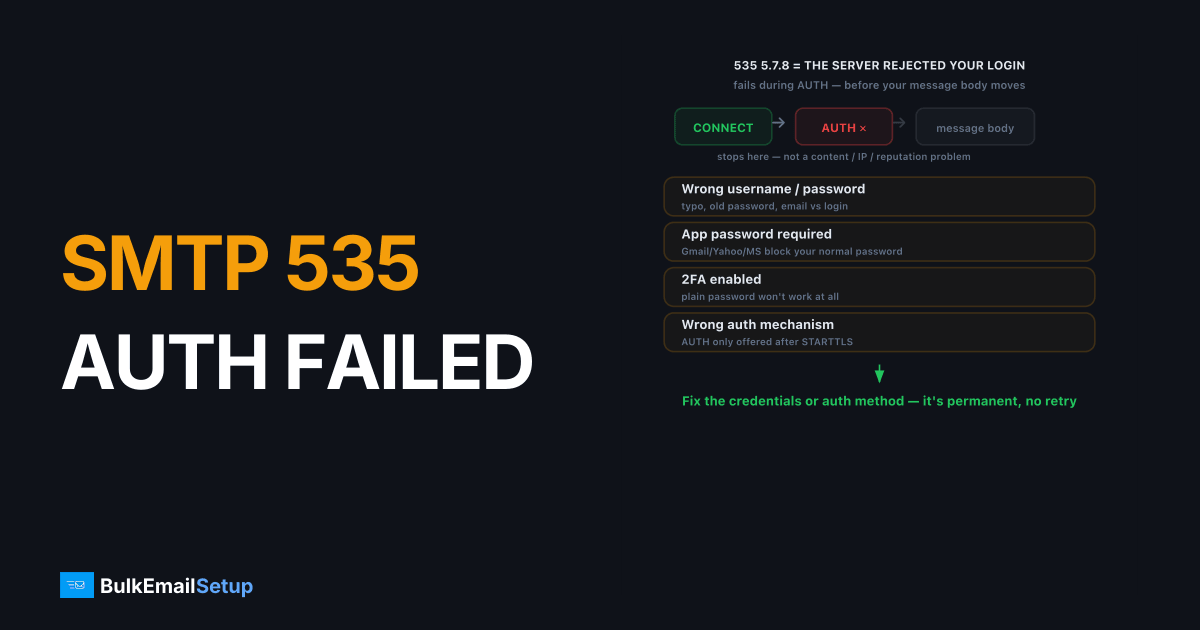
SMTP error 535 5.7.8 authentication failed means the mail server rejected your login. Your username or password was wrong, you skipped an app password the provider requires, or your client tried an auth mechanism the server won't accept. It's a permanent failure, so nothing retries automatically. Fix the credentials or the auth method, then resend. This is a login problem, not a blocklist or reputation problem.
What does 535 5.7.8 actually mean?
The full string usually looks like 535 5.7.8 Error: authentication failed or 535 5.7.8 Username and Password not accepted. The 535 reply code means the SMTP AUTH command failed. The 5.7.8 enhanced status code narrows it to "authentication credentials invalid." Per RFC 3463, any 5.x.x code is a permanent error, so the server gives up rather than queuing your message for retry.
The key thing: 535 happens during the AUTH LOGIN or AUTH PLAIN exchange, before your message body ever moves. So the problem is your SMTP login, not your content, your recipient, or your IP reputation.
Why am I getting a 535 authentication error?
Most 535 errors come from one of six causes. Wrong password is the obvious one, but the subtle ones bite hardest.
| Cause | What's happening |
|---|---|
| Wrong username or password | A typo, an old password, or the email vs the login username mismatch |
| App password required | Gmail, Yahoo, Microsoft block your normal password for SMTP and require a generated app password |
| 2FA enabled | Two-factor accounts can't use the plain password at all |
| Wrong auth mechanism | Client sends LOGIN but server wants CRAM-MD5, or AUTH isn't offered until after STARTTLS |
| STARTTLS not negotiated | Many servers refuse AUTH on an unencrypted session |
| Username is the full email | Some servers want user, others want [email protected] |
A common trap: the password is correct, but the provider quietly switched to requiring app passwords. The login that worked last year now returns 535.
The pattern we see most often in support is narrower than the table suggests. When a customer pastes us a 535 5.7.8 Username and Password not accepted from Gmail or Microsoft 365, it is almost always one of two things: a 2FA account still trying the plain password, or AUTH attempted before STARTTLS on port 587. Genuine typos are rarer than people assume, because most clients store the password once and never retype it.
How do I fix SMTP 535 5.7.8?
Work through these in order. Stop when authentication succeeds.
- Re-enter the credentials by hand. Copy-paste hides trailing spaces and invisible characters. Type the username and password fresh in your SMTP client or app config.
- Confirm the username format. Try the full email address first (
[email protected]), then the bare local part if that fails. Providers differ. - Generate an app password. If you use Gmail, Yahoo, or Microsoft 365 with 2FA, create an app-specific password in account security settings and use that, not your normal password.
- Force STARTTLS on port 587. Set the connection to STARTTLS, port 587. Many servers only offer
AUTHafter the session is encrypted. See SMTP ports 25 vs 465 vs 587 vs 2525 for which to use. - Match the auth mechanism. Run
EHLOand read the250-AUTHline. It lists what the server accepts (LOGIN PLAIN CRAM-MD5). Set your client to one of those. - Check the account isn't locked or suspended. Repeated failed logins can trigger a temporary lock. Reset the password and wait a few minutes.
You can test manually with openssl s_client -connect mail.host.com:587 -starttls smtp, then issue AUTH LOGIN with base64-encoded credentials to see the exact server response.
How do I confirm the credentials work?
After applying a fix, send one test message to an address you control. A clean 235 2.7.0 Authentication successful reply means the login passed. If you still get 535, the credentials or mechanism are still wrong, so move to the next step rather than resending the same config.
If authentication keeps failing on a provider that forces app passwords and rate limits, that friction is a sign you've outgrown a borrowed mailbox. A dedicated SMTP account uses straightforward credentials you control, with SMTP AUTH configured correctly from day one. For the broader login concept, our what is SMTP AUTH explainer covers the mechanisms in plain terms.
How BulkEmailSetup helps
We give you a dedicated SMTP server with your own credentials, the correct auth mechanism, and STARTTLS configured properly, so 535 errors don't come from someone else's app-password rules or rate limits. You authenticate once and send. See plans on our pricing page.
Frequently asked questions
What does SMTP error 535 5.7.8 mean?
It means the SMTP server rejected your login. The 535 code is an authentication failure, and 5.7.8 specifically signals bad credentials. Your username or password was wrong, or the account isn't allowed to authenticate this way.
Why does 535 happen with the correct password?
Usually because the provider requires an app-specific password instead of your normal login, or two-factor authentication blocks the plain password. Gmail, Yahoo, and Microsoft all force app passwords for SMTP clients.
Is 535 a temporary or permanent error?
It's a permanent (5.x.x) failure. The server won't retry on its own. Nothing fixes itself with time. You have to correct the credentials or the auth method, then resend.
Does 535 mean my IP is blocked?
No. 535 is strictly an authentication problem, not a blocklist or reputation issue. If your IP were blocked you'd see a 5.7.1 or 5.3.0 rejection at connection or RCPT stage, not a login failure.


