
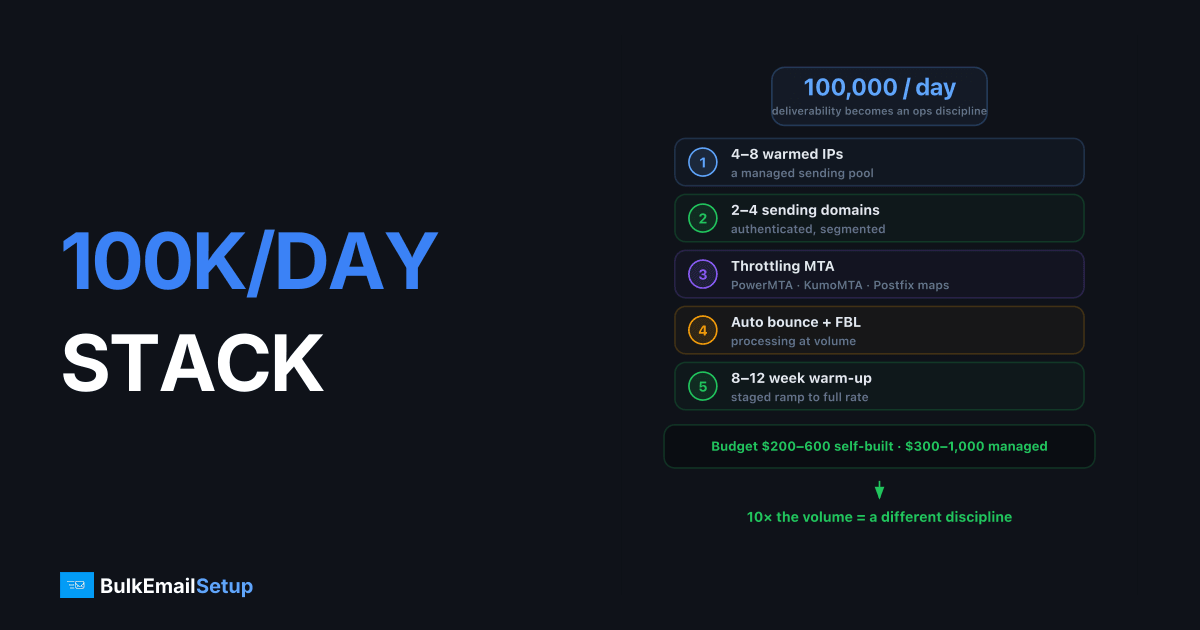
To send 100,000 emails per day you need a pool of 4-8 warmed dedicated IPs, 2-4 authenticated sending domains, an MTA capable of per-provider throttling (PowerMTA, Postfix with transport maps, or KumoMTA), automated bounce and feedback-loop processing, and 8-12 weeks of staged warm-up. Budget $200-600/month self-built or $300-1,000/month managed. At this volume, deliverability is an operations discipline, not a server config.
The architecture at a glance
                    ┌─────────────────────────┐
  Campaign tool ──► │  MTA (queue + policy)   │
                    │  per-provider throttles │
                    └────┬────┬────┬────┬─────┘
                         │    │    │    │
                       IP-1 IP-2 IP-3 IP-4 ... (pool)
                         │    │    │    │
                    Gmail / Outlook / Yahoo / B2B MX
                         ▲
            Bounces + FBL complaints feed back into suppression
Every box in that diagram exists for one reason: mailbox providers rate-limit and score you per IP, per domain, and per content fingerprint. 100K/day means you are managing all three simultaneously.
IP pool: how many and why
| Daily volume | Warmed IPs | Reasoning |
|---|---|---|
| 10K | 1-2 | Single IP headroom |
| 50K | 2-4 | Microsoft/Yahoo throttling |
| 100K | 4-8 | Throttle headroom + failover |
| 250K | 8-15 | Per-IP caps at strict providers |
| 1M | 25-40 | Full rotation pool, see below |
The math: Outlook.com tolerates roughly 10-20K/day from a well-reputed IP before deferrals start, and far less from a young one. Yahoo behaves similarly. Gmail is more domain-centric but still throttles unfamiliar IPs. Splitting 100K across 6 IPs keeps every IP inside the comfortable zone at every provider, our per-IP volume limits article breaks down the numbers by provider.
You also want failover headroom. If one IP catches a Barracuda or Spamhaus CSS listing, the remaining pool absorbs its traffic while you delist. With exactly enough IPs and zero spare capacity, one listing cuts your throughput.
For cold outreach specifically, rotation is a different discipline, see IP rotation for cold email.
Domains: split sending streams
At 100K/day you almost certainly have multiple mail streams. Separate them by subdomain so one stream's reputation cannot poison another:
| Stream | Subdomain | IP assignment |
|---|---|---|
| Transactional | tx.yourdomain.com | 1 dedicated IP, never shared |
| Marketing/newsletter | news.yourdomain.com | 2-3 IPs |
| Re-engagement / risky | win.yourdomain.com | 1-2 IPs, isolated |
Each subdomain gets its own SPF, DKIM selector, and DMARC policy. Keep the root domain out of bulk sending entirely.
dig TXT tx.yourdomain.com +short
dig TXT s1._domainkey.news.yourdomain.com +short
The MTA: where 100K/day setups succeed or fail
A default Postfix install will deliver 100K emails. It will also get you throttled, because it retries too eagerly and sends to every provider at the same rate. What you need from the MTA layer:
- Per-provider throttles. E.g. max 20 concurrent connections and 500 msgs/hour/IP to Outlook, looser limits to Gmail.
- IP pool assignment. Route each mail stream out of its designated IPs.
- Backoff on 4xx. When Yahoo says "421 deferred," slow that queue, don't hammer it.
- Queue visibility. You need to see, per provider, what is queued, deferred, and why.
| MTA | License | Strengths | Watch out |
|---|---|---|---|
| PowerMTA | Commercial ($$$) | Best-in-class throttling, accounting | Cost; Sparkpost licensing |
| Postfix | Free | Solid, well-documented | Per-provider tuning is manual (transport maps + policy) |
| KumoMTA | Free/OSS | Modern, scriptable throttles | Younger ecosystem |
| Haraka | Free/OSS | Node-based, flexible | You build the policy layer |
Hardware is the easy part: a 4 vCPU / 8 GB server pushes 100K/day with room to spare. Disk I/O for the queue matters more than CPU, use SSD/NVMe.
Warm-up: 8-12 weeks, staggered
You do not warm 6 IPs to 100K in parallel from day one. Stagger them:
| Phase | Weeks | Active IPs | Pool volume/day |
|---|---|---|---|
| 1 | 1-3 | 2 | 100 → 5,000 |
| 2 | 3-6 | 4 | 5,000 → 25,000 |
| 3 | 6-9 | 6 | 25,000 → 60,000 |
| 4 | 9-12 | 6-8 | 60,000 → 100,000 |
Each IP follows the same per-IP ramp from our IP warm-up schedule: start small, increase ~30-50% every 2-3 days, freeze on any deferral spike. Engaged recipients first, warm-up traffic that gets opened builds reputation; warm-up traffic that gets ignored just builds volume history.
Bounce, complaint, and suppression automation
At 100K/day, manual list hygiene is impossible. These must be automated:
- Hard bounce suppression, removed on first 5xx user-unknown, no exceptions.
- Feedback loops (FBLs), register for Microsoft JMRP, Yahoo CFL, and others; every complaint becomes a permanent suppression within minutes.
- Soft bounce policy, suppress after 3-5 consecutive soft bounces.
- Pre-send verification on any list older than 90 days.
Target numbers: bounce rate under 2%, complaint rate under 0.1% (Gmail's enforcement threshold is 0.3%, treat 0.1% as your alarm line).
Monitoring stack
| Tool | Covers | Cost |
|---|---|---|
| Google Postmaster Tools | Gmail domain/IP reputation, spam rate | Free |
| Microsoft SNDS + JMRP | Outlook per-IP data, traps, complaints | Free |
| Blocklist monitor (Spamhaus, Barracuda, SpamCop, UCEPROTECT) | Listings | Free-$30/mo |
| Seed/inbox placement testing | Where mail actually lands | $50-200/mo |
Check daily during warm-up, then automate alerts. A Spamhaus CSS listing caught same-day is a 24-hour fix; caught a week later, you have burned a domain's worth of campaigns.
Total cost breakdown
| Item | Self-built | Managed |
|---|---|---|
| Servers (2x for redundancy) | $80-200/mo | included |
| 6-8 dedicated IPs | $20-80/mo | included |
| MTA licensing | $0 (Postfix) to $1K+/mo (PMTA) | included |
| Monitoring/placement tools | $50-150/mo | included |
| Engineering time | 10-20 hrs/mo | ~0 |
| Total | $200-600/mo + time | $300-1,000/mo |
If you are eventually heading past 100K, read our guide on how to send 1 million emails per day, the architecture scales linearly, but the operational discipline has to be in place first.
How BulkEmailSetup helps
We deploy the full 100K/day stack, clean IP pools, tuned MTA throttling, staggered warm-up, FBL registration, and 24/7 blocklist monitoring, as a managed service, so your team runs campaigns instead of infrastructure. See pricing for dedicated multi-IP plans.
Frequently asked questions
How many IPs do I need to send 100,000 emails per day?
Plan for 4 to 8 warmed dedicated IPs. A single healthy IP can technically push 50K+, but per-provider throttling at Microsoft and Yahoo, plus the need for failover, makes 4-8 the practical floor.
What MTA should I use for 100K emails a day?
PowerMTA is the industry standard for per-provider throttling and IP pooling, but it is expensive. Postfix with transport maps, Haraka, or KumoMTA handle 100K/day well if configured correctly.
How long does it take to warm up infrastructure for 100K/day?
From brand-new IPs, expect 8-12 weeks to reach full volume safely. Each IP follows its own ramp, and you stagger them so the pool grows in stages.
What does 100K emails per day cost in infrastructure?
Self-built: roughly $200-600/month for servers and IPs, plus MTA licensing if you use PowerMTA. Managed dedicated infrastructure typically runs $300-1,000/month at this volume.
Can I send 100K emails a day through Amazon SES?
Yes, after requesting a sending quota increase, and it is cheap. But you trade away control: SES suspends accounts on complaint spikes, and shared-pool reputation issues are out of your hands.


