
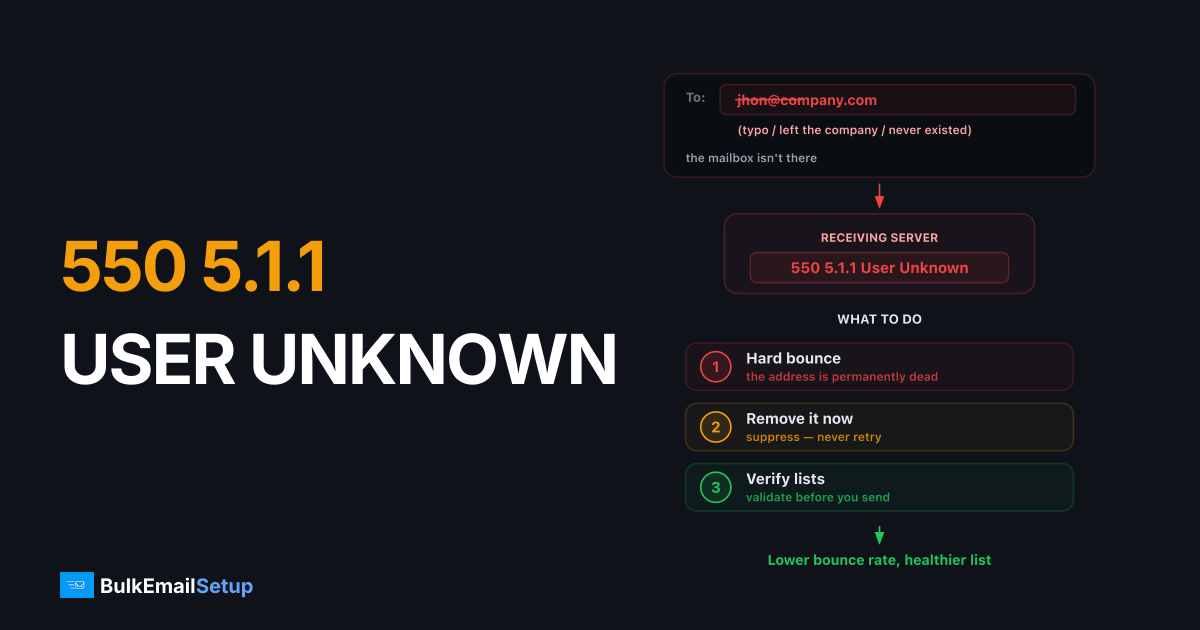
A 550 5.1.1 User unknown bounce means the recipient mailbox does not exist, the receiving server checked the address and found nothing to deliver to. It's a permanent hard bounce: don't retry, remove the address from your list immediately, and watch your overall bounce rate, because providers treat high unknown-user rates as the signature of a bad list.
The bounce, decoded
550 5.1.1 <[email protected]>: Recipient address rejected:
User unknown in virtual mailbox table
| Part | Meaning |
|---|---|
550 | Permanent failure, no retries |
5.1.1 | Enhanced code: "bad destination mailbox address" |
| The text | Server-specific phrasing: "User unknown", "No such user", "mailbox unavailable", "does not exist" |
The leading 5 is what makes this permanent. If you're unsure how a 5xx failure differs from a temporary 4xx deferral, see soft bounce vs hard bounce.
Gmail's version reads 550 5.1.1 The email account that you tried to reach does not exist. Postfix says User unknown in virtual mailbox table. Same meaning everywhere.
Why addresses go dead
| Cause | Where it shows up |
|---|---|
| Typos at signup (gamil.com-class errors in the local part) | Web-form lists without confirmation |
| Employee left; corporate mailbox deleted | B2B lists, roughly a quarter of B2B addresses churn yearly |
| Abandoned free-mail accounts deactivated | Old consumer lists |
| Purchased/scraped lists full of guessed addresses | The worst case, often 10%+ bounce on first send |
Why providers care about your 5.1.1 rate
Mailbox providers count unknown-user attempts per sending IP and domain. Legitimate senders with opt-in lists bounce under 2%; list-buyers and spammers bounce far higher, because guessed and scraped addresses are mostly dead.
Worse, providers convert long-dead addresses into recycled spam traps. An address that has been bouncing 5.1.1 for a year may suddenly start accepting mail again, as a trap. Senders who ignored the bounces and kept mailing it get blacklisted. This is why suppression must be immediate and permanent, not "after three bounces."
What to do
- Suppress on first 5.1.1. Automate it, your sending platform or MTA bounce-processing should remove the address the day it hard-bounces.
- Never retry manually. If the message mattered, find another channel; the mailbox is gone.
- Check the address for typos before assuming it's dead,
jhon@vsjohn@causes plenty of 5.1.1s to addresses that "should" work. - Measure your rate. Hard bounces ÷ delivery attempts per campaign. Under 2% is healthy; over 5% means stop sending and clean the list before reputation damage compounds.
- Verify before you send. Run new or old lists through verification (SMTP-level mailbox checks) before a campaign, it converts would-be bounces into pre-send removals. For a fuller routine, follow our email list cleaning guide.
- Use confirmed opt-in on signup forms to kill typo addresses at the source.
A rising 5.1.1 rate is usually the first visible symptom of a list-quality problem that later shows up as spam-folder placement and reputation blocks, the progression we cover in our guide on keeping email out of the spam folder. And if bounces have already dented your IP's standing, see how to send without getting blacklisted.
When it's not your fault
Rarely, 5.1.1 fires on a genuinely live mailbox: a botched mail migration leaves the address out of the new server's user table, or a domain's catch-all was switched off. If a recipient swears the address works, ask them to email you first (proving the mailbox sends) and to flag the bounce to their mail admin. From your side there is nothing to fix.
How BulkEmailSetup helps
Our dedicated SMTP servers include automated bounce processing, 5.1.1s are suppressed instantly and your bounce rate is tracked against the 2% line as part of our deliverability management. See pricing for what's included.
Frequently asked questions
What does 550 5.1.1 user unknown mean?
The receiving server looked up the recipient address and found no such mailbox. It's a permanent failure, the address is wrong, deleted, or never existed, and the message will not be delivered.
Should I retry sending after a 550 5.1.1 bounce?
No. It's a permanent (5xx) error; the mailbox doesn't exist and retrying won't create it. Repeatedly mailing dead addresses actively damages your sender reputation.
What bounce rate is considered dangerous?
Keep hard bounces under 2% of sends. Sustained rates above that signal a stale or purchased list to mailbox providers and trigger spam-folder placement and blocks.
Can a real, working address still bounce with 5.1.1?
Occasionally, a typo'd local part, a recipient-side misconfiguration after a mail migration, or a catch-all being disabled can 5.1.1 a 'real' address. If the recipient insists the address works, have them check with their mail admin.
What's the difference between 550 5.1.1 and 550 5.1.2?
5.1.1 means the mailbox (the part before the @) doesn't exist; 5.1.2 means the domain itself is invalid or has no mail server. Both are permanent and both addresses should be removed from your list.


