
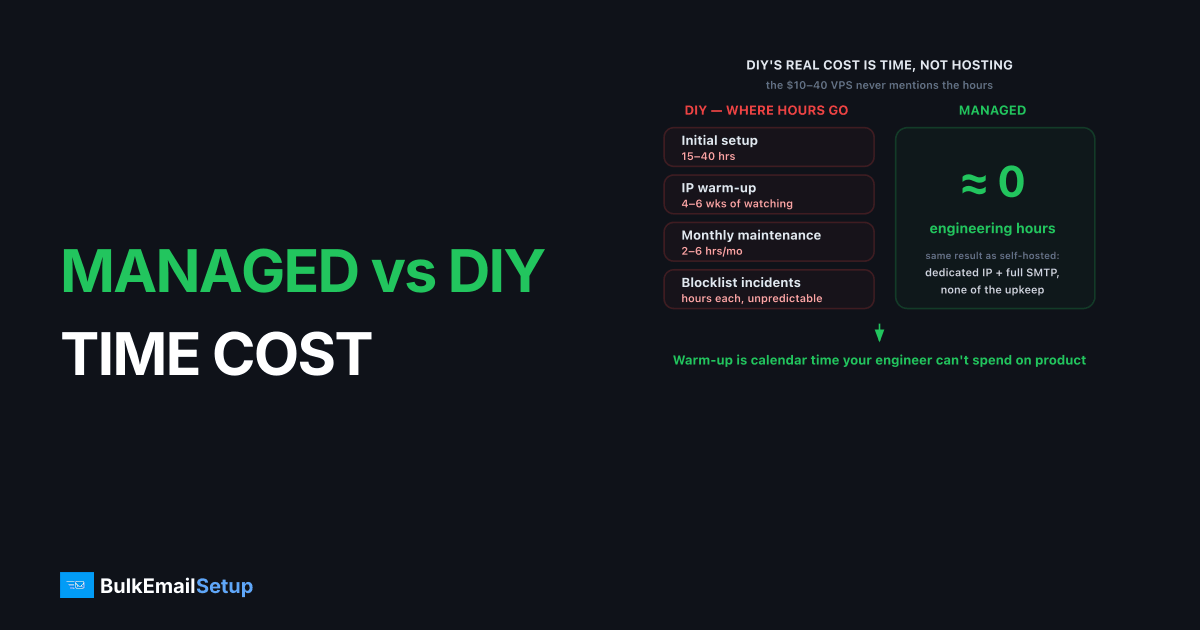
The real cost of DIY SMTP is time, not hosting. A VPS to self-host Postfix costs $10 to $40/month, but expect 15 to 40 hours of initial setup, a 4 to 6 week IP warm-up that needs regular attention, and 2 to 6 hours of maintenance every month after that, plus unpredictable blocklist firefighting. Managed SMTP trades a higher monthly fee for near-zero engineering time. For most teams that don't build email for a living, the hours saved are worth more than the price difference.
What is the real time cost of DIY SMTP?
The real time cost of DIY SMTP is dozens of setup hours plus a multi-week warm-up plus recurring monthly maintenance, all of it human time the cheap VPS price never mentions. The server is the easy part. Making it inbox reliably at volume is a project measured in weeks of attention.
Here's where the hours actually go:
| Phase | DIY time cost |
|---|---|
| Initial setup (Postfix, SPF, DKIM, DMARC, PTR) | 15 - 40 hours |
| IP warm-up | 4 - 6 weeks, daily-ish attention |
| Monthly maintenance | 2 - 6 hours/month |
| Blocklist incidents | unpredictable, hours each |
| Bounce + feedback-loop handling | build or integrate, then monitor |
The warm-up is the time cost people forget to price. It's not 4 to 6 weeks of waiting, it's 4 to 6 weeks of watching: ramping volume on a schedule, reading bounce codes, adjusting when a provider starts deferring. That's calendar time your engineer can't spend on your actual product. We cover the schedule in how long does IP warm-up take.
What does managed SMTP remove from your plate?
Managed SMTP removes the entire operational burden: no warm-up project, no auth debugging, no blocklist fire drills, no queue monitoring. You get the result of a self-hosted server, a dedicated IP you control with full SMTP access, without owning the hours that produce it.
The specific work it takes off your team:
- Warm-up, ramped over 4 to 6 weeks by the provider.
- Authentication, SPF, DKIM, DMARC, and PTR configured correctly from day one.
- Reputation monitoring and blocklist delisting, handled.
- Maintenance, patching and queue health, off your calendar.
We've seen a two-person startup lose most of a month to a self-hosted setup, not because anything was broken, but because warm-up and one Spamhaus listing ate the calendar. The same team on managed infrastructure shipped product that month instead. That's the trade the price difference actually buys.
DIY SMTP requires roughly 15 to 40 hours of initial setup, a 4 to 6 week IP warm-up needing regular attention, and 2 to 6 hours of monthly maintenance thereafter (industry-typical estimates, early 2026). Managed SMTP removes this engineering time, trading a higher flat fee for near-zero ongoing labor for teams without in-house mail expertise.
When does DIY actually pay off?
DIY pays off when you have in-house mail expertise and need deep customization, or when email is your product. A team with a deliverability engineer already absorbs the time cost as part of normal work, and full control over routing, queueing, and MTA choice is worth real money to them.
The honest line: if you're comparing Postfix vs Exim vs Haraka because you genuinely care which MTA you run, DIY might be for you. If that comparison reads like a chore you'd rather skip, the time cost will frustrate you, and managed is the better fit.
For the dollar side of the same decision, see buy an SMTP server vs build one.
Managed vs DIY at a glance
| Factor | DIY (self-host) | Managed SMTP |
|---|---|---|
| Setup time | 15 - 40 hours | near zero |
| Warm-up | you run it, 4 - 6 weeks | done for you |
| Monthly maintenance | 2 - 6 hours | none |
| Blocklist response | you firefight | handled |
| Monthly hosting/fee | $10 - $40 VPS | flat managed plan |
| Customization | maximum | provider-defined |
| Best for | teams with mail expertise | teams who send, not build |
Whichever you choose, the deliverability rules don't change: clean lists, correct authentication, and a complaint rate under control. No amount of managed convenience fixes bad sending practices.
How do you put a dollar figure on DIY time?
Put a dollar figure on DIY time by multiplying the hours by your fully-loaded engineering rate, then comparing that to the price gap between DIY hosting and a managed plan. At a typical senior engineering cost, the first-year labor alone often exceeds a year of managed pricing, before you count the opportunity cost of work not shipped.
A rough first-year labor model:
| Time item | Hours | Notes |
|---|---|---|
| Initial setup | 15 - 40 | one-time |
| Warm-up attention | 20 - 40 | spread over 4 - 6 weeks |
| Monthly maintenance | 24 - 72 | 2 - 6 hours x 12 |
| Blocklist incidents | variable | hours per event |
Totaling the conservative end, a self-hosted setup easily consumes 60 to 150+ engineer hours in year one. At any realistic loaded rate, that labor outweighs the hosting savings many times over, which is the calculation that flips most "DIY is cheaper" assumptions once it's actually written down.
What's the opportunity cost most teams ignore?
The opportunity cost most teams ignore is the product work their engineer didn't do while babysitting an SMTP server. Hours spent on warm-up schedules and blocklist delisting are hours not spent on the thing your business actually sells. For a product team, that's the most expensive line item of all, and it never shows up on an invoice.
This is why the time-cost framing matters more than the dollar one. A $30 VPS that consumes your only backend engineer for a month isn't cheap, it's the most expensive sending setup you could choose, measured in shipped features. The dollar comparison lives in buy an SMTP server vs build one, but the opportunity cost is often the real decider.
The honest counterpoint: if email is your product, that time isn't opportunity cost, it's core work, and DIY is the right call. For everyone else, managed buys back the calendar.
Why does DIY time always spike at the worst moment?
DIY time isn't just large, it's badly timed. Blocklist hits, deferrals, and reputation dips tend to surface during your highest-volume sends, because that's when a fresh or marginal IP gets pushed past its safe ceiling. So the hours land exactly when your team is busiest, not on a quiet Tuesday you could plan around.
The pattern that catches teams out:
| When you send heavily | What tends to break | Time cost |
|---|---|---|
| Product launch | IP throttled, 421 deferrals | hours of triage mid-launch |
| Seasonal peak | volume past warm-up ceiling | re-pacing the schedule live |
| Large list import | complaint spike, possible block | delisting + list cleanup |
| Re-engagement blast | dormant addresses bounce hard | reputation repair |
In the self-hosted incidents we've reviewed, the clustering is the real story: problems concentrate around the few sends that matter most, not across the calendar evenly. A typical shape: a re-engagement blast to a stale segment spikes the bounce rate past 5%, Gmail starts returning 421 4.7.28, and what should have been a one-evening campaign turns into two days of list scrubbing and slow re-pacing. That timing is what makes DIY time cost feel worse than the raw hours suggest, your engineer is pulled onto mail exactly when the rest of the business needs them on the launch. A managed setup absorbs that spike for you, which is the part the hour count alone never captures. For the dollar framing, see buy an SMTP server vs build one.
A concrete first-year comparison
Put real numbers on it and the gap stops being abstract. Take a SaaS team sending 120K emails a month, one backend engineer, no in-house mail expertise. Here is how the first year actually splits between the two paths.
| Line item | DIY (self-host) | Managed SMTP |
|---|---|---|
| Hosting / plan, 12 months | ~$240 ($20 VPS) | flat monthly plan |
| Setup labor (one-time) | 25 hours | under 1 hour |
| Warm-up attention | 30 hours over 5 weeks | 0 (provider runs it) |
| Maintenance labor | ~48 hours (4 hrs x 12) | 0 |
| One Spamhaus CSS listing | ~6 hours of delisting | handled |
| Total engineer hours | ~109 hours | ~1 hour |
At a loaded engineering cost in the low hundreds per hour, those 109 hours dwarf the hosting line. The VPS looks like the cheap option until you price the calendar attached to it. That single column, total engineer hours, is the number that actually decides this for most teams, and it is the one a hosting quote never shows you.
How BulkEmailSetup helps
We give you the DIY result without the DIY hours: a dedicated IP you control, full SMTP access, and SPF, DKIM, DMARC, and PTR configured correctly, with warm-up and reputation monitoring handled for you on a flat monthly plan. Your engineers get their calendar back. See plans on our pricing page.
Frequently asked questions
How much time does DIY SMTP really take?
Expect 15 to 40 hours for initial setup, a 4 to 6 week IP warm-up needing regular attention, and 2 to 6 hours per month of ongoing maintenance after that. Blocklist incidents add unpredictable hours on top, often during your busiest sending weeks.
Is managed SMTP worth the extra cost?
For most teams, yes. Managed SMTP trades a higher monthly fee for near-zero engineering time: no warm-up project, no blocklist firefighting, no auth debugging. If email isn't your core product, the time you save is usually worth more than the price difference.
What ongoing work does self-hosted SMTP need?
Patching and security updates, queue and bounce monitoring, feedback-loop processing, reputation tracking, and blocklist delisting when it happens. None of it is hard individually, but it never stops, and it tends to spike at the worst times.
Who should choose DIY SMTP over managed?
Teams with in-house mail expertise who need deep customization, or where email is the core product. If you have a deliverability engineer and want full control of routing and queueing, DIY pays off. Otherwise the time cost usually favors managed.


